A Review Of The Wobkey Rainy 75 Pro Mechanical Keyboard
It's a compelling choice for the same reasons that people choose to read physical books, shoot film with a Leica rangefinder, or drive a manual transmission vehicle. It won't necessarily get you to your destination any faster, but the journey is so much more enjoyable.


Decaf Journal is reader-supported. When you buy links through our site, we may earn an affiliate commission.
Nobody really needs a mechanical keyboard, right? I mean, no doubt the stock keyboard that your desktop computer or laptop are already equipped with is plenty sufficient for word processing, media editing, gaming, and completing any other task you could foreseeably throw at it. So why then you might be wondering, is there a subbreddit called r/MechanicalKeyboards that boasts well over a million followers?
Let me preface this by saying that I'm not a serious mechanical keyboard connoisseur by any means, I just wanted something that would incentivize me to write more often and for longer stretches; let's call it a productivity motivator. While I believe the Apple Magic Mouse is a perfected design that needs no improvement, my built-in Macbook Air keyboard has always left me wanting, something more tangible that allowed me to feel better connected to the writing experience. I decided to invest in a quality mechanical keyboard because I wanted to start taking my writing more seriously and also to satisfy my mid-90s nostalgia for the chunky and audibly stimulating keyboard experiences I grew up with.
After looking at a few different mechanical keyboard brands including Keychron's impressive selection of models, I settled on the Rainy 75 Pro from Wobkey. I was admittedly pretty hesitant to pull the trigger on it, with the thought of buyer's remorse being top of mind given that an expensive accessory keyboard doesn't unlock any new functionality that I wasn't already able to do before. I've been using it as my primary keyboard for several months now, so here's the full breakdown of my experience and how I'm feeling post-purchase.
Build Quality & Design
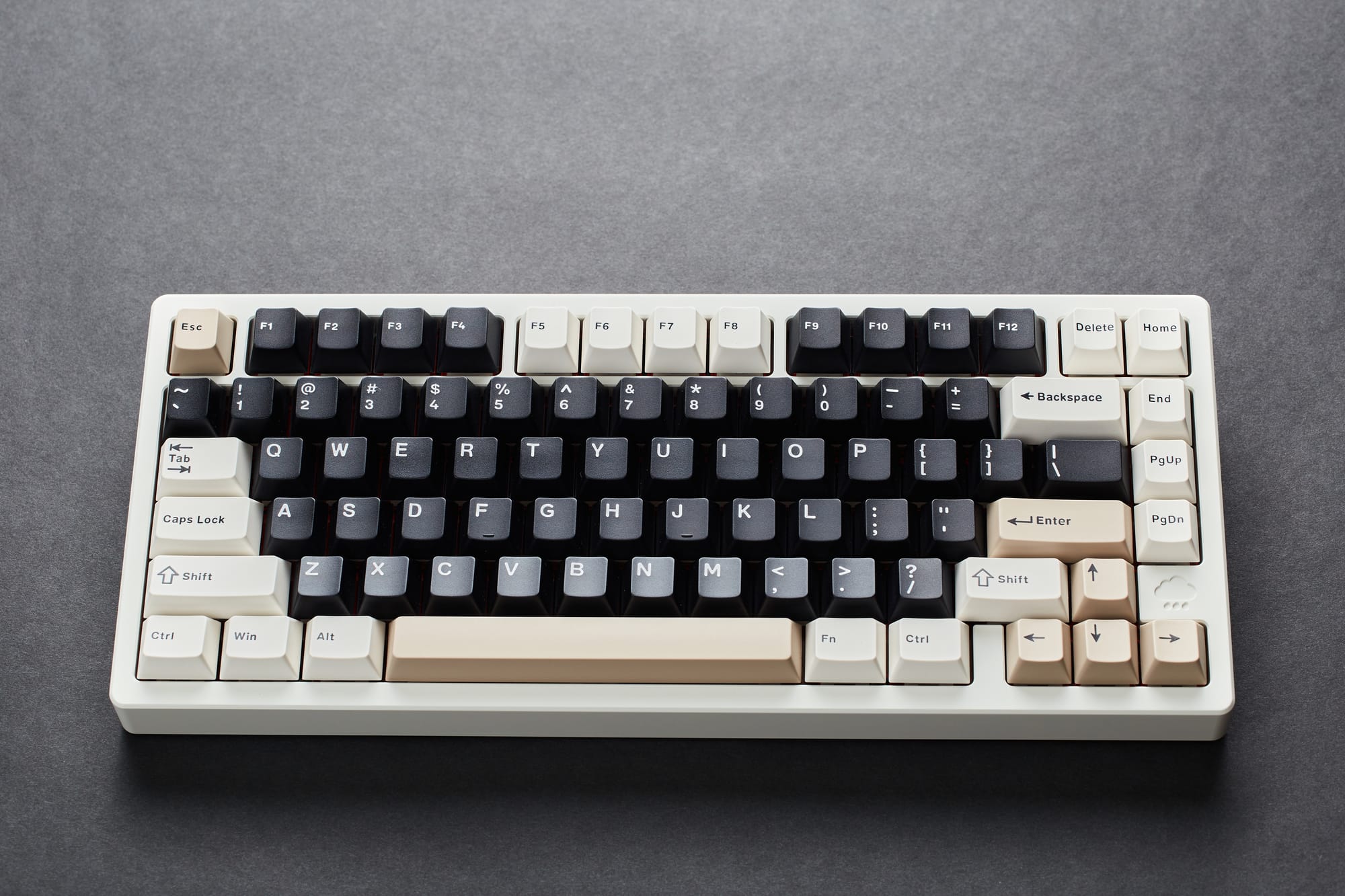
The Wobkey Rainy 75 Pro measures in at 32L x 13W x 4H centimetres, and though it might not be apparent from the images here, it's easily the most overbuilt device I've ever owned. That is to say, it's heavy, built like an absolute tank, and will more than likely outlast me. I think most consumers would prefer to only buy something once even if that means it costs a little more, so the impeccable construction here is a notable selling point.
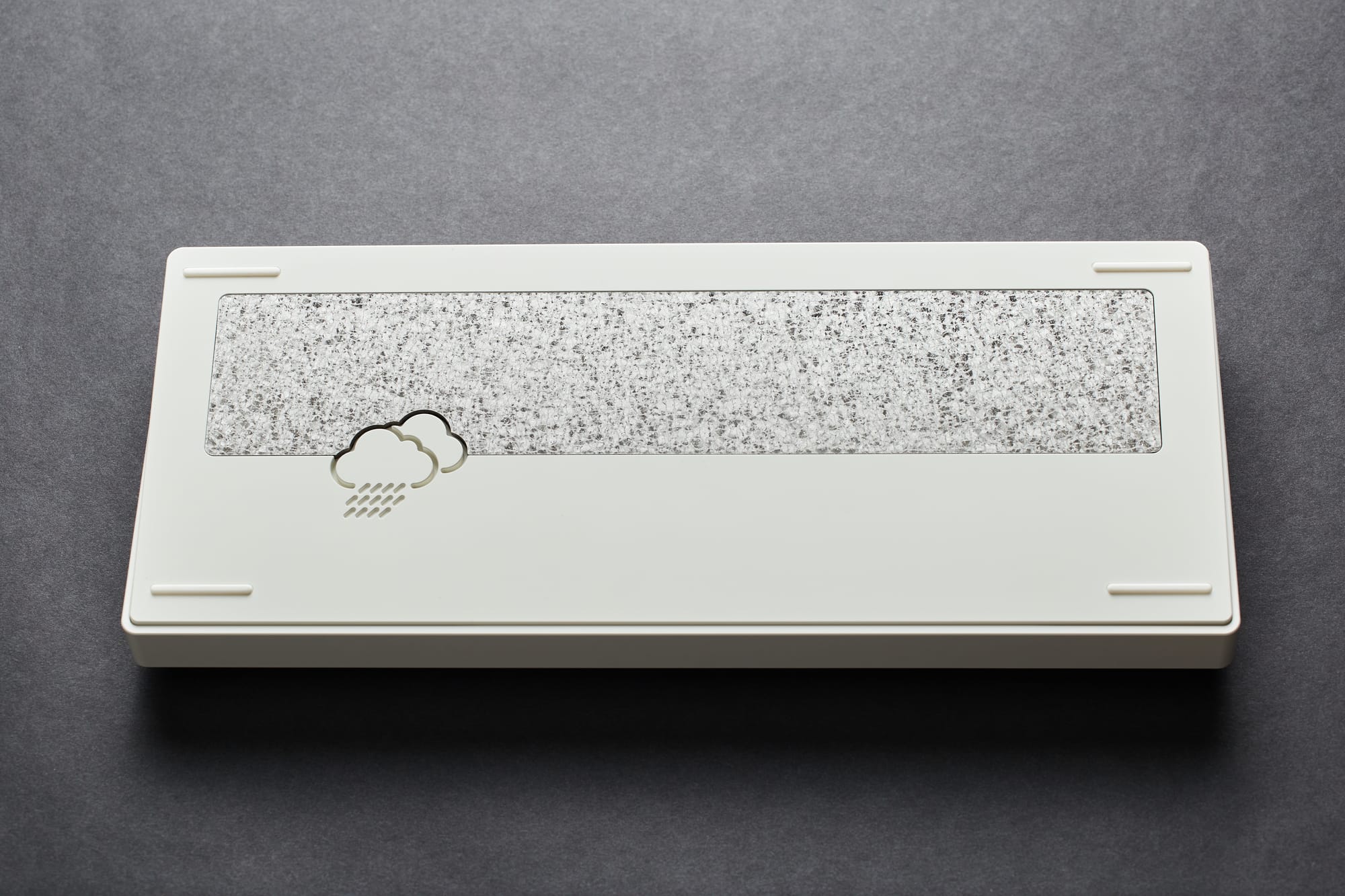
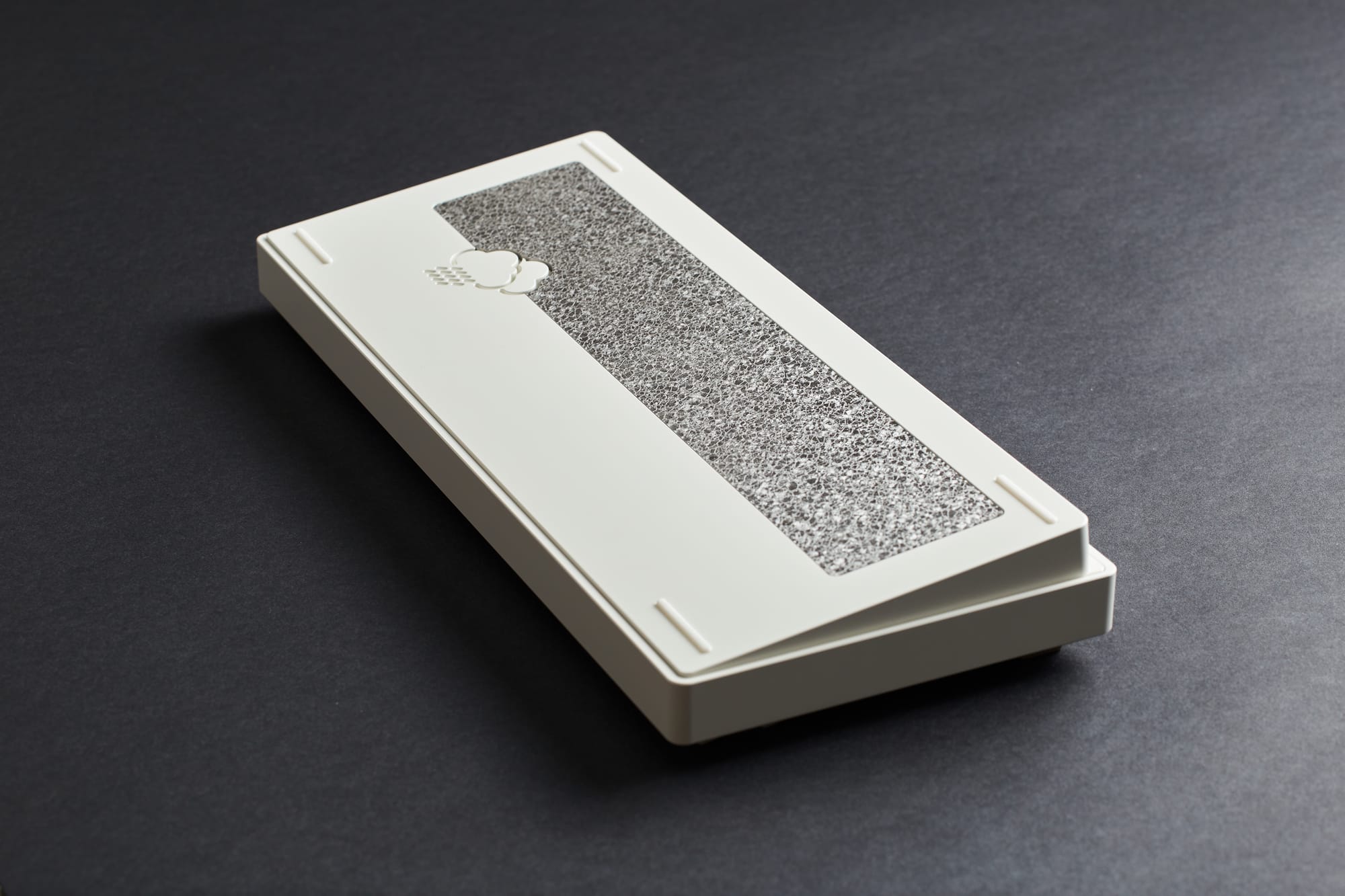
Going a bit deeper into the build quality specifications, the keyboard is housed in an ultra sturdy 6063 aluminum alloy CNC case with a lovely matte paint finish that's shown no signs of wear so far. Normally the underside is the least exciting aspect of a keyboard, but this is where the Wobkey Rainy 75 Pro surprises with an eye-catching textured steel and glass weight complete with a delightful rain cloud logo. If / when you ever decide to swap out the keycaps for something a little more custom, you'll find a slick red base hiding just beneath the keys.
The Rainy 75 is aptly named because it's considered a 75% keyboard which features 81 keys in a traditional QWERTY layout. This is supported by a whopping five distinct layers of padding with extra dampening foam, which makes for the best feeling typing experience I've ever had with a keyboard, and it's not even close. I honestly never expected this level of engineering and I wish more electronics manufacturers in general would build their products to this higher standard.
Features
The Wobkey Rainy 75 Pro offers three different ways to connect to a device, making it an incredibly versatile choice not just for computers, but also tablets and smartphones. These connections include wired USB-C, Bluetooth, and 2.4G wireless connectivity with the included USB dongle, and all of them are pretty much dead simple to set up.
The latency (or responsiveness) of the keyboard in wired (2 milliseconds) and 2.4G wireless (3 milliseconds) modes is imperceptible to me, however I do notice a slight but still acceptable lag time of 7 milliseconds when using Bluetooth mode. The bad news is that the wireless switch can only be accessed from underneath the Caps Lock key with the provided keycap removal tool. An odd and inconvenient placement for sure.
A popular feature on most mechanical keyboards these days is the inclusion of RGB backlighting, and the Wobkey Rainy 75 Pro is no exception. There's an exhaustive 18 different different effect modes for customized colors and patterns, and those who love RGB lighting won't be disappointed. It's a fun party trick no doubt, but I personally turn it off as it can be distracting at times.
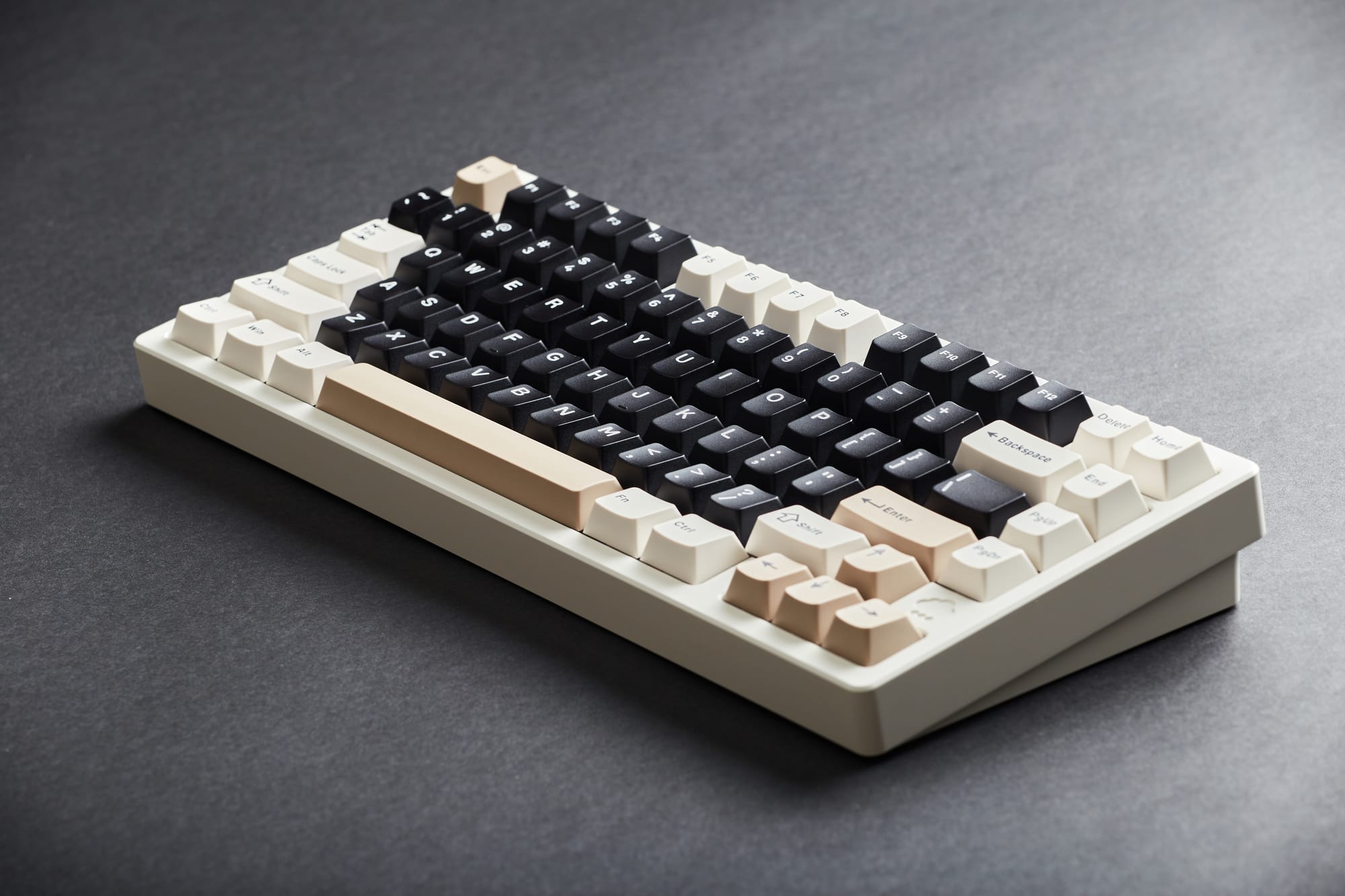
Aside from the impressive build quality, the main reason I acquired this keyboard is for its arguably perfect haptic feedback out of the box and super pleasant raindrop sound that the keys make. Make no mistake, this keyboard is definitely on the noisier side but that pleasing sound and the satisfying feeling that you get from pressing the keys is sublime and like nothing else I've ever experienced before. This is all thanks to the keyboard's KAILH Cocoa Switches and double shot PBT Keycaps which are excellent in their own right, but they can also be quickly swapped out if they aren't to your exact liking.
Battery life on the Wobkey Rainy 75 Pro lasts an impressive 900 hours with the built-in lithium ion batteries. And if you ever have the need or desire to customize your keyboard layout, you can use the free and user-friendly VIA app to remap the keys for endless customization. Lastly, the Rainy 75 Pro comes in numerous gorgeous colorways and accent options that made it quite difficult for me to decide on one, though I eventually went with the Pro - White version because it gave me precisely the vintage 90s keyboard vibes that I'd been looking for.
Pros
- Super satisfying tactile typing experience
- Possibly the best sounding keyboard on the market
- Wired USB-C, Bluetooth, and 2.4G wireless connectivity
- Extremely high build quality
- Multiple ways to customize the keyboard for your ideal layout (keycaps, switches, remapping keys, backlighting)
- 18 different RGB lighting modes
- Multiple beautiful colorways to choose from
- No quality control issues even after several months of daily use
Cons
- Wireless switch located under Caps Lock is inconvenient
- It's on the noisier side and isn't a good option for quiet office environments
Verdict
The Wobkey Rainy 75 Pro is the best keyboard I've ever used and it's not hyperbole to say that I simply don't want to write without it; at least when I'm using a computer. The tactile feedback that it provides makes me want to be more productive in my writing because it feels and sounds so good to use. It's a compelling choice for the same reasons that people choose to read physical books, shoot film with a Leica rangefinder, or drive a manual transmission vehicle. It won't necessarily get you to your destination any faster, but the journey is so much more enjoyable.
While its awkwardly placed wireless on / off switch and louder than average keystrokes will inevitably be a turn off for some, if mine broke down tomorrow I would go out and immediately buy another one to replace it. That's not to say that I have any longterm quality concerns though, as my copy still looks and functions like new despite prolonged daily use.
One thing I will mention is that the Pro version that I reviewed here will likely be overkill for some people, including myself. I don't actually want or need RGB backlighting, and more often than not I'm connecting the keyboard to my computer using the wired USB-C connection. If you don't require those features, the Standard or even Lite version will be sufficient, albeit at a slightly lesser build quality. In the end though, it still feels pretty good to have a full-featured mechanical keyboard at my fingertips, and you'd be hard pressed to find a better one than the Wobkey Rainy 75 Pro.