A Review Of The Epomaker TH99 Pro Mechanical Keyboard
My version includes the Sea Salt Silent V2 Switches which I've become a huge fan of due to their muted nature. These particular switches exude a distinctly quiet typing experience while still retaining the gratifying physical responsiveness of what makes mechanical keyboards so lovely to use.

Decaf Journal is reader-supported. When you buy links through our site, we may earn an affiliate commission.
The enjoyment that I get from typing on a mechanical keyboard is something that truly caught me by surprise a few months ago. Once I had a taste of the satisfying tactile feedback, nostalgic mid-90's design, and countless options for customization that this unique hobby bestows, I knew there was no way that I could possibly go back to the completely practical but all too uninspiring built-in keyboard that comes standard on my MacBook Air. With so much of my life spent typing on a computer, I find that mechanical keyboards are hugely motivating because they make writing sessions more fun, and as a result, it invites me to get into a state of deep work for longer stretches of time.
I adore my beloved Wobkey Rainy 75 Pro, but like any other rewarding pastime, once you get your first taste of what a quality mechanical keyboard offers, you begin to wonder how you can build out your collection to further complement your life. It didn't require any mental gymnastics for me to justify acquiring a second mechanical keyboard, but this next one would be intended for my workplace rather than home use. It would have to be something fairly quiet so as not to annoy my coworkers when I'm typing away with purpose, and ideally a bit more functional than my current 75% keyboard setup. I'm a sucker for a good number keypad after all.
Speaking of the office, one of my colleagues at work happily uses an Epomaker keyboard, and I was intrigued by its unique design (it has a dedicated display for GIFs?!) and affordable price. As fate would have it, Epomaker recently released their new TH99 Pro mechanical keyboard, and I was admittedly more than a bit curious to take it for a test drive. I've been using it for a few weeks now, and while I initially assumed there's only so much one can do in terms of keyboard design, there's actually a lot to unpack with this one.
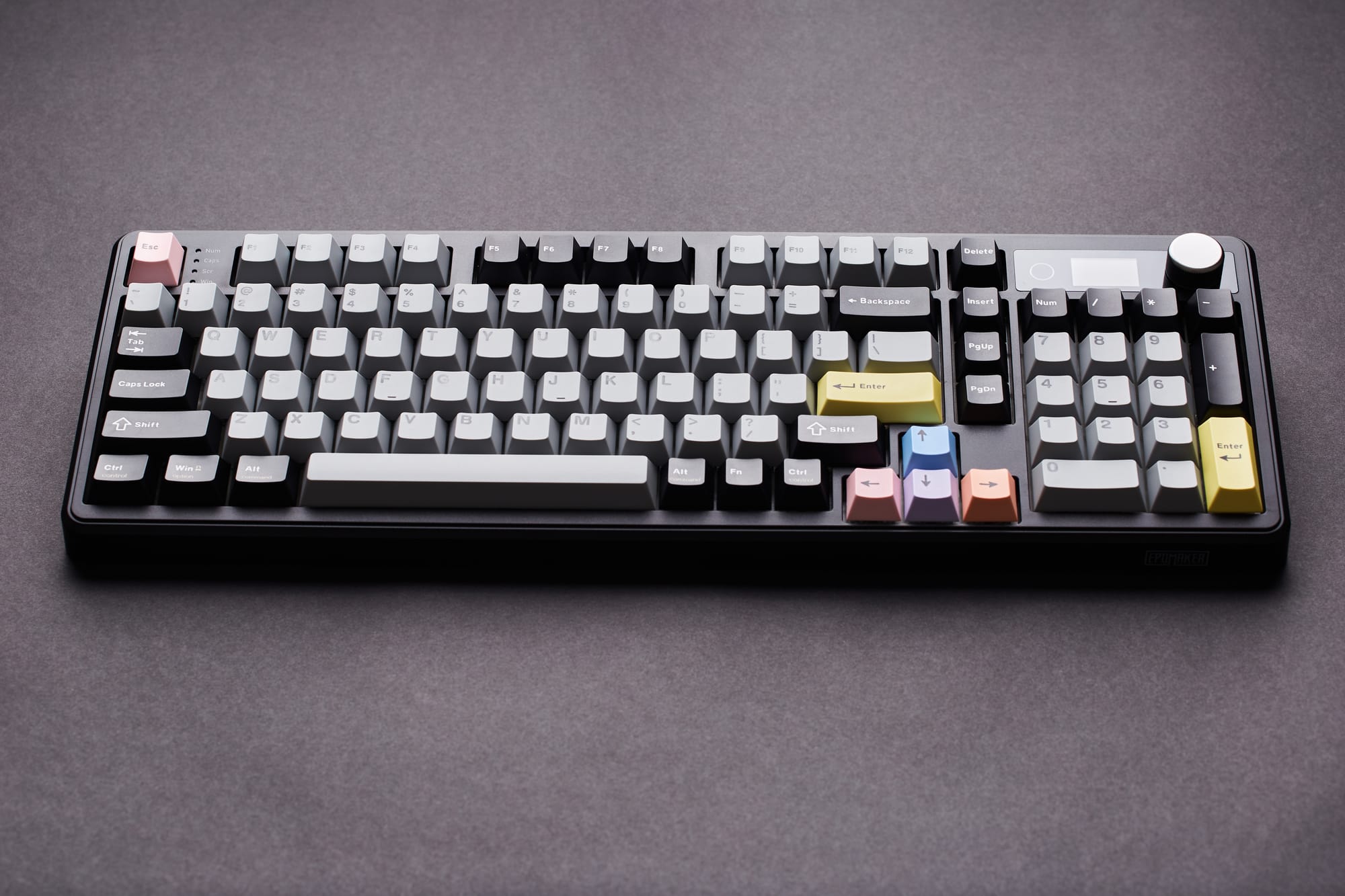
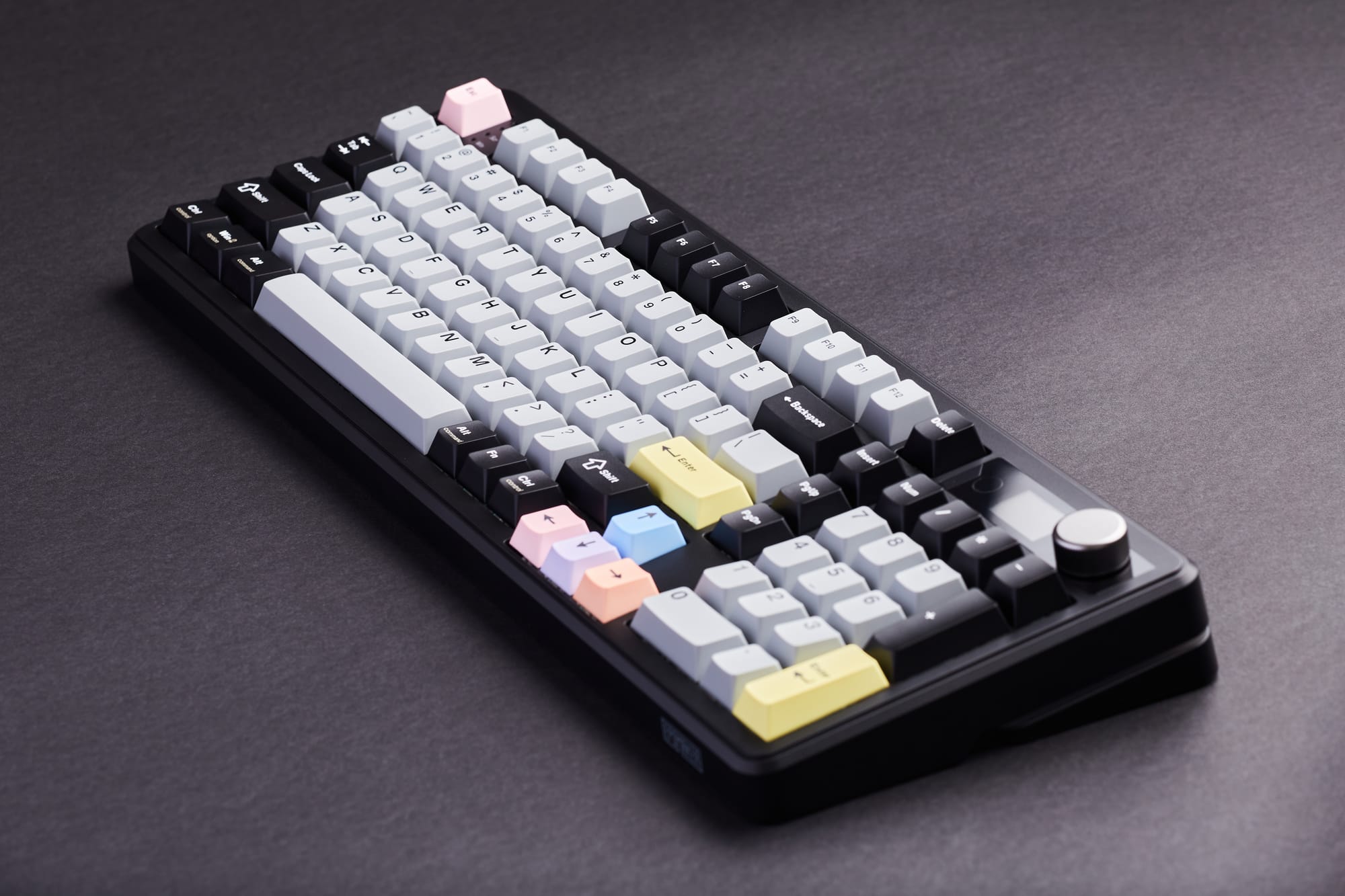
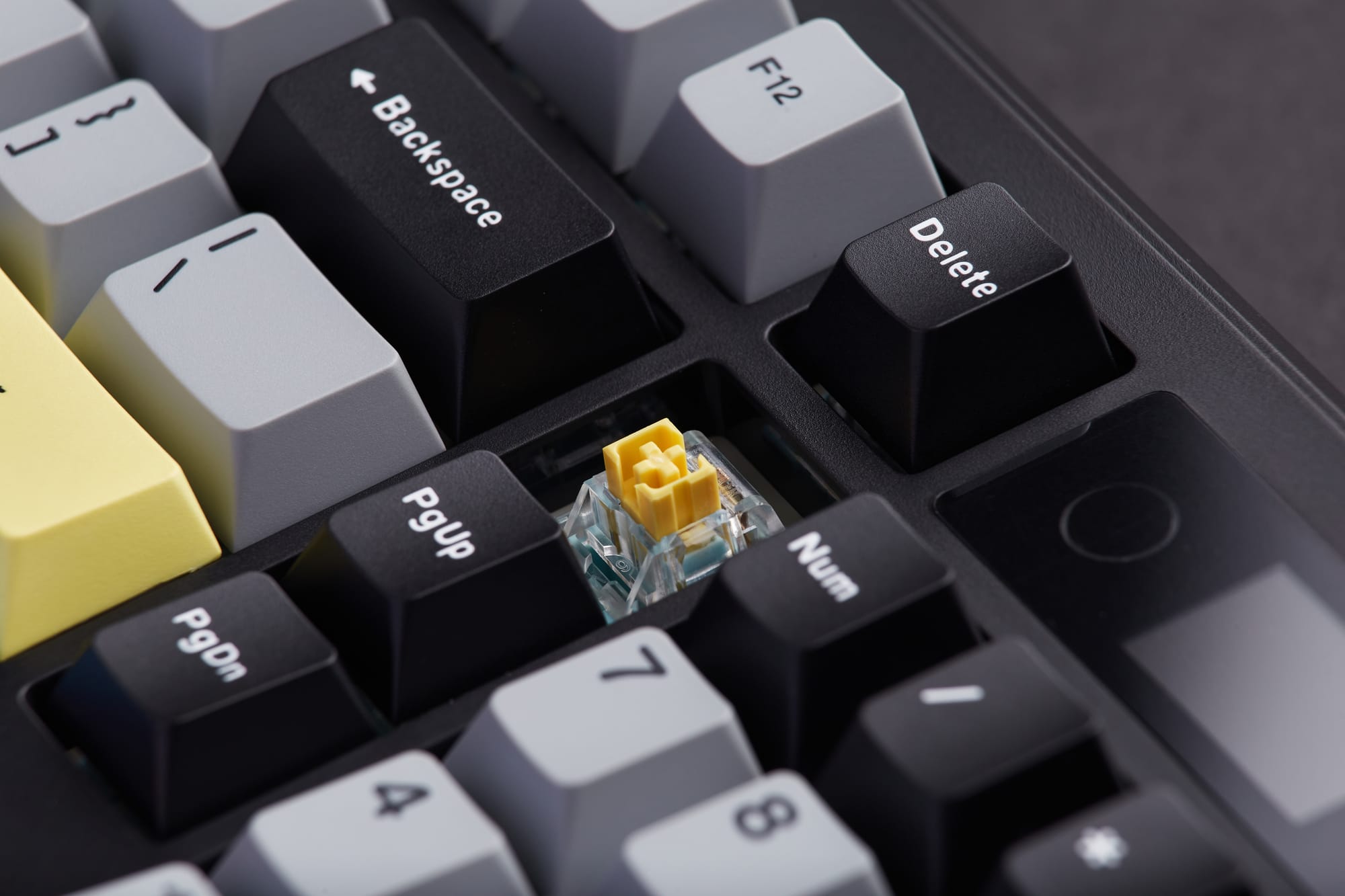
Build Quality & Design
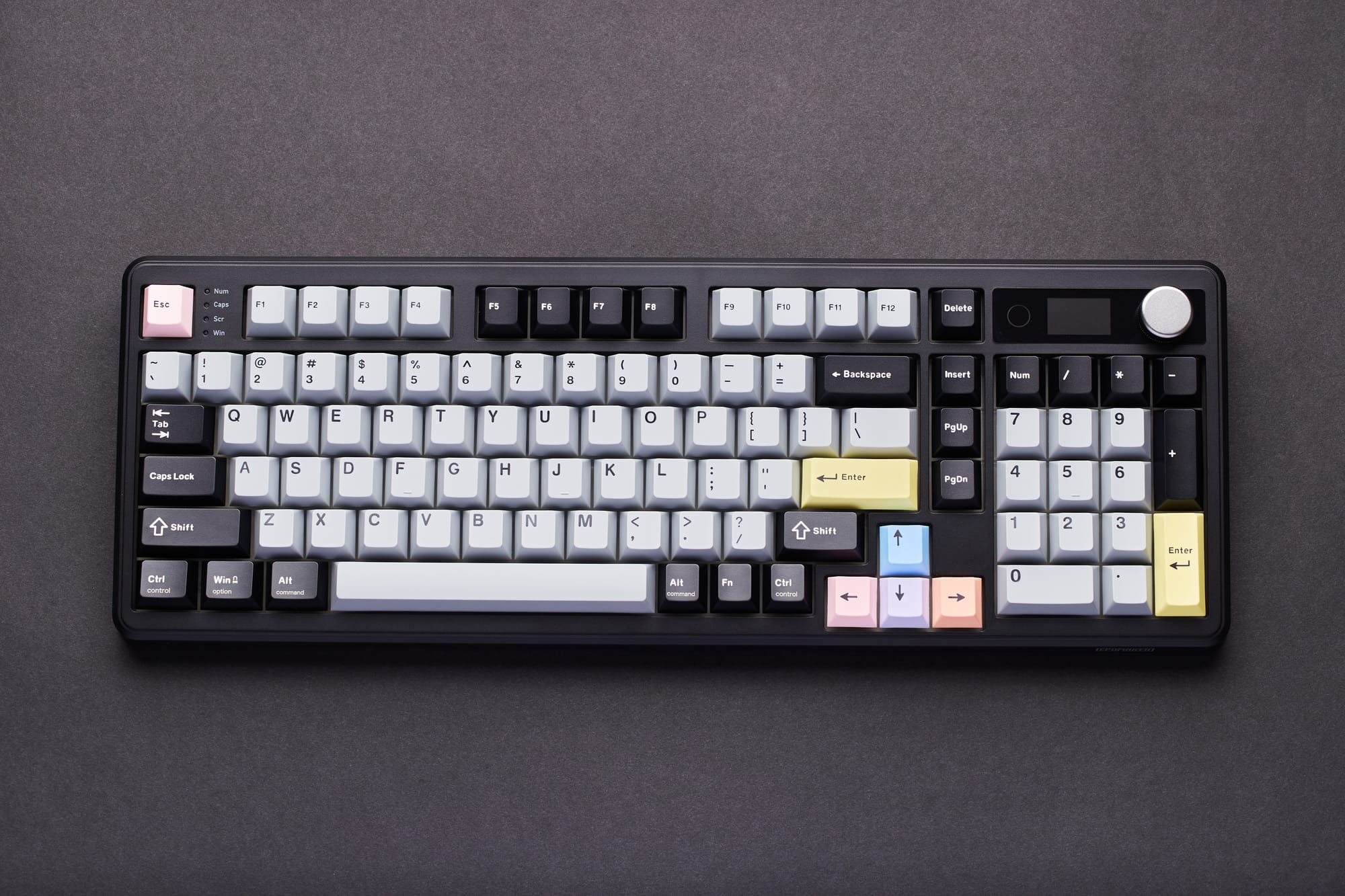
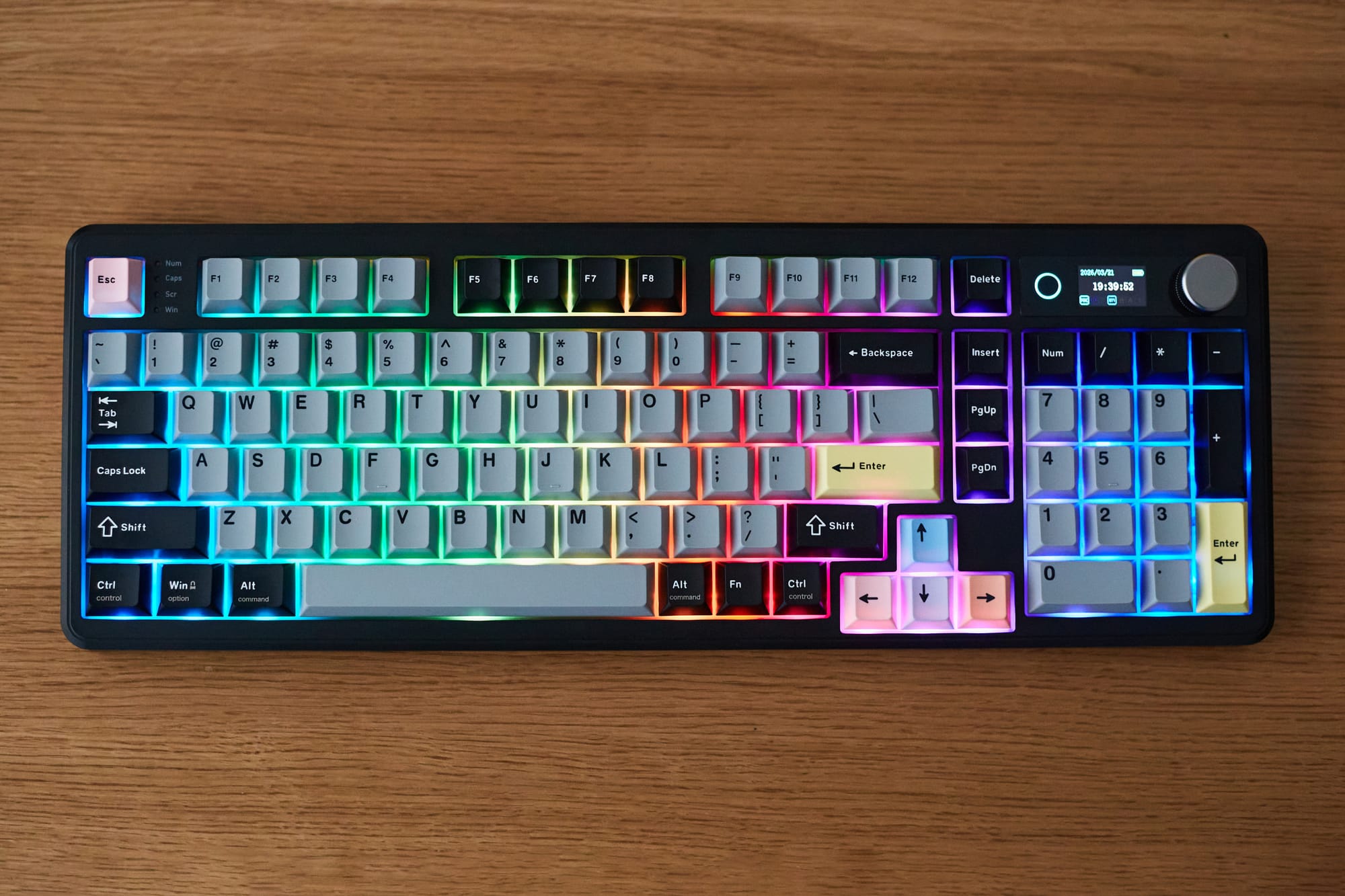
The Epomaker TH99 Pro's build quality differs significantly from my trusty Wobkey Rainy 75 Pro, but not in a bad way. While the latter weighs in at a whopping 2 kilograms and could easily be used for self-defense in a pinch, at 1.12 kilograms the TH99 Pro still feels substantial but is featherweight in comparison.
The case material consists of high grade ABS plastic, which is well regarded for its durability and impact resistance. While in theory I'd prefer a metal housing, nothing about it feels cheap in practice and I appreciate the weight savings that it delivers whenever I need to adjust it on my desk. I'd say they nailed the ideal density here, and overall I'm impressed by this keyboard's craftsmanship.
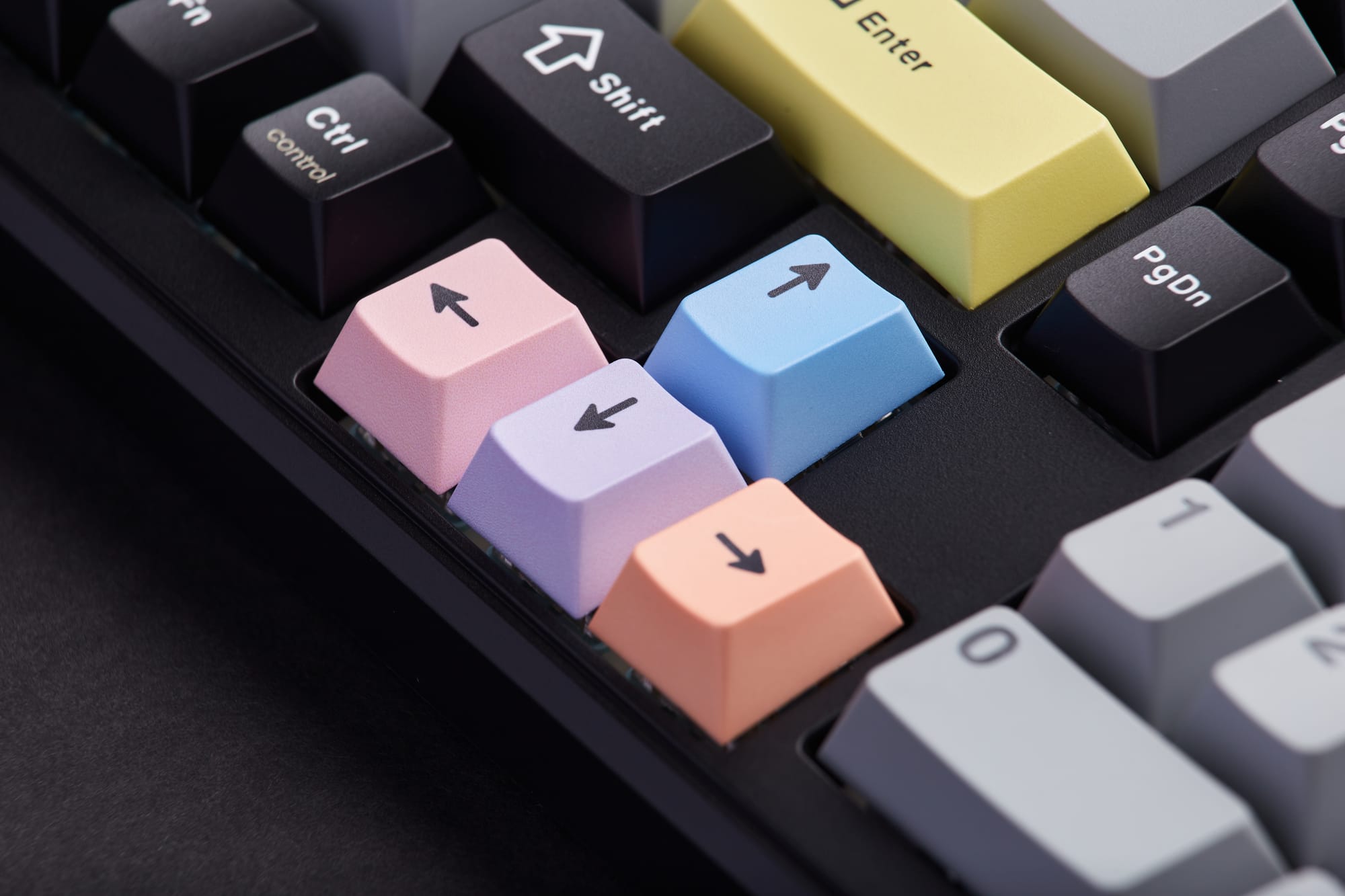
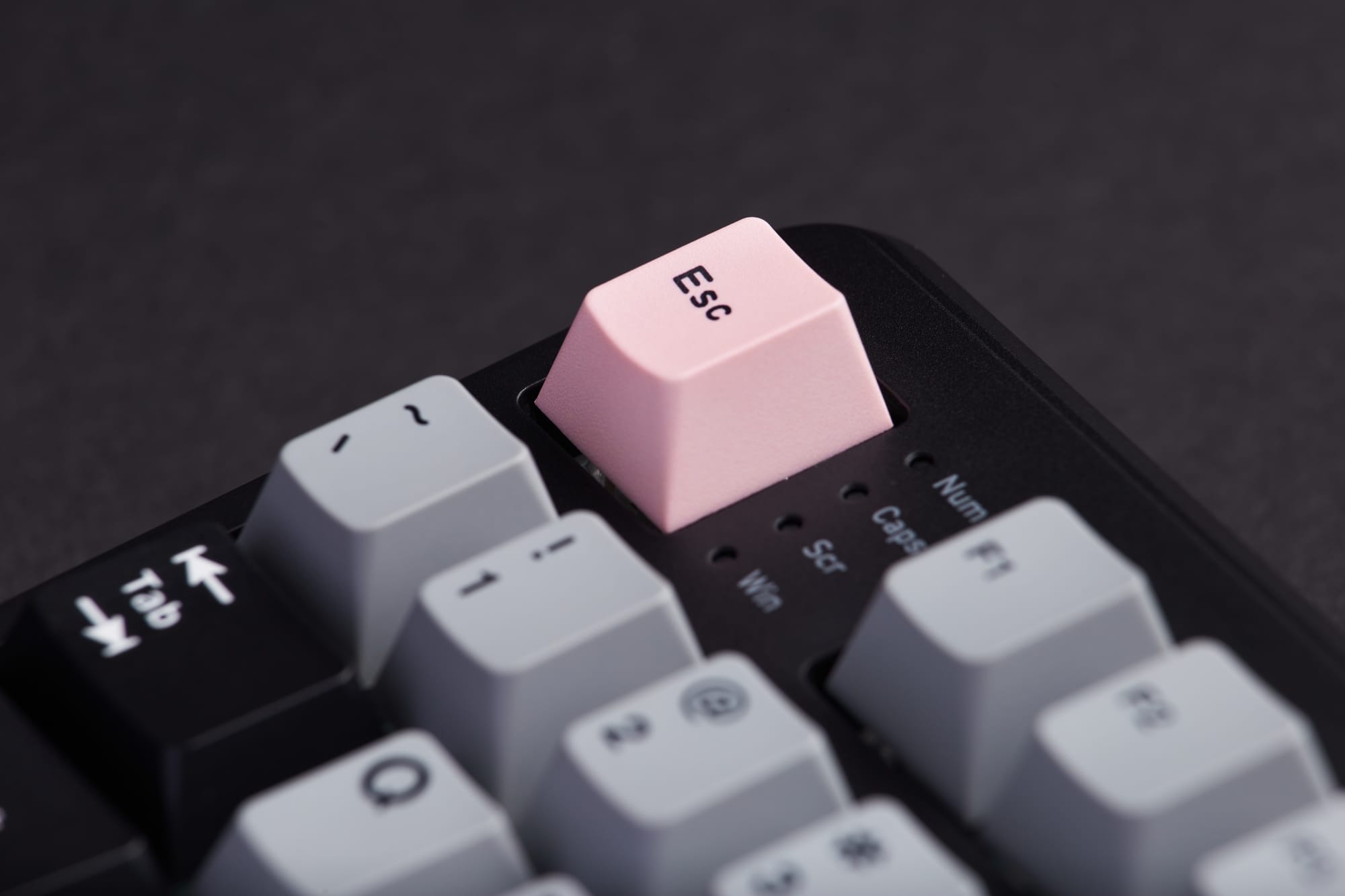
The PBT plastic keycaps have been manufactured using the double-shot technique, which is generally considered to be the gold standard in keycap construction. In layman's terms, this means that the lettering on the keys are made of a solid plastic that penetrates the entire depth of the key rather than merely being painted on. This process translates to longer lasting legibility of the keycaps, while the PBT plastic provides improved resistance to shine over the long-term compared to lesser plastics.
Furthermore, the keycaps feature the ergonomically optimized Cherry profile which are lower in height than OEM keycaps and therefore reduce the potential for wrist strain. They're also arguably more aesthetically pleasing; indeed these keycaps look just right to my eyes.
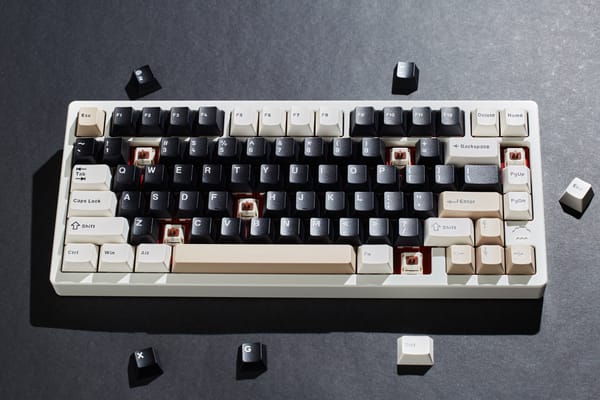
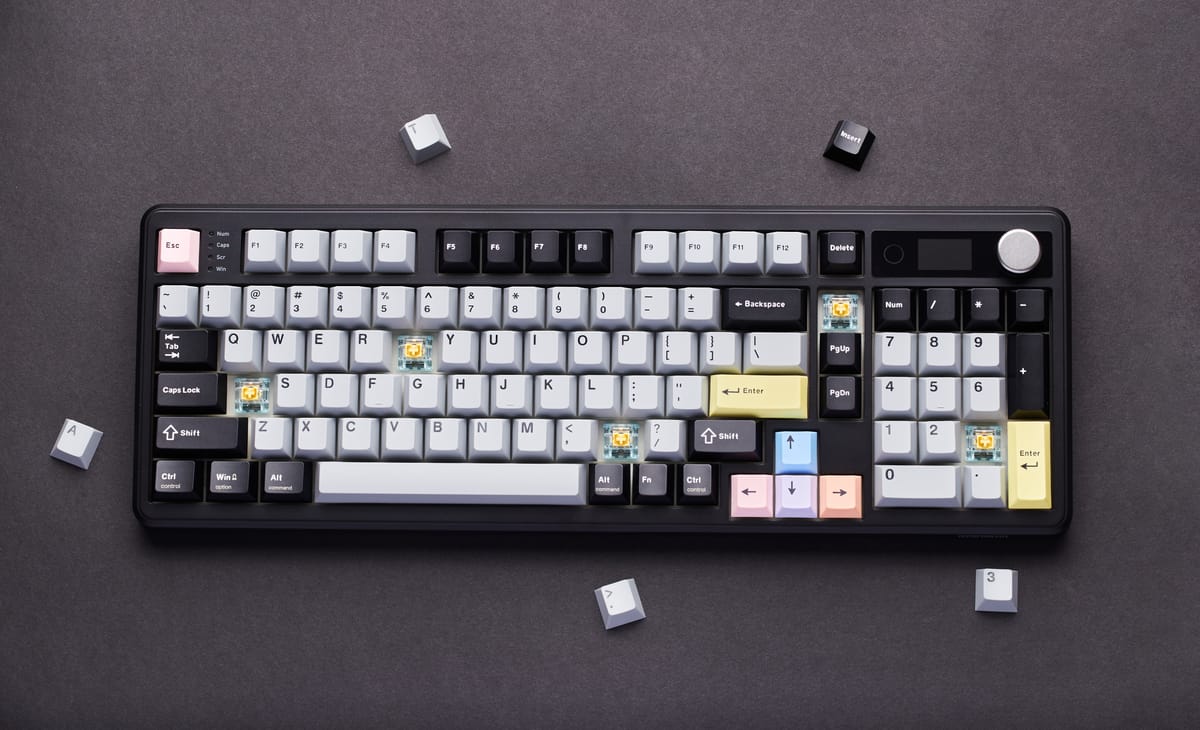
My version of the Epomaker TH99 Pro includes the Sea Salt Silent V2 Switches which I've become a huge fan of due to their muted nature. These particular switches are equipped with five layers of dampening material and exude a distinctly quiet typing experience while still retaining the gratifying physical responsiveness of what makes mechanical keyboards so lovely to use. This is ideal for the open office environment I work in, however if you prefer a louder sound with a bit more texture you can opt for the Creamy Jade Switch (check out this fantastic audio comparison of the two). Alternatively, if you have other custom switches in mind that you'd like to use instead, you'll be happy to know that this keyboard is of the hot swappable variety.
The Epomaker TH99 Pro sports 98 keys in an 1800 layout, meaning that it's a slightly more compact take on a traditional full-sized keyboard design while still preserving full functionality. This efficient use of surface area never feels compromised in terms of spacing or layout, and it balances this all while including a highly desirable number keypad. Not that I work in spreadsheets all day long, but it feels damn good to do calculations with it, even if only occasionally.
After using both a 75 and 98 key layout for some time now, I vastly prefer the utility that a larger keyboard permits. And with a sensible footprint of 41 x 14.5 x 4.7 centimeters, the TH99 Pro is perfectly sized for use at a desk without overwhelming the space.
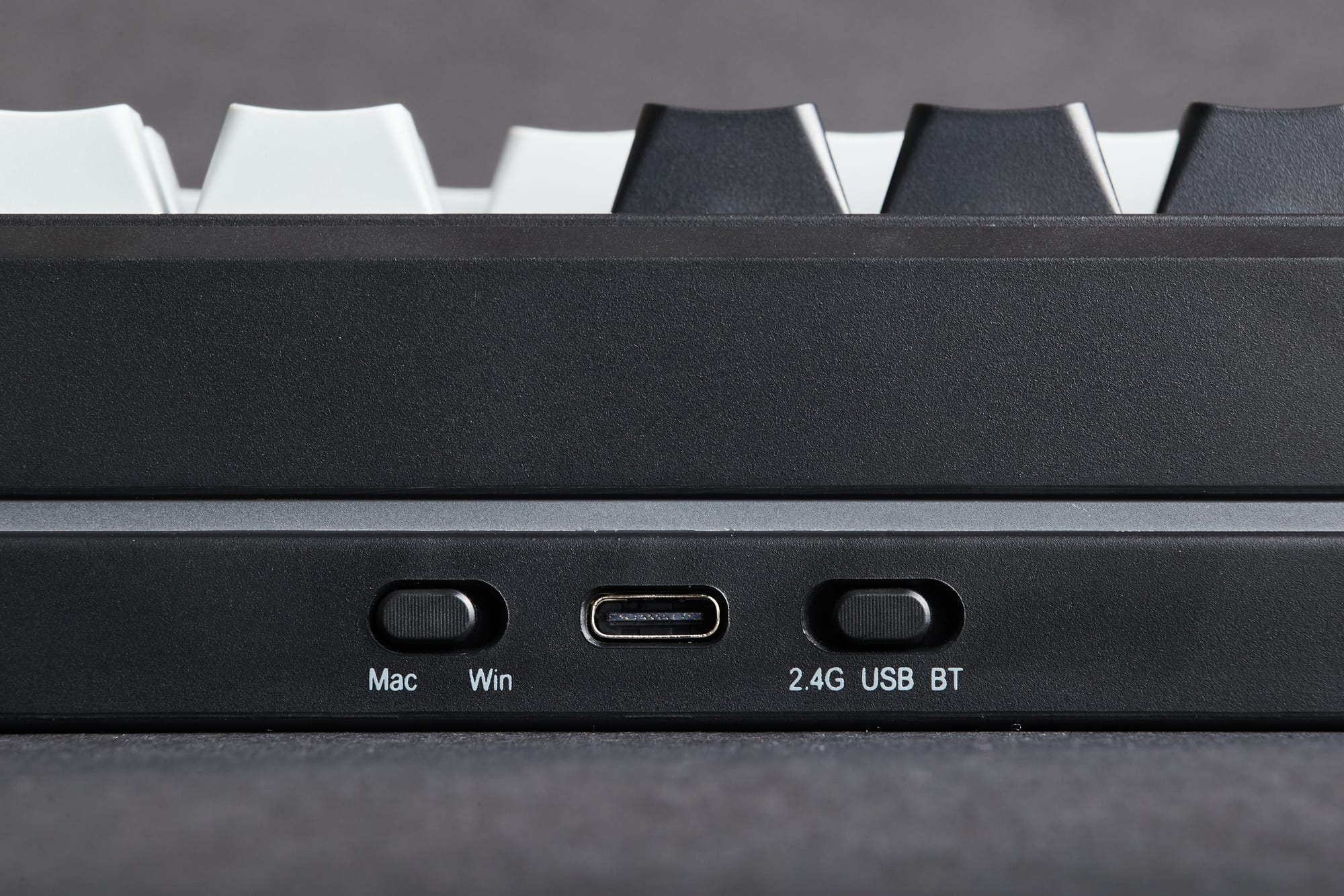
Features & User Experience
Just like the Wobkey Rainy 75 Pro, the Epomaker TH99 Pro features three different ways to connect the keyboard to your device, but it improves upon the former in a couple of meaningful ways. In addition to the standard wired USB-C connection, this keyboard also offers Bluetooth and 2.4G wireless connectivity. I found both wireless options to be effortless to set up with the supplied instructions and each performed admirably.
Speaking of performance, the official latency (or responsiveness) numbers of these three options is as follows:
- USB-C Wired: 2 milliseconds
- Bluetooth 5.0 Wireless: 11 milliseconds
- 2.4G Wireless: 5 milliseconds
Interestingly, although the latency numbers of the Wobkey Rainy 75 Pro are slightly faster, in real world use I found the Epomaker TH99 Pro to have no noticeable lag with any of the connectivity modes. This makes me wonder if Wobkey is slightly overstating their specifications (as I did notice a slight delay in Bluetooth mode) or whether Epomaker is being too conservative in their reporting. Either way, I give the edge to the TH99 Pro in this case.
Where this keyboard really shines however, is in the exceptional user experience of switching between the aforementioned connectivity modes. While the Rainy 75 Pro requires you to physically remove the Caps Lock key using the provided keycap removal tool in order to access the wireless switch, the Epomaker thoughtfully incorporates a dedicated switch at the front of the keyboard, allowing you to seamlessly change your connection mode in the blink of an eye.
Better still, it contains an unobtrusive storage slot for the 2.4G dongle which is conveniently located underneath the keyboard. This is a significant quality of life improvement over the Rainy 75 Pro, which unfortunately doesn't include any storage solution for its 2.4G dongle, making the odds of misplacing it much higher.
The only downside to all of this is that I did seldomly run into an issue where if I closed my MacBook Air for a break and then opened it again a few minutes later, the wired USB-C connection would stop working. The workaround to this issue is to disconnect the USB-C cord from the keyboard, subsequently reconnect it, and the connection is instantly restored. Again, this only happened to me a couple of times during my testing and I wasn't able to reproduce it with any consistency, but it is worth mentioning.
Going back for a moment to the topic of switches, as someone who uses both PC and Apple computers, I'm thrilled that this keyboard has a straightforward Mac / Windows switch next to the tri-connectivity toggle on the front of the device. Not only that, the keycaps are properly labelled for both Mac and Windows users (for example the Alt / Command key), the lack of which on the Rainy 75 Pro is a constant source of confusion for me.
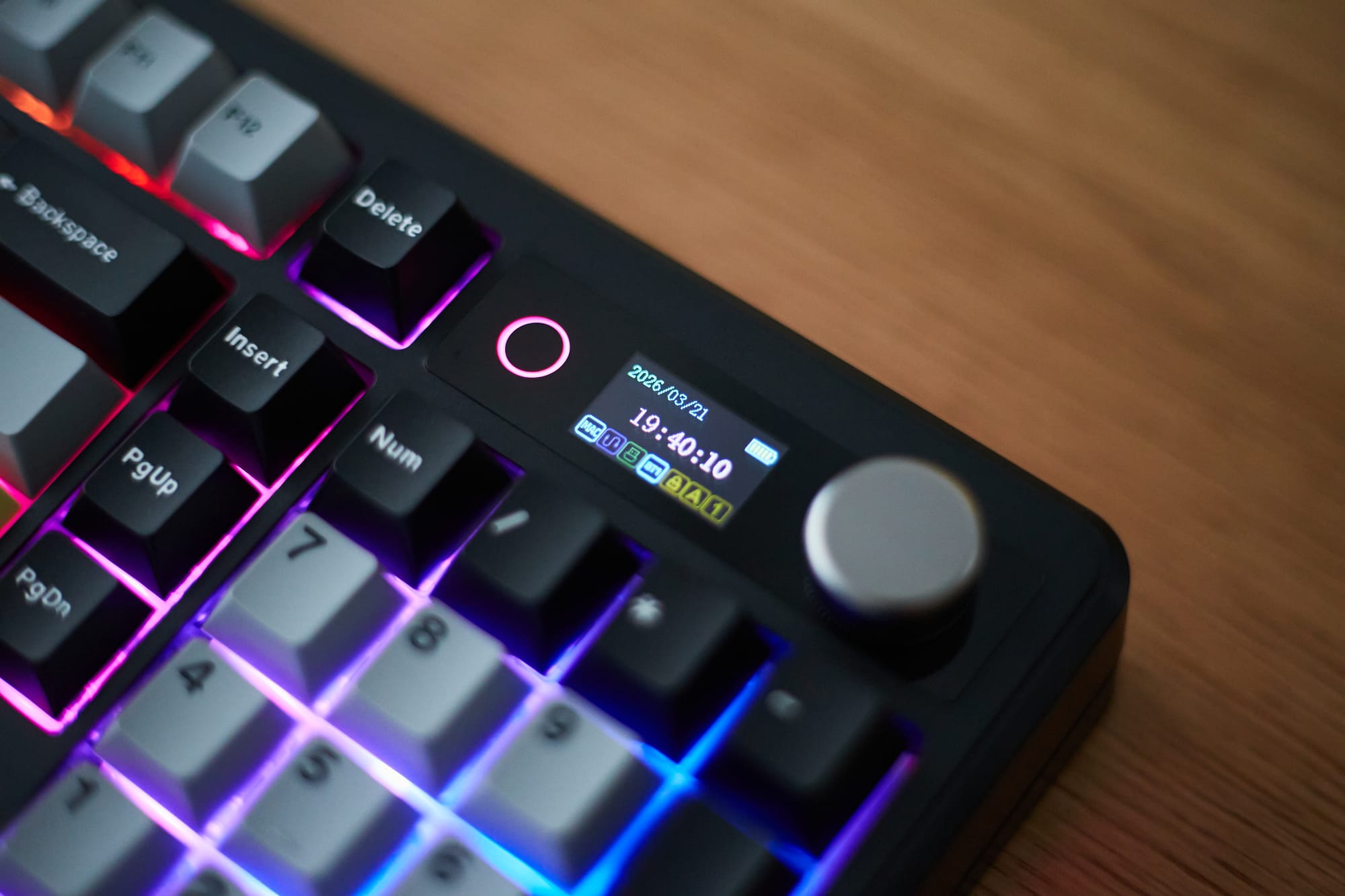
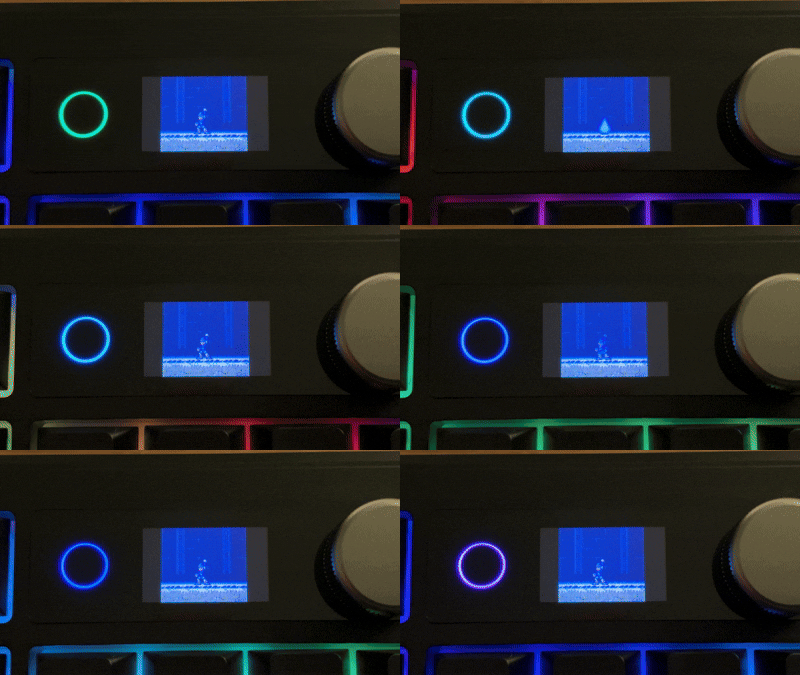
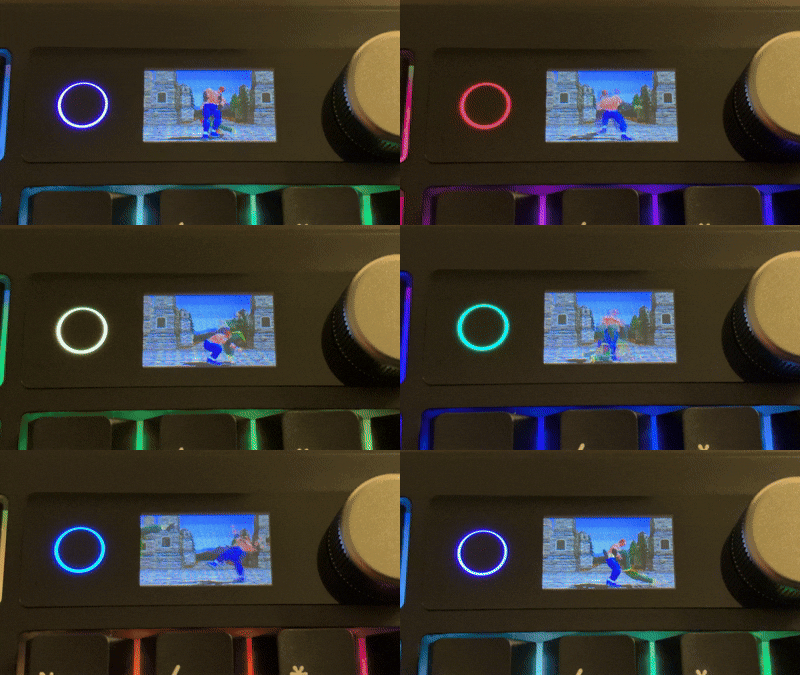
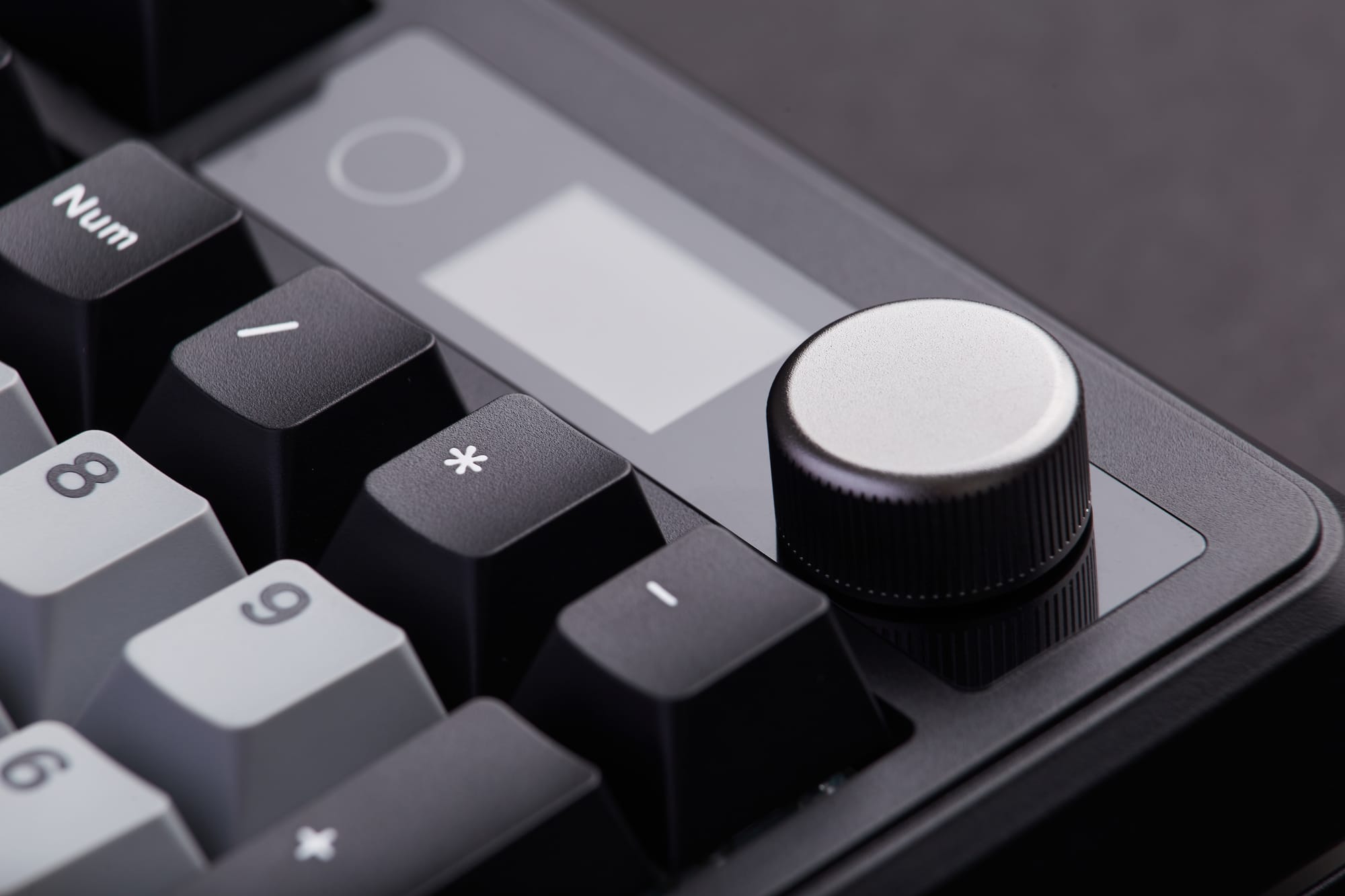
Perhaps the standout feature on the Epomaker TH99 Pro is the crisp 1.06" smart display which by default contains useful information such as the date & time, battery level, whether you're on Mac or Windows mode, and your current connectivity setting. This is already a welcome addition, but what really floored me was just how captivating the screen is when uploading a GIF via the intuitive online software. For my testing I loaded some GIFs of classic video games from my childhood as you can see below. Let me preface this by saying these grainy iPhone videos don't do the quality of the display justice by any means, just know that it looks much better in person.
Like pretty much all mechanical keyboards released these days, the TH99 Pro has several optional RGB lighting configurations that you can tailor to your liking. While I quickly disabled this function on my other keyboard, I actually find the RGB lighting suits this model quite well. In fact, I've decided to leave it on as I find it to be visually pleasing rather than a distracting gimmick.
Epomaker states that when using the keyboard in wireless mode, the battery life is rated at an impressive 10,000 mAh, which promises 150-200 hours of use on a single charge when the RGB lighting is disabled. When the lighting mode is enabled, the battery duration is reduced to around 40 hours but I still find that to be quite respectable. And although I haven't stress tested the battery to its limits, my initial experience seems to back up these claims.
Rounding out the feature set is a handy control dial located next to the smart display that adjusts the computer's volume. It does this in incremental clicks when turning the dial, and pressing on it directly will toggle the mute function on / off. It's simple, sleek, and it makes me feel like an armchair music producer when turning up the volume on my songs 😏.
Pros
- The perfect dimensions, weight, and layout for a near full-sized keyboard
- Excellent build quality
- Very affordable
- Sea Salt Silent V2 Switches are super quiet while still providing superb tactical feedback
- 2.4G dongle has its own storage slot for safekeeping
- Dedicated switches on the front of the keyboard for adjusting wired / wireless modes and toggling between PC / Mac modes
- No perceptible latency in wireless modes
- Impressive battery life
- 1.06" smart display is useful and fun
- Clickable control dial is simply a nicer way to adjust volume
Cons
- Minor connectivity bug occurred seldomly when using the wired USB-C mode on my MacBook Air. Likely a rare edge case, as I wasn't able to reproduce it consistently
Verdict
The Epomaker TH99 Pro ticks all the boxes for me. It's a wonderful keyboard at an attractive price point and the learning curve is negligible. Frankly, I've had difficulty finding any appreciable fault with it.
Unless you need a keyboard that's housed in an overbuilt aluminum alloy CNC case, the Epomaker TH99 Pro is objectively a better keyboard than the Wobkey Rainy 75 Pro in nearly every category. With a superior feature set, engaging typing experience, and an incredibly well-thought-out design, this is the mechanical keyboard I'd recommend for most people.