A Review Of The Ultrahuman Ring Air Sleep & Fitness Tracker
Checking in with these scores daily is a great habit, but where the data really becomes an asset is measuring the progress over time. Since I’ve started using the Ultrahuman Ring Air I’ve been able to see my habits change.

Decaf Journal is reader-supported. When you buy links through our site, we may earn an affiliate commission.
For the first time in recorded history, we humans can track our biometric data around the clock. It’s a privilege that, if used properly, will give us instant feedback on how certain habits and actions affect our day to day lives—for better or for worse.
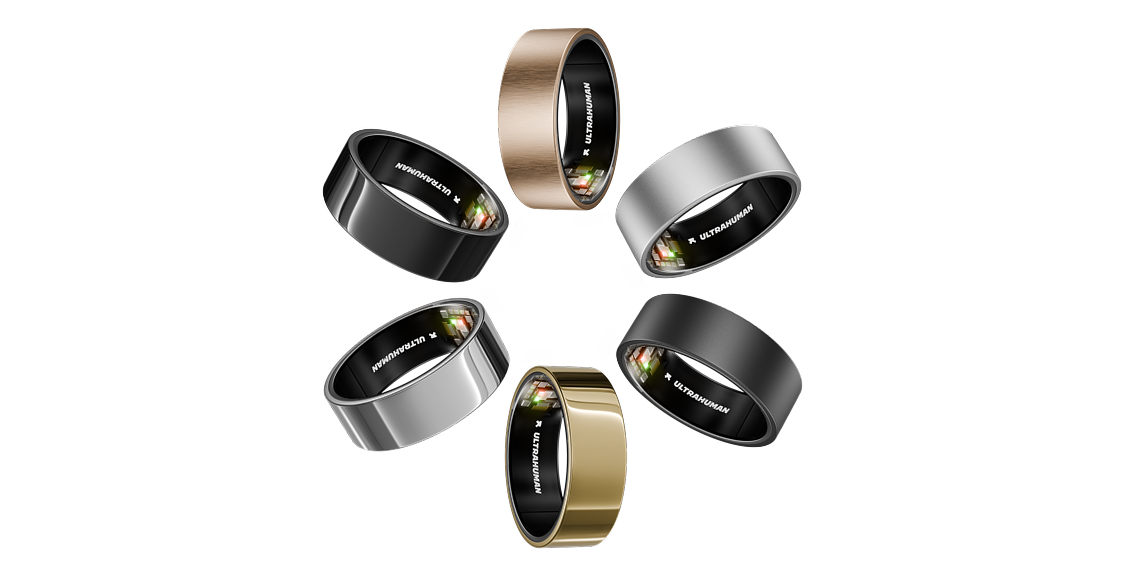
Ultrahuman understands their mission, and has embraced it wholeheartedly. A simple two-word greeting welcomed me to their product as I opened the box:
“Welcome, Cyborg.”
The ability to consistently monitor one’s biometric data and get feedback in real-time would have sounded wild to dream up in the not-too-distant past. Yet, here we are in 2025 and we have a device that can monitor the inner workings of our body to analyze and improve upon.
I have been using the Ultrahuman Ring Air for the past six weeks. Previously, the only “biohacking” devices I have used were a basic step counter to record movement throughout the day. I also used a rudimentary sleep tracker app on my phone before, however stopped using it because I don’t enjoy having a phone next to my head while I sleep.
As someone who prioritizes health but is by no means a gadget guru, I was skeptical as to how I could incorporate this ring into my daily routine to improve my health. However, six weeks into the process, I see its value and find that there is minimal intrusion, and I have control over when I access the data to the point that it doesn’t add much more to my plate.
Read on further to see how the ring works, and what type of data it reveals in the app.
Unboxing/First Impressions
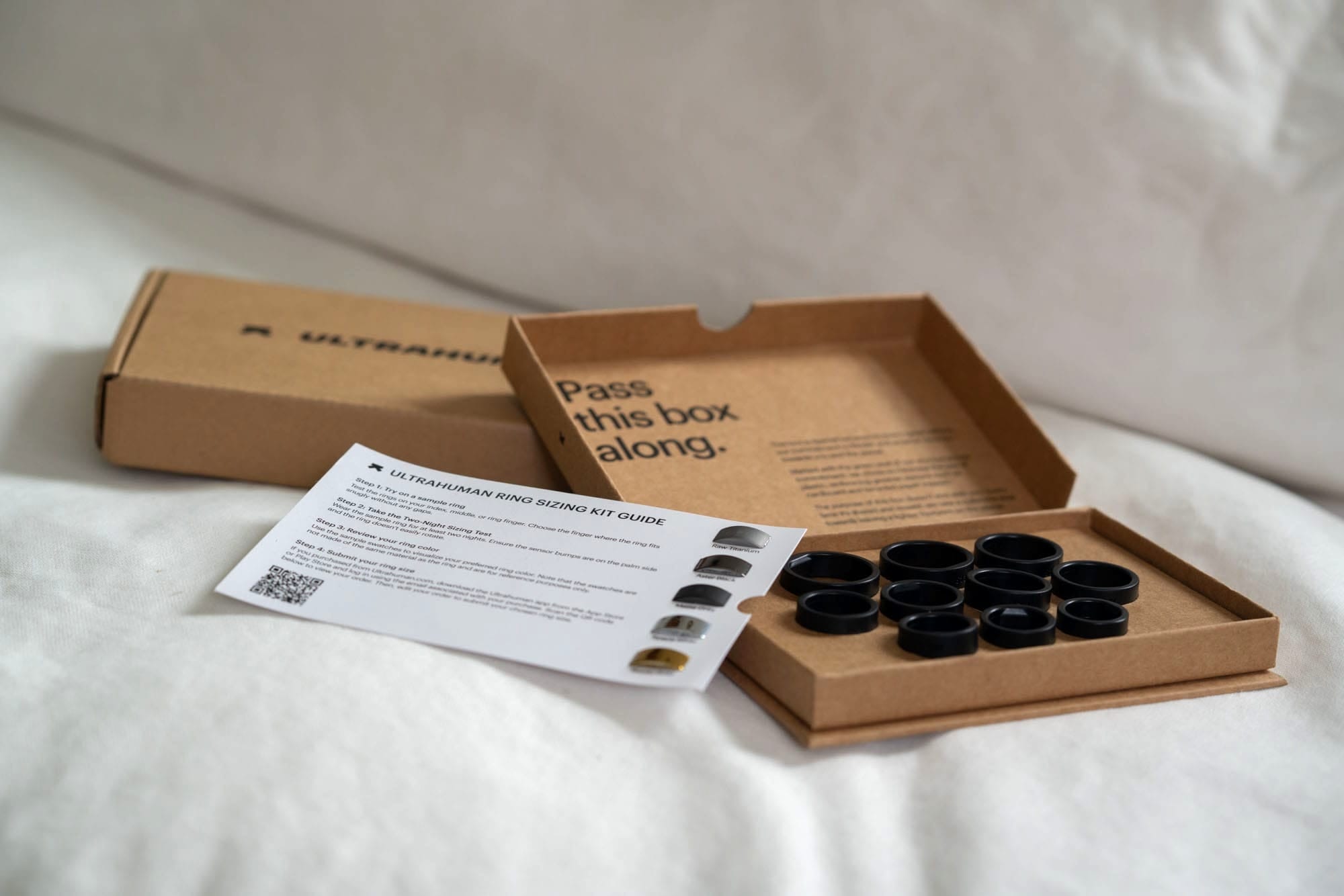
Before receiving the Ultrahuman Ring Air, I was sent a sizing kit to ensure I had the proper size before it came. The whole process is fairly easy, and within a few days of ordering the right size, the ring showed up at my door. I appreciate this step, and it undoubtedly makes things easier on their end to not have people returning rings when they didn’t know their proper size. As someone who does not wear rings on the regular, I didn’t know my size, and my guess was wrong. So being able to fit the ring properly before receiving it meant no hassles when it did arrive.
When it did arrive, there wasn’t much besides a small user guide and a QR code to download the app. You also get a charger with a USB-C cord, and you’re ready to go. The ring came already charged up, so it was easy to get started right away.
The app has a clean interface and it’s easy to start up. It requires you to login using either your Google or Facebook account, which has its pros and cons. I am always wary of software that requires personal information, especially when it relates to biometric data. The company insists they have high protections for the data, going through a third-party audit process to verify that it’s not used improperly. But being that the company is from outside of North America gave me reservations, since I am unfamiliar with the country of origin's privacy laws. I decided that for the purposes of this review I would go ahead and go through with the process, but as a consumer I wish that the data did not have to have my personal information attached to it.
How the Ultrahuman Air Ring Collects Data
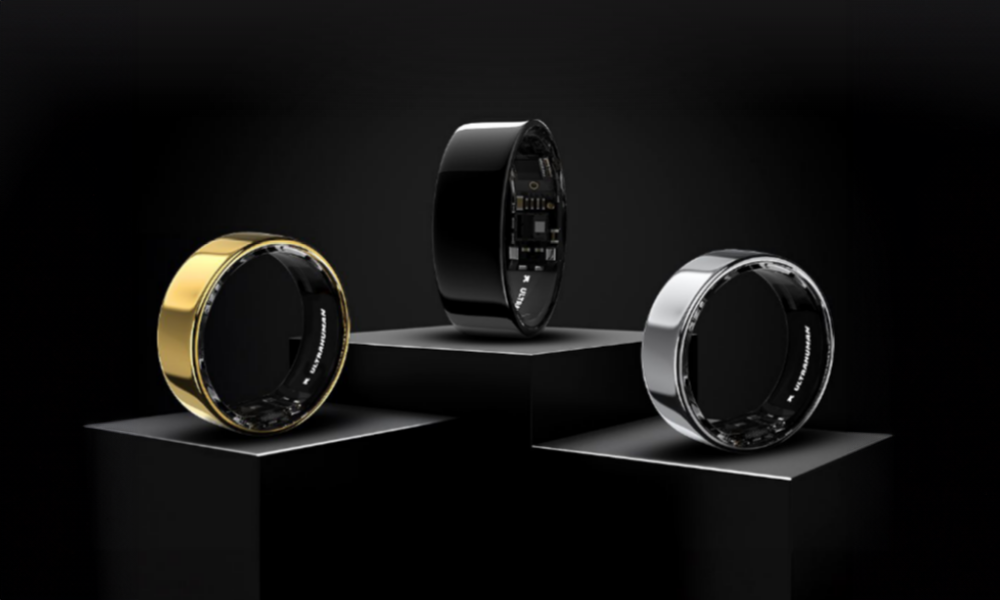
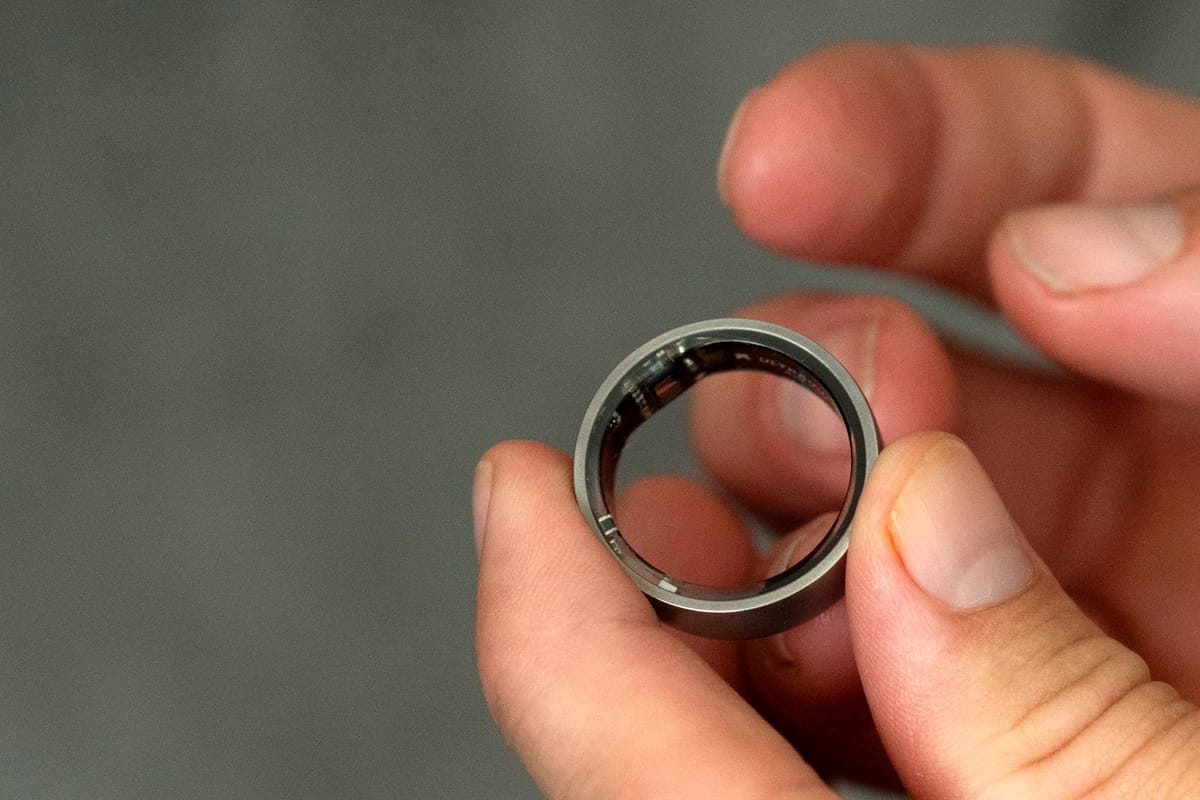
The Ultrahuman Ring Air is essentially a medical-grade lab shrunk down to the size of a wedding band. Per the manufacturer, the construction consists of “fighter jet-grade” titanium reinforced with a tungsten carbide coating, making it exceptionally light. The entire device weighs 2.4 grams, making it easy to forget you’re wearing it, and much lighter than any wristband step counter or smart watch.
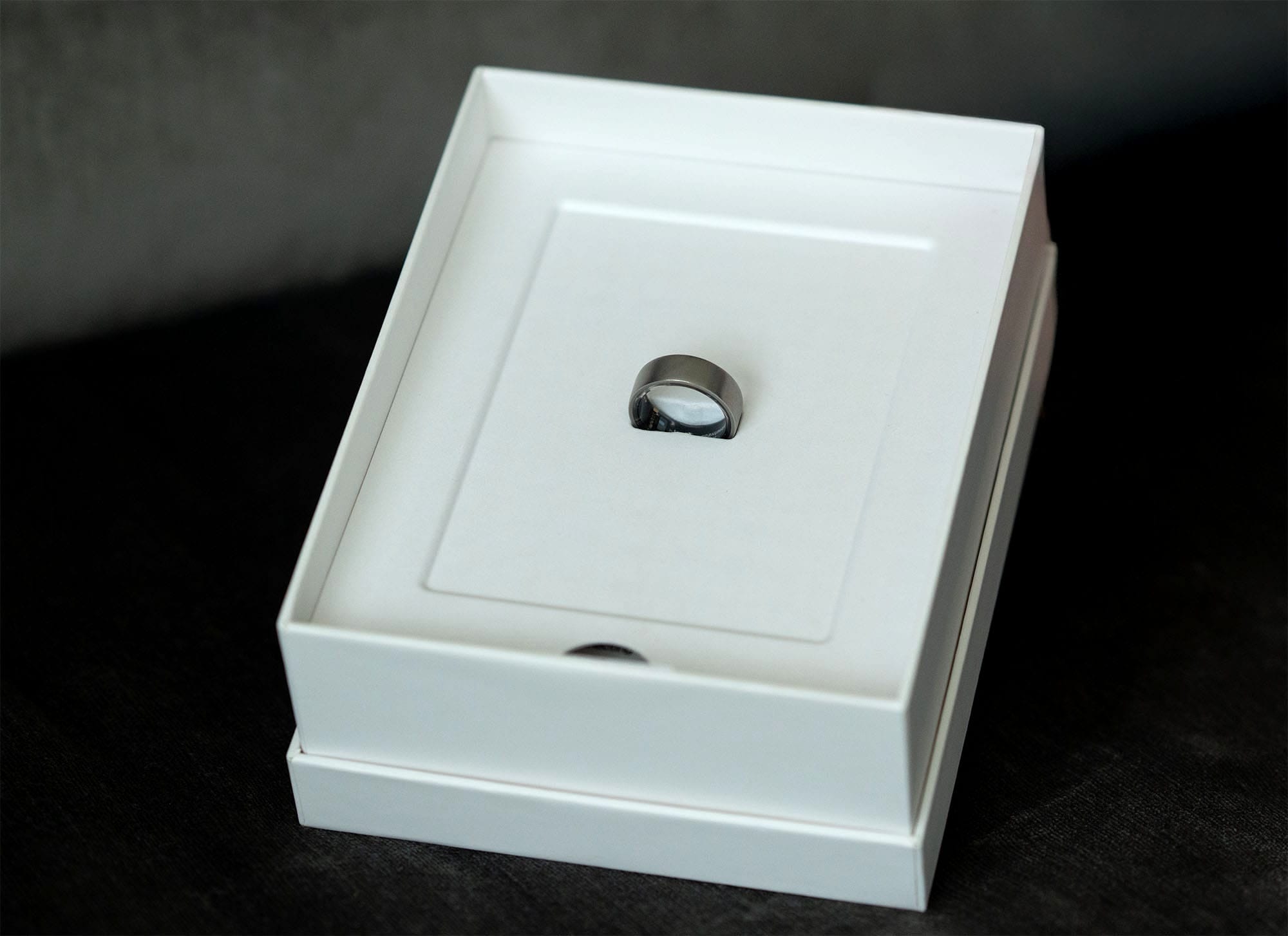
The device uses three types of LED sensors to capture data:
- Green LEDs: Activate during exercise to track heart rate when you are moving vigorously.
- Infrared LEDs: Monitor your resting heart rate (RHR) and heart rate variability (HRV) while you sleep. These are invisible to the naked eye, so you aren't disturbed by flashing lights in bed.
- Red LEDs: Work alongside infrared sensors to measure blood oxygen saturation (SpO2), which is vital for understanding breathing efficiency during sleep.
In addition to these optical sensors, the ring contains a non-contact medical-grade skin temperature sensor and a 6-axis motion sensor (accelerometer and gyroscope) to detect your movement with precision.
Battery Life
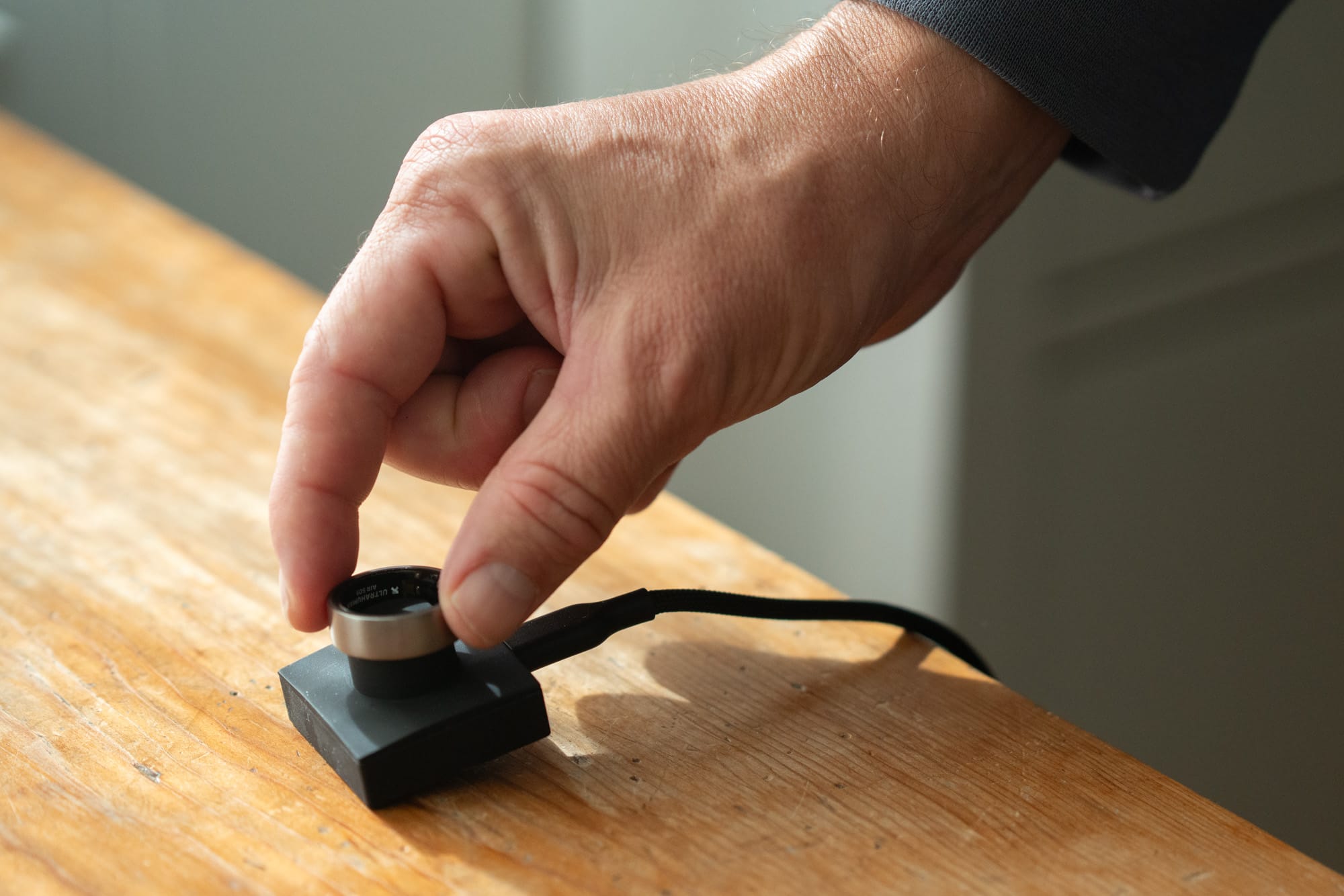
Battery life is longer than a cell phone, allowing you to go several days without needing a charge. But you don’t know the battery life until you open the app, which unless you’re checking a few times a day, might come as a surprise that you’ve run out of juice at an inconvenient time. This happened to me on several occasions until I developed the habit to charge while working on the computer, or another time when I was in low activity. It’s not a big deal to miss out on a day though, considering the tracking is meant to observe habits over weeks and months. Still, it’s worth noting that you’ll need to charge the device (and find the time to do so) at least twice a week, to be safe.
Interpreting the Data
The Ultrahuman Ring Air and app work together to analyze the constant data points and compile them into readouts into a simple-to-read score-based system to make it much easier to understand to the average person. These readouts come in three main scores: Sleep index, movement index, and recovery score.
- Sleep Index: The sleep index goes further than just record the timing of your sleep. It keeps track of how long you are in the different phases of sleep through the night: Light sleep, deep sleep, REM sleep, and awake periods. It also tracks your movement throughout the night for restlessness. In addition, it will keep track of when you sleep and how long it takes for you to get out of bed, allowing you to see the progress and where/when you need to make adjustments such as an earlier bedtime, and less food/alcohol before going to sleep.
Furthermore, it will also track when your heart rate is the lowest throughout the night, allowing you to understand how easy or difficult it is for your body to get into a relaxed state. The later it takes for your resting heart rate to drop, the more adjustments you need during the day.
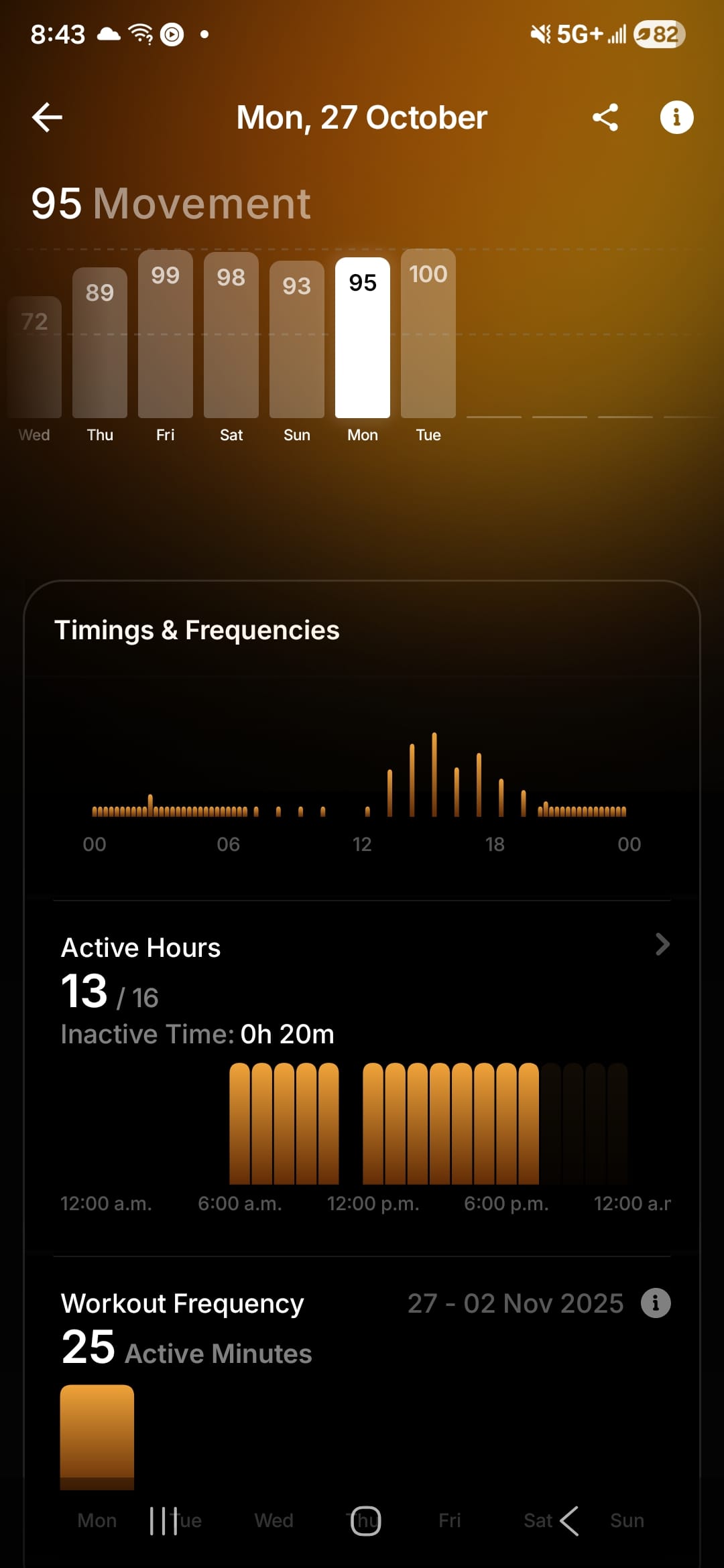
- Movement Index: The movement index goes further than just a typical step counter. It tracks inactive time throughout the day, and if you have been idle for too long it will send you a friendly reminder to get you out of your chair. It’s very useful to measure not only active hours, but inactive ones, especially if you sit behind a desk for the majority of the working day.
- Recovery Score: This score tracks your heart rate variability (HRV), skin temperature, and resting heart rate to see how your body adapts to change in situations. It’s a great measure to see how you move between the sympathetic (fight or flight) and parasympathetic (rest and digest) nervous system. When you have metrics that are out of sync, it will notify you and offer suggestions for making adjustments.
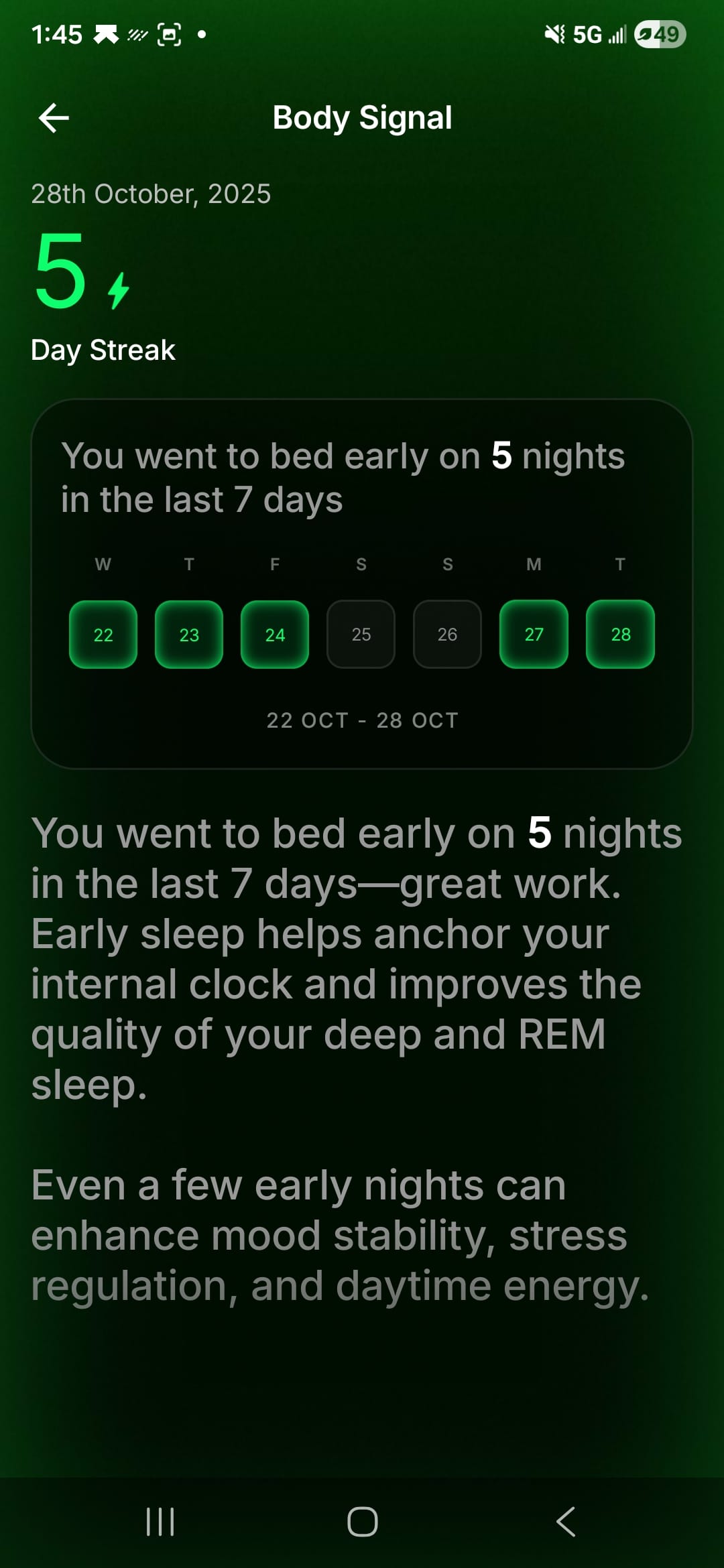
Checking in with these scores daily is a great habit, but where the data really becomes an asset is measuring the progress over time. Since I’ve started using the Ultrahuman Ring Air I’ve been able to see my habits change. The main one is going to bed earlier and waking up earlier, which has done wonders for improving the amount I go into deep sleep every night. As someone fast approaching middle age, improving the amount of deep sleep is one of the best moves to make to ensure proper brain waste clearance throughout the night.
In addition to these main metrics, the app provides a whole host of other scores and recommendations to help you optimize your habits throughout the day. One great feature (which may or may not be apt for Decaf Journal) is the caffeine window. This window changes daily based on your sleep data to help you optimize the timing for taking caffeine, and how much. Ideally we want to hold off taking it first thing in the morning, allowing the body to get alert naturally, which results in a lower risk of a mid-day crash.
Then, you can see how much caffeine (in mg) is acceptable to take at any period of the day, with a cutoff time to ensure it doesn’t affect your bedtime. If you end up sleeping longer the night before, your caffeine window increases, and vice versa if you had less sleep.
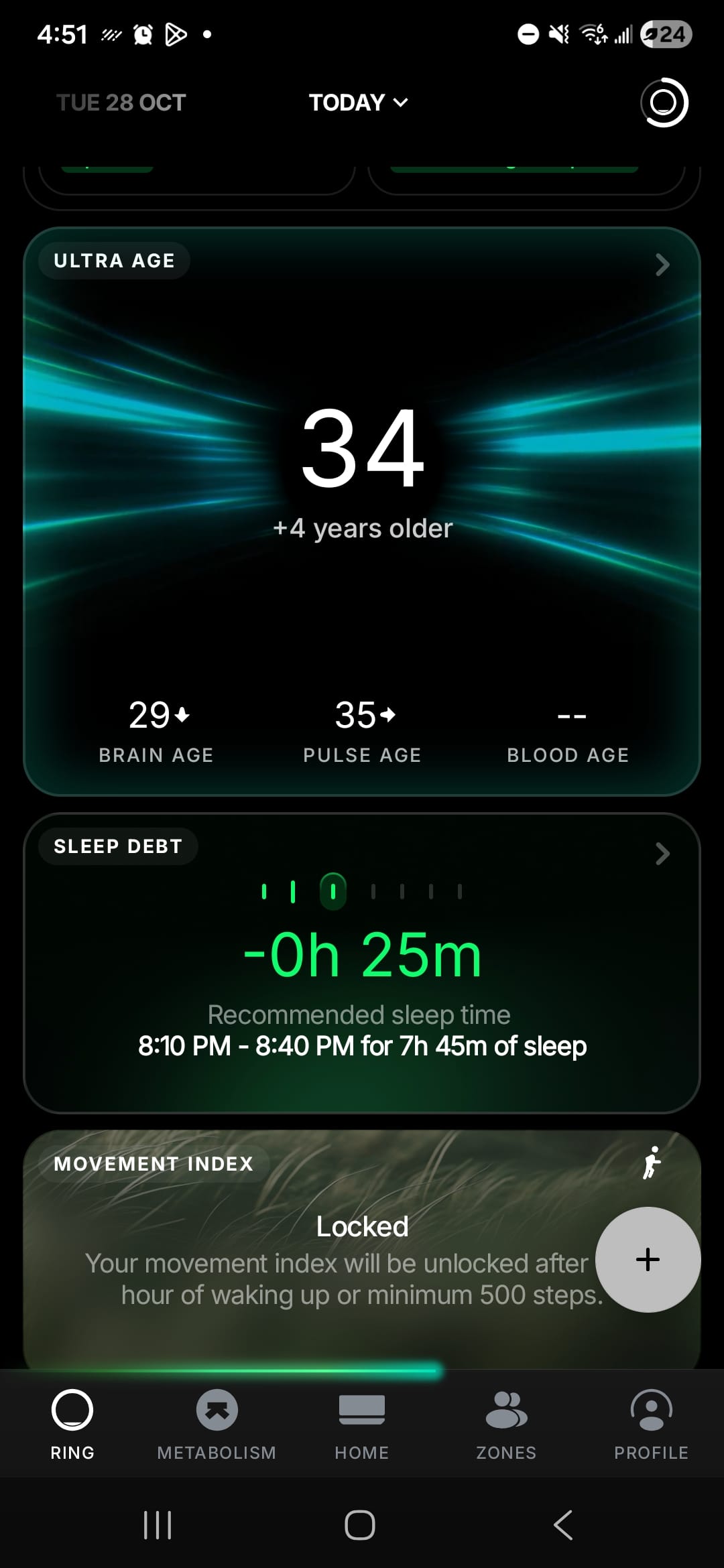
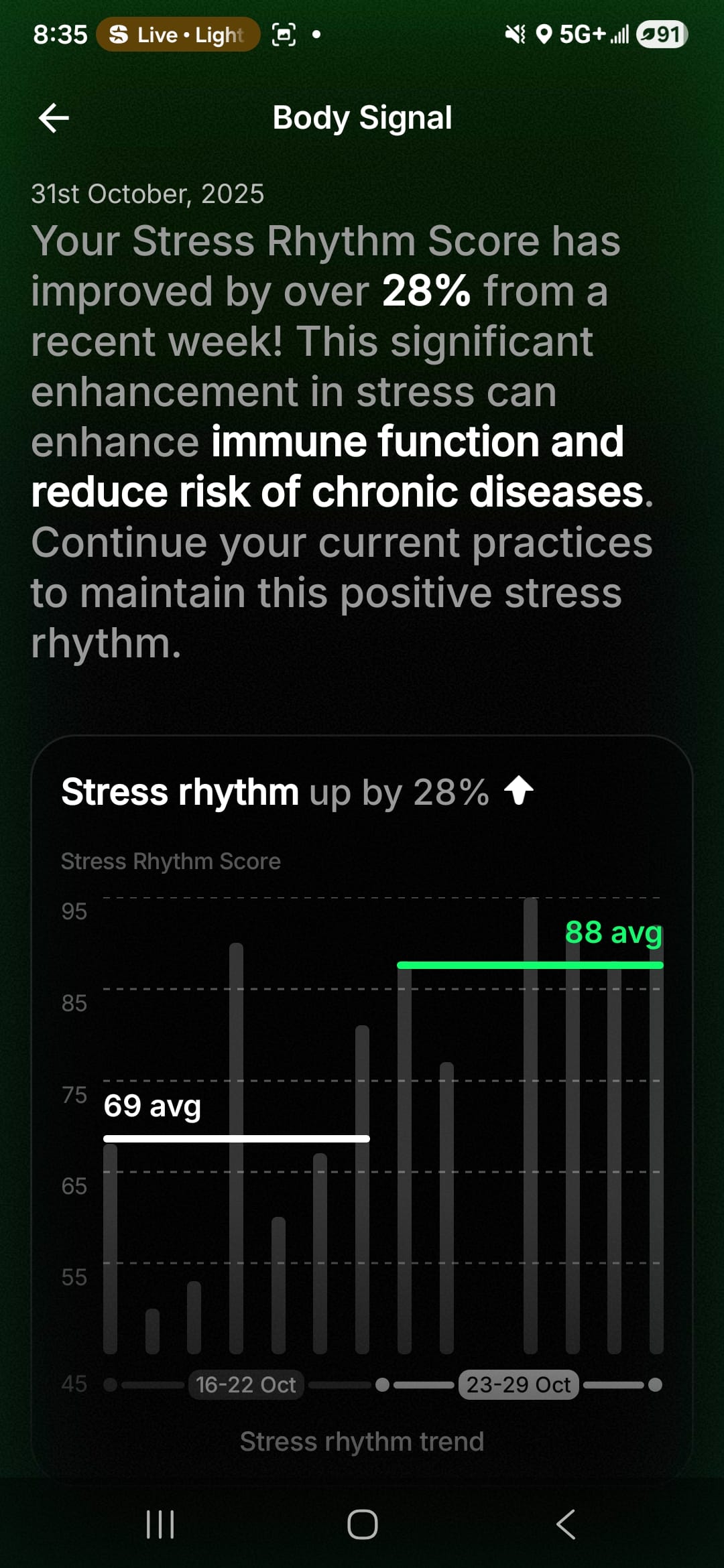
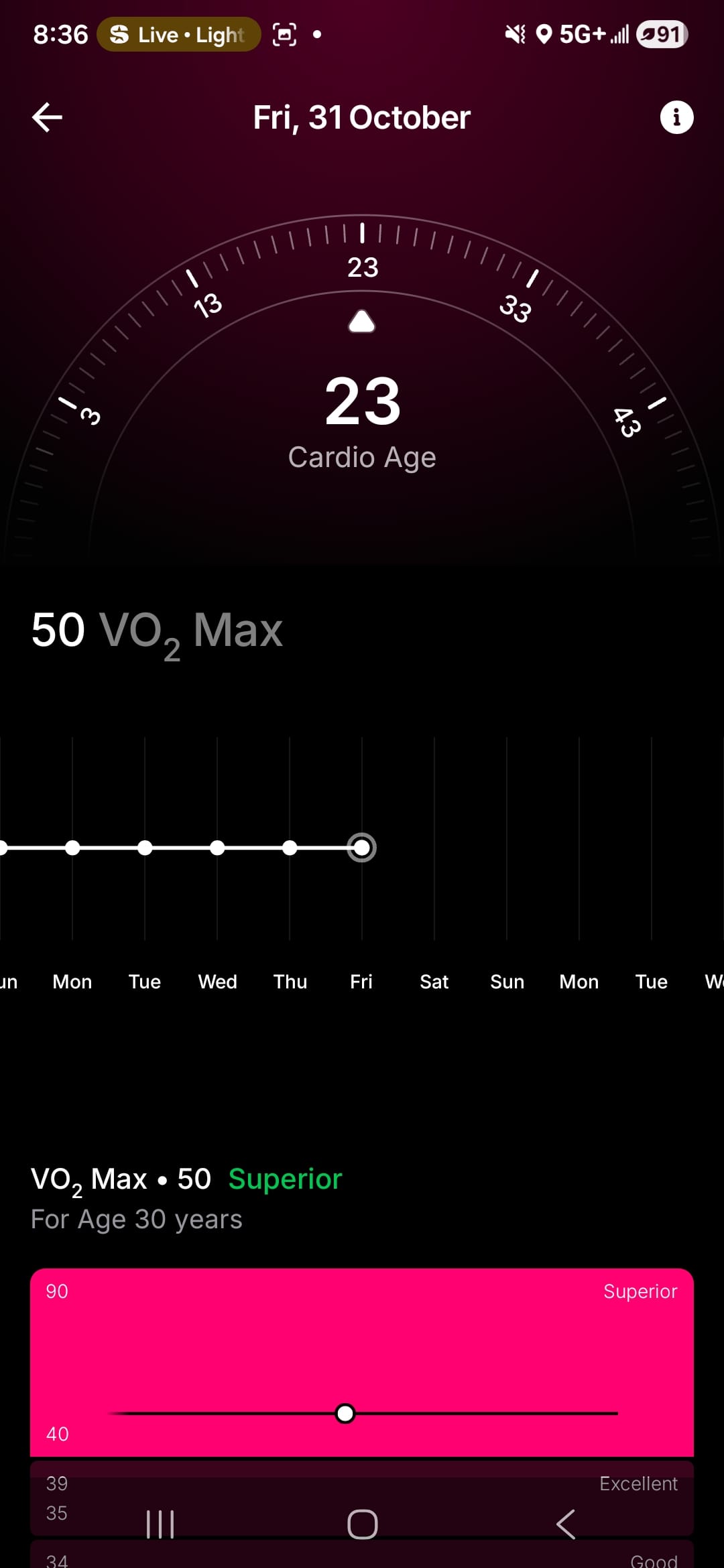
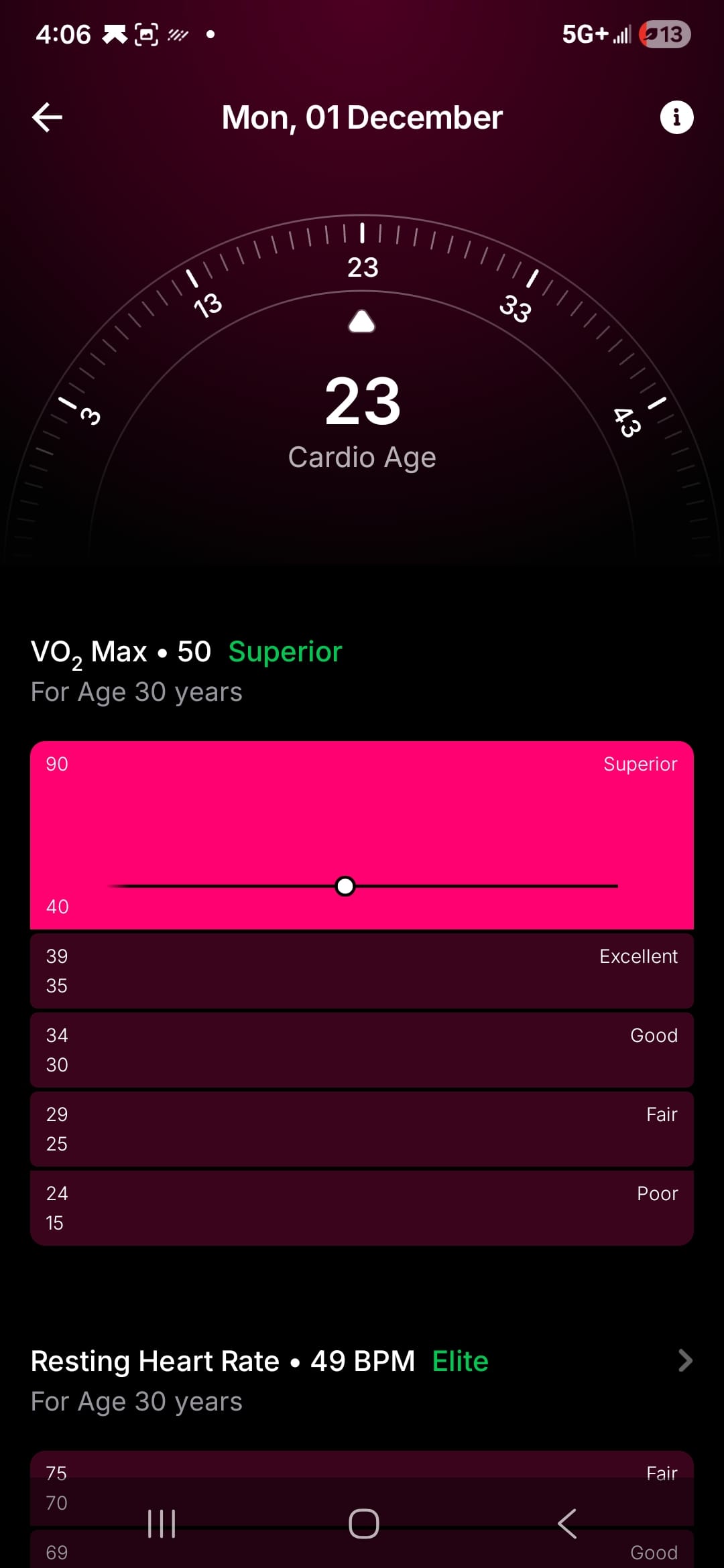
I also found the “Cardio Age” score to be particularly useful. This score tracks your VO2 max, resting heart rate, and heart rate variability to determine how efficient your heart works while exercising. The readouts are clear and show where you stand in relation to others in your age group, giving an age metric based on your heart’s performance. Maybe I like it because the cardio age it reads out to me is much lower than my actual age, which hopefully is a good indicator of cardiovascular health as I move into middle age.
Additional Features
A significant portion of the real estate on the bottom of the app’s screen is reserved for some of the Ultrahuman Ring Air's extra features, which require you to buy extra hardware. I found this to be a bit excessive, and could very well have been organized to not feel like a sales pitch each time you open the screen. I have not tested any of the additional devices so I can’t speak to their use, but they do seem interesting.
One tracks your metabolic data with a real-time glucose sensor. This would be great for understanding how certain foods and activities affect your metabolic health, especially at different times of the day. I can’t speak to its efficacy though, however online reviews are mostly positive.
Another interesting piece of hardware is the Ultrahuman Home device. This device tracks certain variables in the home environment such as air quality, ambient light, and sounds (such as snoring when sleeping) to help give clues to external factors including health.
Pros
- Ring is lightweight and durable
- I never took it off for the most part and used it in everyday activities, including in the water and it held up fine
- User interface is easy to read and laid out well
- Scores help distill the raw data into an easy to understand format, allowing you to track progress over weeks/months with graphs and trend lines
Cons
- Not always accurate with step counts, especially if you have minimal hand movement or use a cane/mobility aid, etc
- Sleep data can be inaccurate if you don't move much in deep rest
- Much of the data available in the app requires extra costly hardware
Verdict
For those who want to take a proactive approach to their health and take concrete steps to imbue some better habits, the Ultrahuman Ring Air is a fantastic tool to make those habits stick. The data it reads out provides actionable insights that does not take a medical degree to understand. The benefits come from listening to the recommendations and watching the metrics over time.
Use discount code DECAF10 for 10% off your purchase of the Ultrahuman Ring Air.