A Review Of The Epomaker RT100 Pro Mechanical Keyboard
It's a tall order to be sure. But with the release of the Epomaker RT100 Pro, I may have found the most elegant mechanical keyboard that I've had the pleasure of using to date.

Decaf Journal is reader-supported. When you buy links through our site, we may earn an affiliate commission.
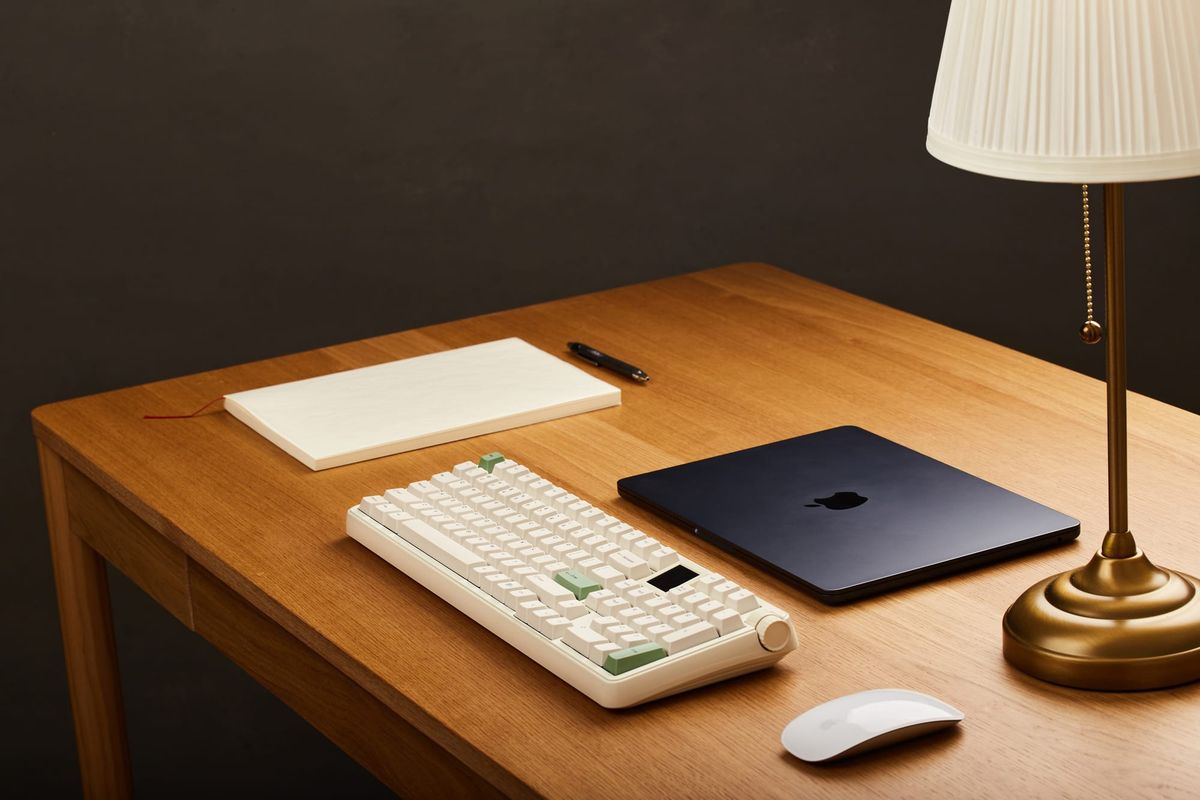
I'm a firm believer that great design has the ability to stimulate productivity. If a tool is inspiring to use, you're going to be motivated to incorporate it into your routine more often. This is something I've been exploring lately when it comes to my choice of equipment for creative work. If I'm going to be using something on a daily basis, I not only want, but expect it to bring me joy.
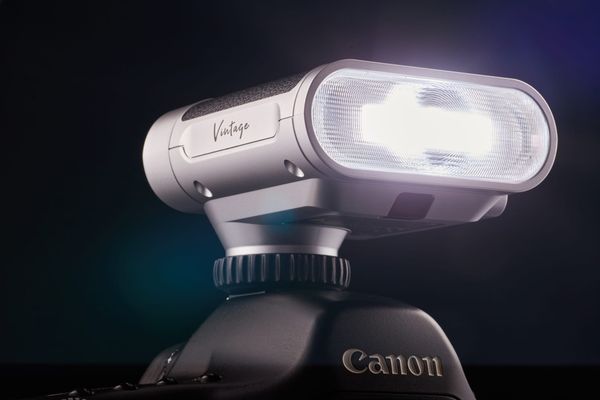
A proven example of this is the Fujfilm X100 series of cameras. Countless diehard photographers adore it simply because it's one of the most aesthetically pleasing cameras ever made, and its emphasis on physical dials over complex menu systems invite the user to be firmly in control of the image making experience. Sure, there are far more capable cameras out there, but Fujifilm enjoys a cult following because it understands that many users want to enjoy the process of making an image with their products just as much as they want to be satisfied with the finished result.
When it comes to writing on a computer, I want my keyboard to feel responsive in both its latency (which should be imperceptible) and in the physical feedback that I receive from every keystroke (which should be gratifying). The ergonomics should be such that everything is easily within reach, arranged logically, making the act of typing a near seamless extension of my thoughts being transferred onto the page.
Much like any other piece of hardware that's essential to a specific task, the ideal keyboard should do its job so well that it disappears into the background of the activity at hand. That is of course, unless it happens to be as beautiful as it is functional. A quote from the famous architect Frank Lloyd Wright shows that he understood this concept intrinsically:
"Form follows function—that has been misunderstood. Form and function should be one, joined in a spiritual union."
It's a tall order to be sure. But with the release of the Epomaker RT100 Pro, I may have found the most elegant mechanical keyboard that I've had the pleasure of using to date.
Build Quality & Design
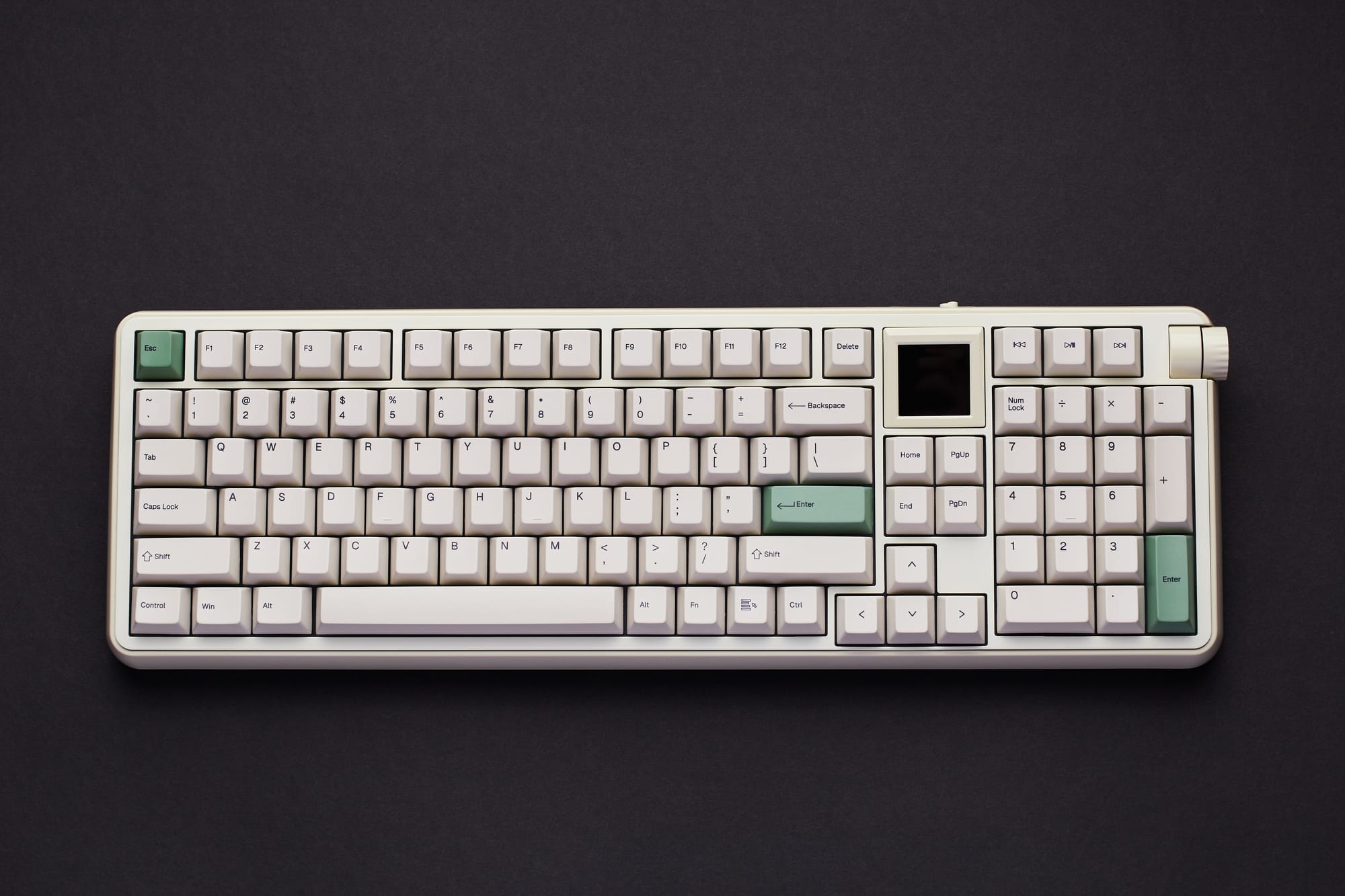
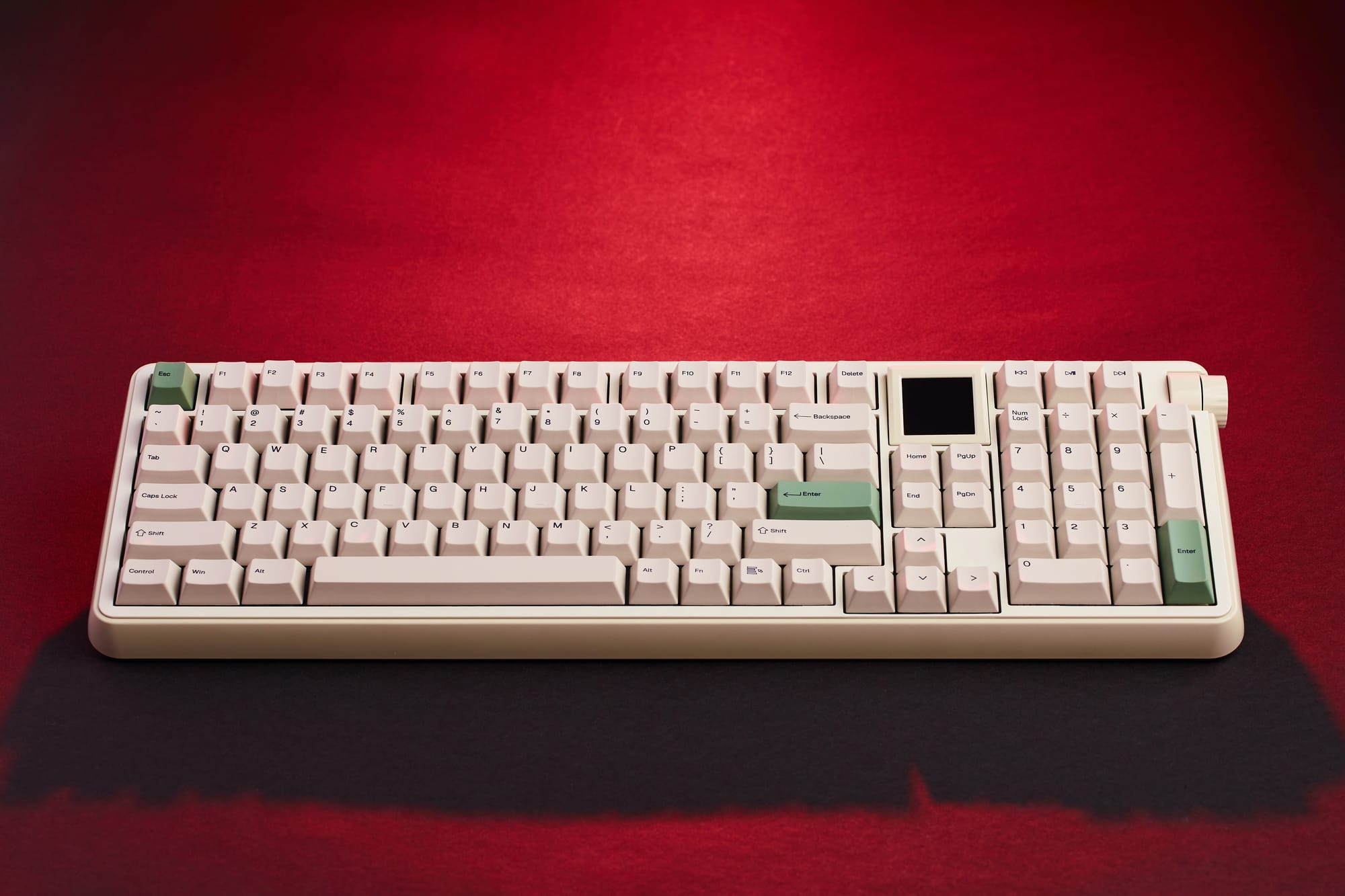
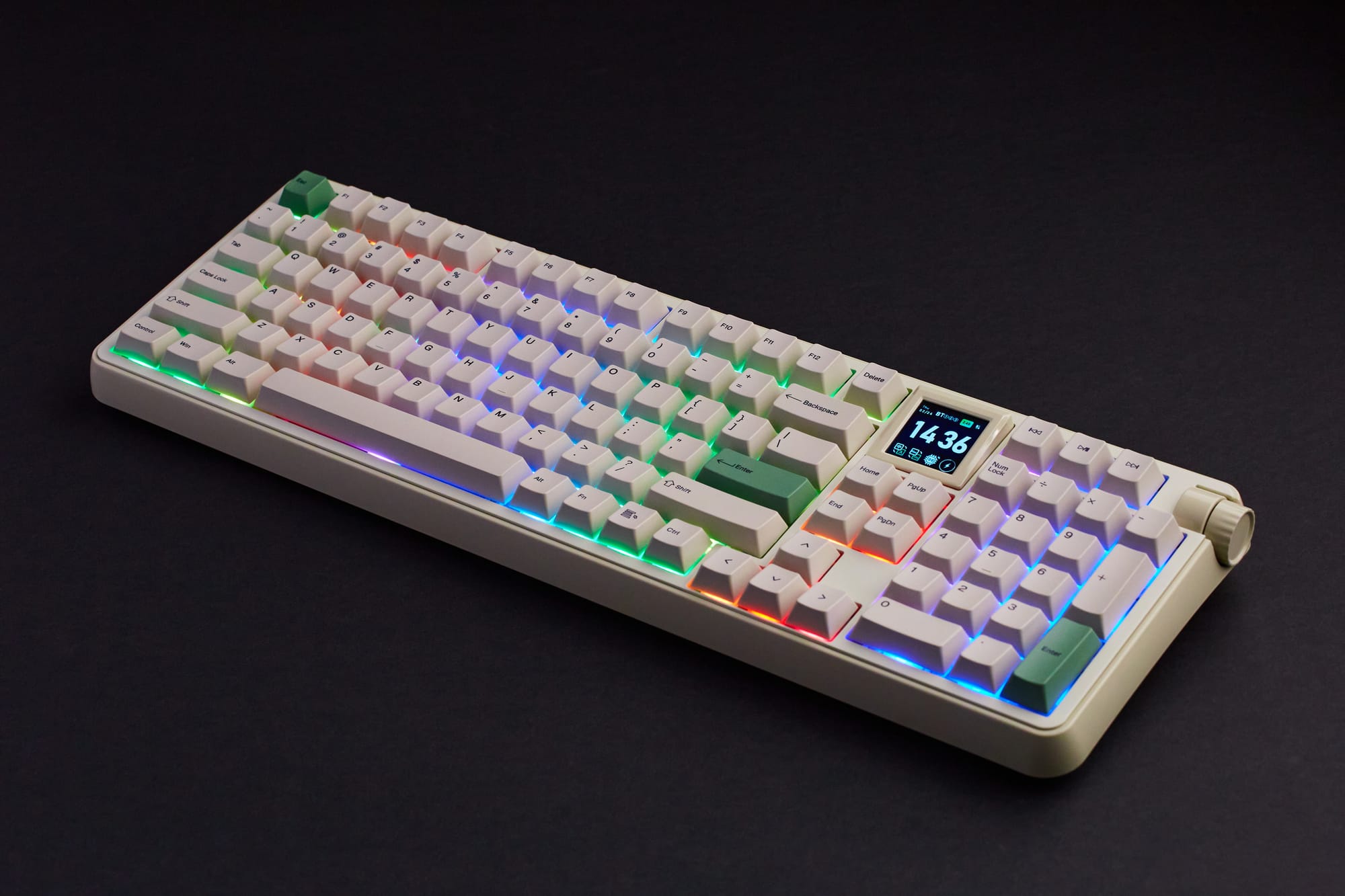
Upon unboxing the RT100 Pro, my first impression was that Epomaker absolutely nailed the aesthetics; I wouldn't change a single thing about how it looks. The Retro White colorway with green accents is gorgeous, and reminiscent of the classic keyboards from the mid-90s that I grew up with, but more polished. In fact, I find it to be even more attractive than the Wobkey Rainy 75 which in its own right isn't lacking in style.
This keyboard is encased in a glossy ABS plastic frame, and at a reasonable 1.3kg its substantial without feeling like a burden to move around on a desk. The overall build quality is robust, tightly assembled, and I haven't found any parts that are cheap to the touch. On the underside of the casing are several anti-slip silicone pads that prevent the keyboard from being bumped inadvertently during use. It's a subtle addition, but one that shows Epomaker put a lot of thought into the user experience.
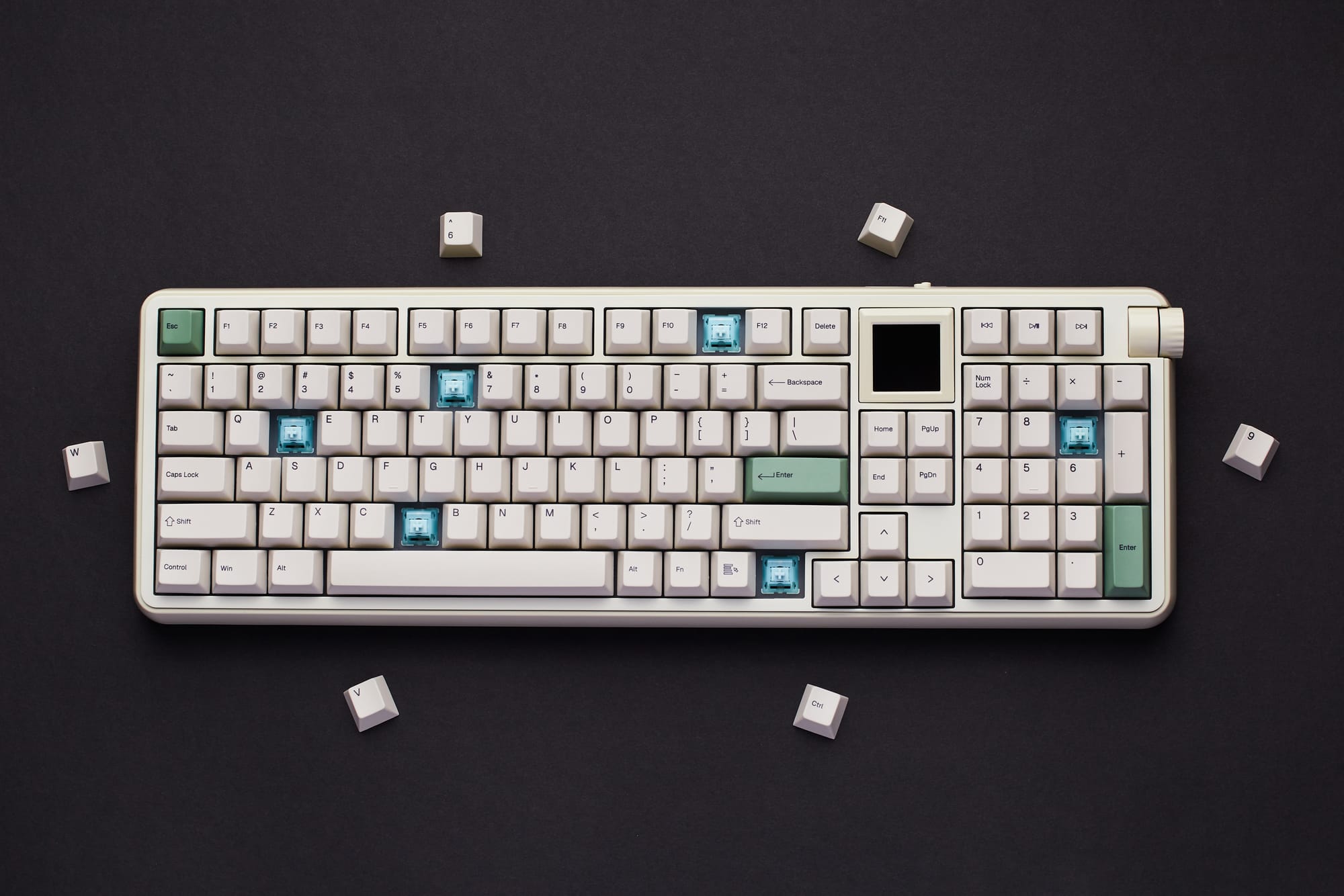
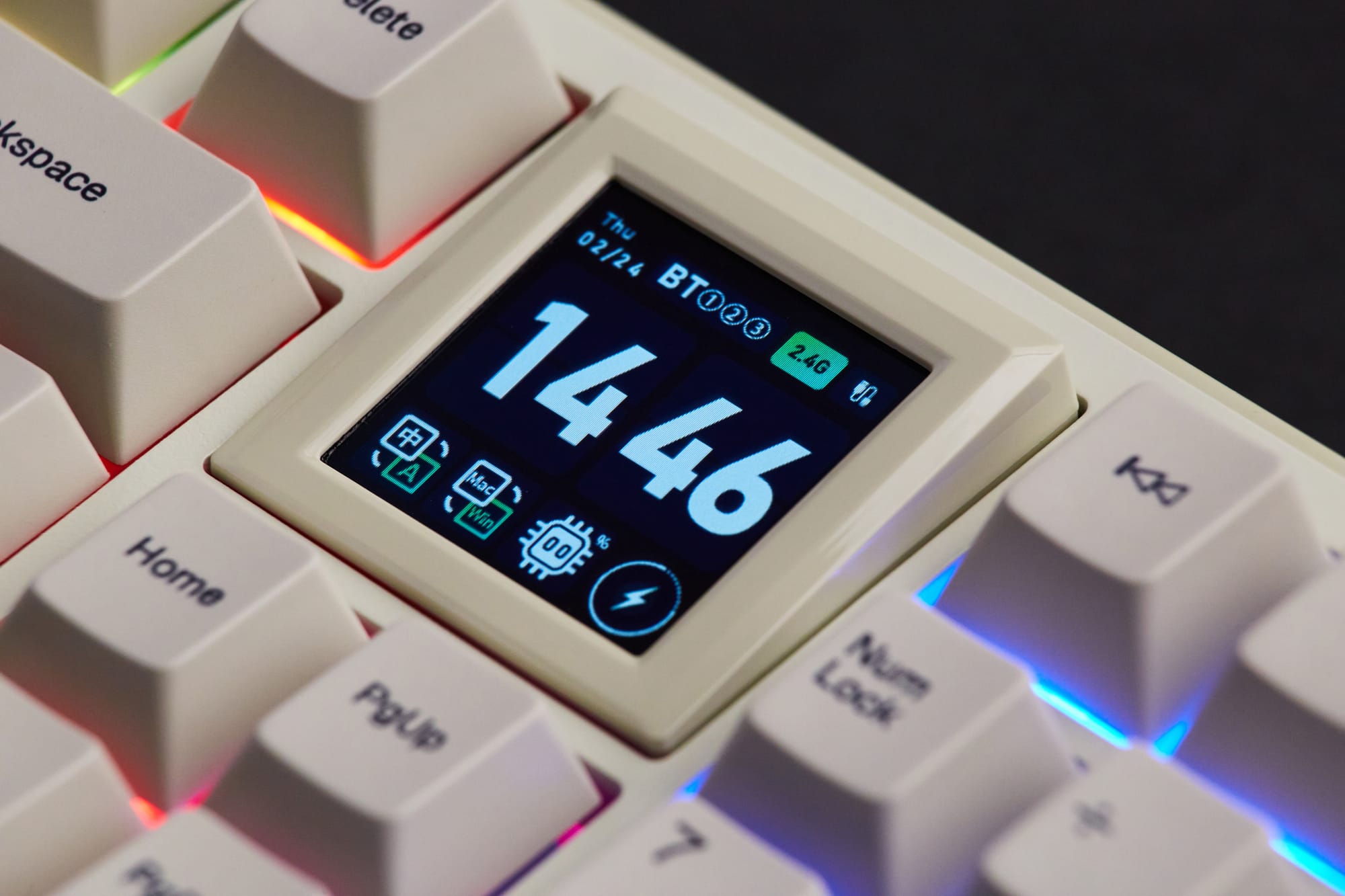
Much like the Epomaker TH99 Pro that I enjoyed so much, the RT100 Pro is an 1800 layout keyboard with 103 keys, a full number keypad, and a control knob for volume adjustment. What differentiates the RT100 Pro from the former however, is that it features a substantially larger 1.54 inch screen. If a more minimal, distraction free layout is preferred, the screen can easily be replaced with four additional programmable keys which are included in the box.
The hot-swappable keycaps are of the durable PBT variety, meaning that they're manufactured with a dye-sublimation printing technique which ensures long last legibility of the lettering and colors that won't easily fade over time. They not only feel great to the touch, but their lower Cherry profile provide an ergonomic advantage over traditional keycaps that helps to prevent wrist strain.
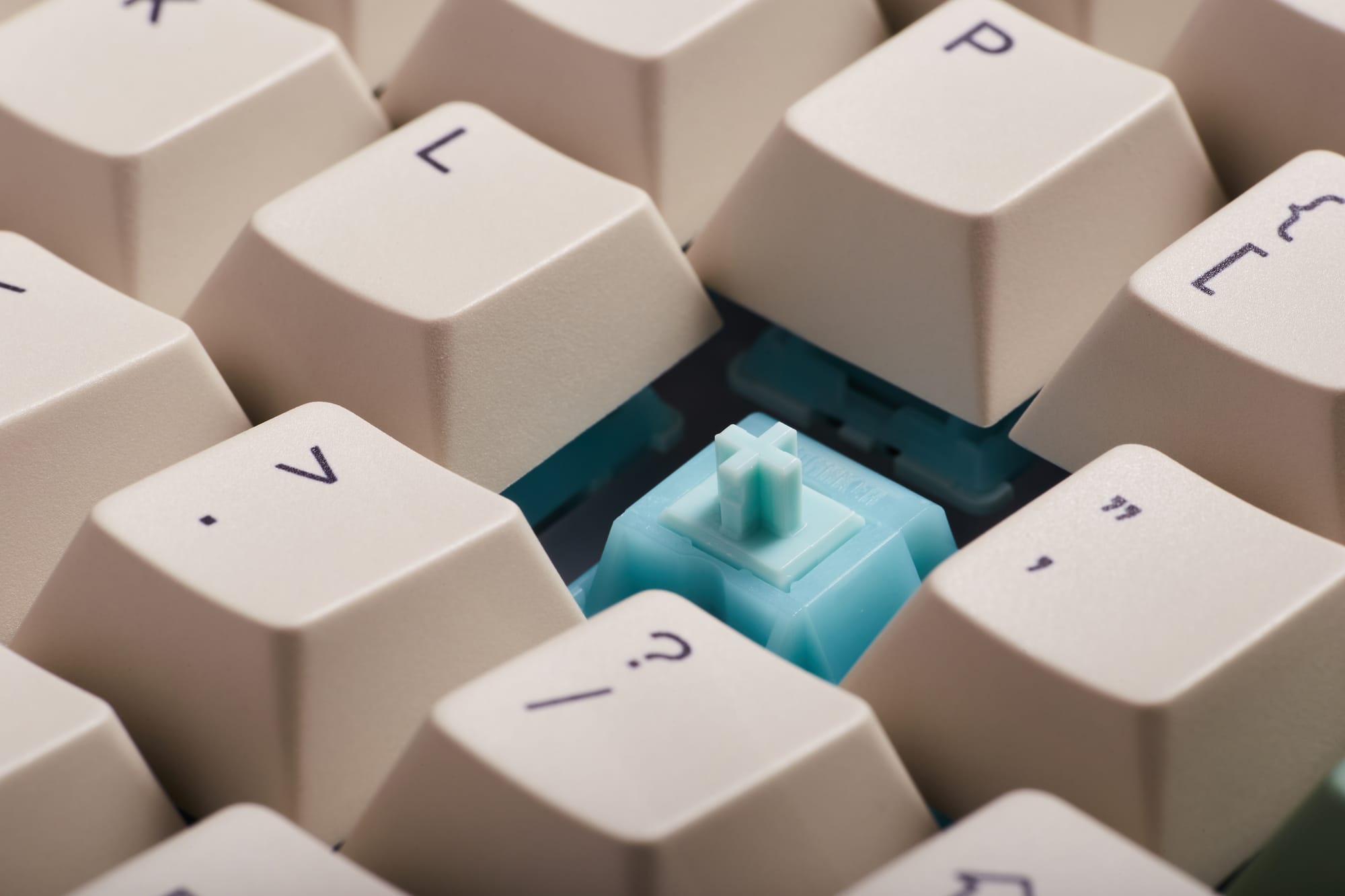
While my last Epomaker keyboard featured their Sea Salt Silent V2 switches that are well-suited for office use, this time I opted for their Creamy Jade switches, which I find to be an equal match to the Wobkey Rainy 75's lovely raindrop-esque sounds. Although the Sea Salt Silent V2 and the Creamy Jade switches are both excellent for different reasons, if noise isn't a concern I'd choose the Creamy Jade switches every time.
Unlike the TH99 Pro which features both Windows and Mac specific designations on one keycap (such as Alt / Command), the Epomaker RT100 Pro instead includes Windows or Mac keycaps that can be swapped interchangeably. As someone who uses both PC and Mac computers, I do prefer the TH99 Pro's implementation more.
And to round out the design aspects of the keyboard, I'm happy to see that the wireless 2.4ghz dongle has a dedicated storage slot conveniently located underneath. This is a far better design over the Wobkey Rainy 75 which unfortunately lacks any storage solution whatsoever.
Features & User Experience
As is the norm with all mechanical keyboards these days, the Epomaker RT100 Pro offers dynamic RGB backlighting, with several options for customization including brightness, speed, color, various effects, and the ability to disable it entirely. I like to keep the RGB lighting enabled, as it's barely noticeable during the daytime and it adds a playful element of motivation when ambient light levels are low.
Battery life is rated at 5000mAh, which is only half of what the Epomaker TH99 Pro claims and the lowest that I've tested so far. That said, I haven't yet been inconvenienced by it's smaller capacity despite near daily wireless use.
While I've mentioned my grievance over the lack of dual PC / Mac labels on the keycaps, as a consolation the RT100 Pro is seamlessly compatible with both Windows and Mac computers, without the need of a dedicated toggle like the one found on the TH99 Pro.
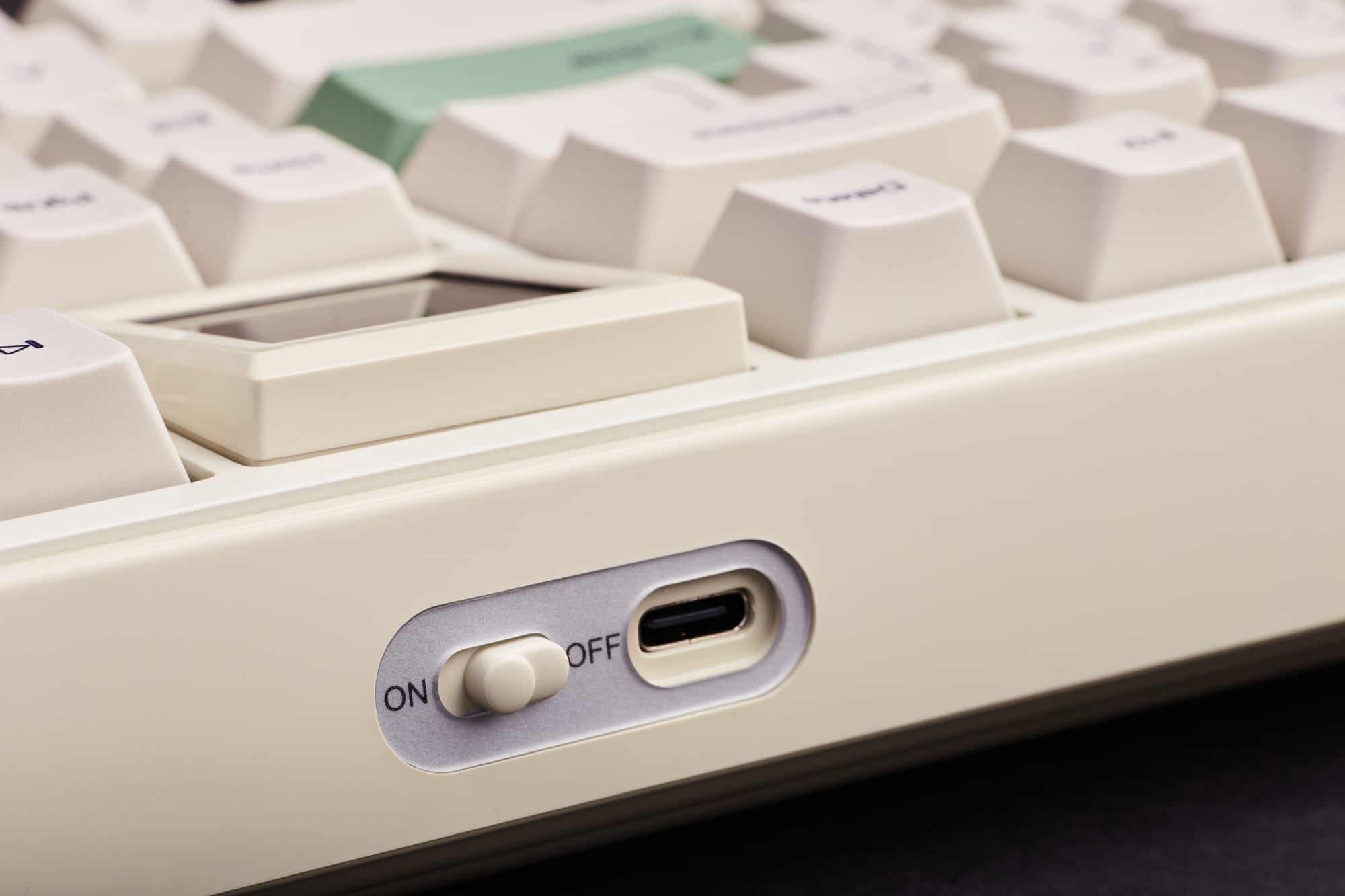
And on the topic of connectivity, this keyboard offers three distinct modes including wireless Bluetooth 5.0, 2.4GHz via the supplied dongle, as well as a traditional wired USB-C option. The official latency numbers are 4ms for the wired connection, 8ms for 2.4Ghz, and 16ms for Bluetooth. In use, I haven't encountered any noticeable lag when using any of these modes, and I'm almost always connected via Bluetooth.
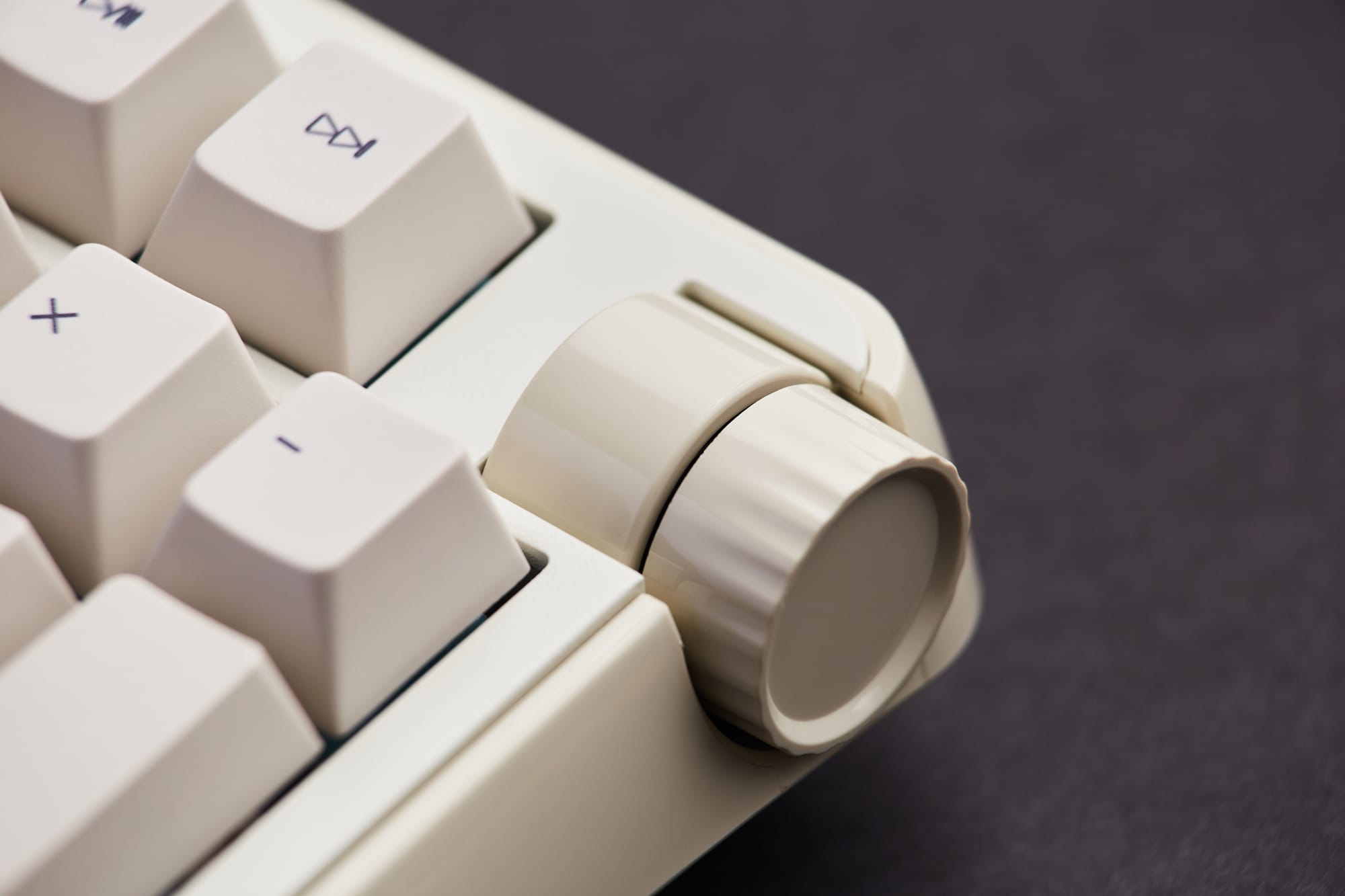
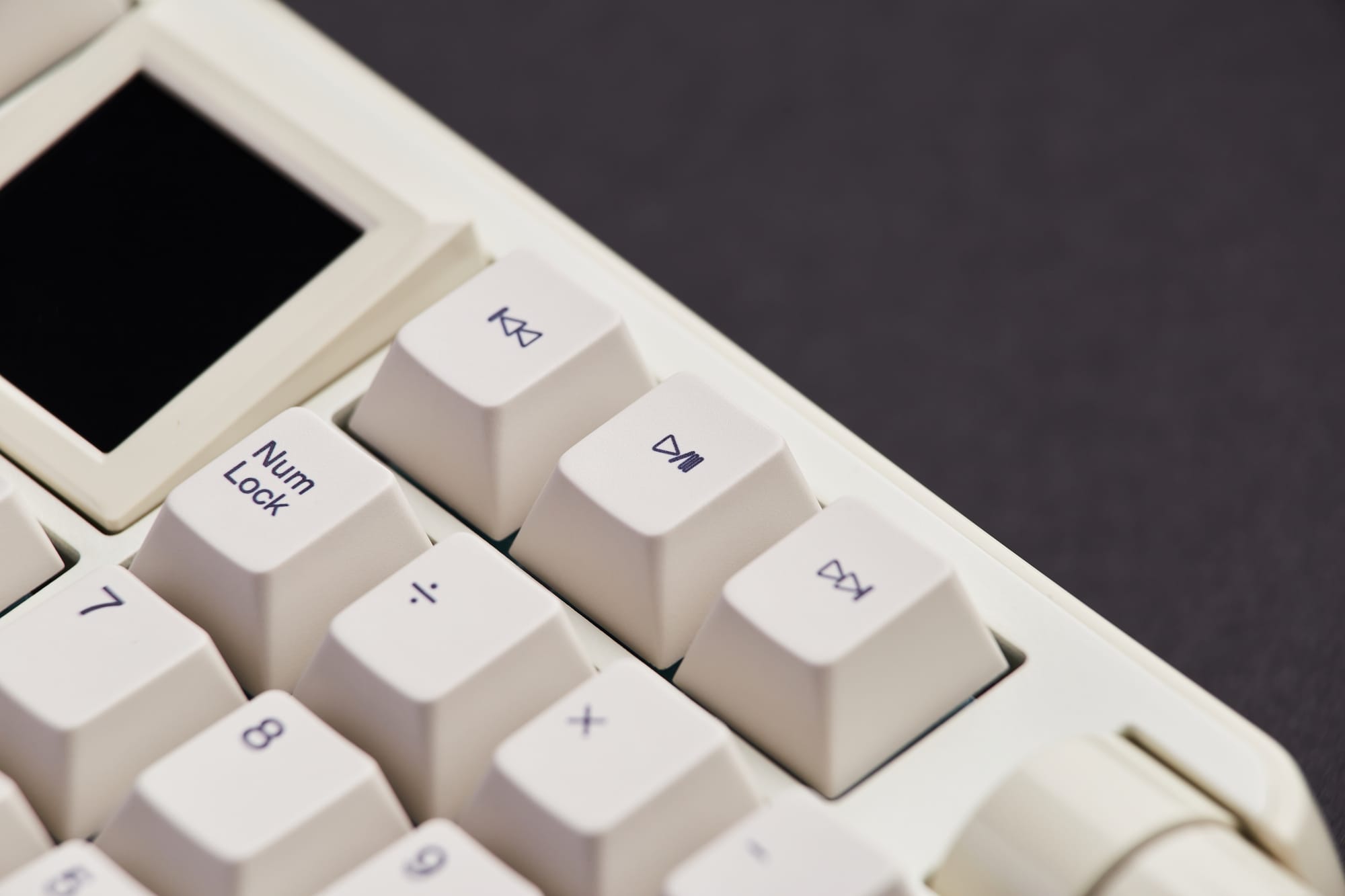
There are a couple of areas on the RT100 Pro where it's clear that Epomaker has made quality of life design improvements over previous models. The first are the addition of ⏮️, ⏭️, and ⏯️ song keys which were noticeably absent on the TH99 Pro. And the second is that the volume control knob has been repositioned from the top of the keyboard to the side. This feels much better ergonomically, as it's a more natural and less taxing gesture for your wrist to execute.
By default, the large 1.54 inch screen displays the date / time, battery level, current connectivity mode and other useful information. Alternatively, it can be used to play a looping GIF, and while this might sound trivial, don't underestimate how fun this actually is. Check it out:
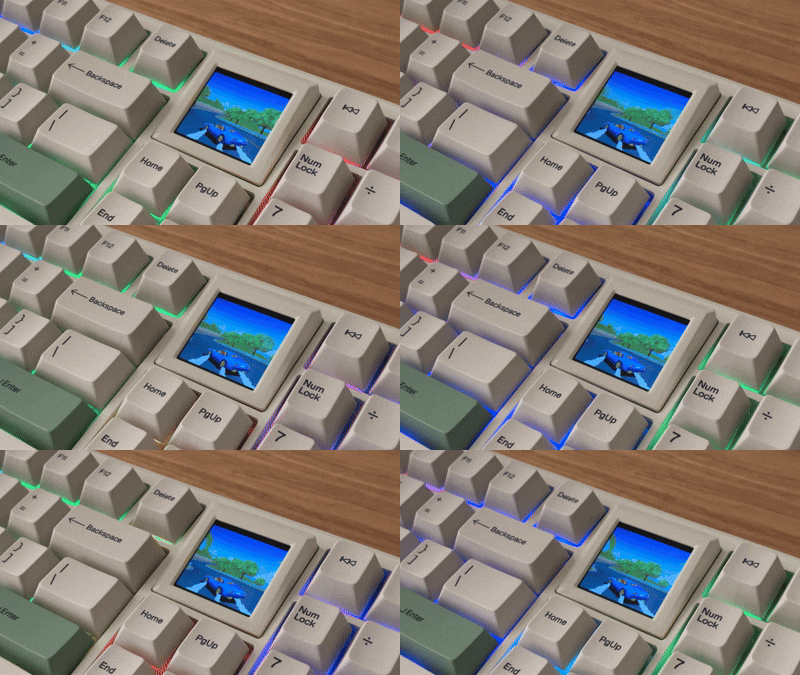
This brings me to my next point which is that you can add GIFs and customize the keyboard layout by downloading the keyboard's driver software. I found that the software is no doubt serviceable, but some aspects of it could be further refined for a better user experience. For example, the first day that I tried to load a GIF I kept receiving general error messages that the function had failed. A couple days later, I tried it again without changing anything on my end and it worked without issue 🤷♂️.

Pros
- Beautifully designed
- Excellent build quality
- Creamy Jade switches offer perfect tactile feedback and a pleasant raindrop sound
- Good value for the price
- Large display screen, can be replaced with 4 keys if desired
- Perfect layout with full number keypad
- RGB lighting offers several modes for customization
- Latency is imperceptible, regardless of connectivity mode
- Control knob is more ergonomically placed
Cons
- I miss the dual labelled PC / Mac keys found on the TH99 Pro
- Driver software could be more intuitive
- 5000mah battery life is on the low end compared to other models
Verdict
The more time I've spent with the Epomaker RT100 Pro, the more I appreciate how much thought and planning went into its creation. It does have some shortcomings, such as driver software that could use further refinement and the battery life isn't class leading. Yet, I've found those drawbacks to be fairly minor in practice and seldom get in the way of the overall enjoyment that it consistently delivers.
With a beautiful design, durable construction, useful improvements over previous models, and superb tactile feedback, this is a keyboard that exemplifies how form and function can be combined together for a truly delightful typing experience. Nothing is perfect, but the RT100 Pro comes close.