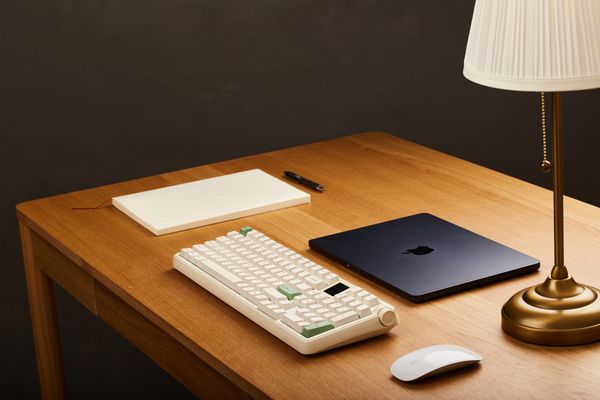
A Review Of The Epomaker Luma100 Mechanical Keyboard
The Mint Low Profile Switches on the Luma100 strike what I believe to be the perfect middle ground between Epomaker's Creamy Jade switches and their Sea Salt Silent V2 switches.

Decaf Journal is reader-supported. When you buy links through our site, we may earn an affiliate commission.
I've unexpectedly become something of a keyboard aficionado this year. While I won't be building my own custom keyboard from scratch anytime soon (if ever), I've developed a deep appreciation for the added enjoyment that a really good out of the box mechanical keyboard offers to enhance the experience of using a computer. I've been especially partial to the nostalgic mid-90s inspired chunky keyboard designs that the majority of keyboard brands are releasing these days, but I realize that not everyone shares this sentiment.
After having reviewed several mechanical keyboards so far, I began to develop the the opinion that while there is no shortage of great options out there, they all largely follow the same basic design formula. And this is precisely why my interest was piqued anew when Epomaker asked if I would be interested in testing out their Luma100 keyboard. The Luma100's design is a notable departure from the rest of Epomaker's lineup, with a more modern Apple inspired aesthetic that might just appeal to a completely different type of user.
My intent here is to find out what the main differences are compared to more traditional mechanical keyboards, what advantages those distinctions might offer, and what it all means for the user experience.
Build Quality & Design
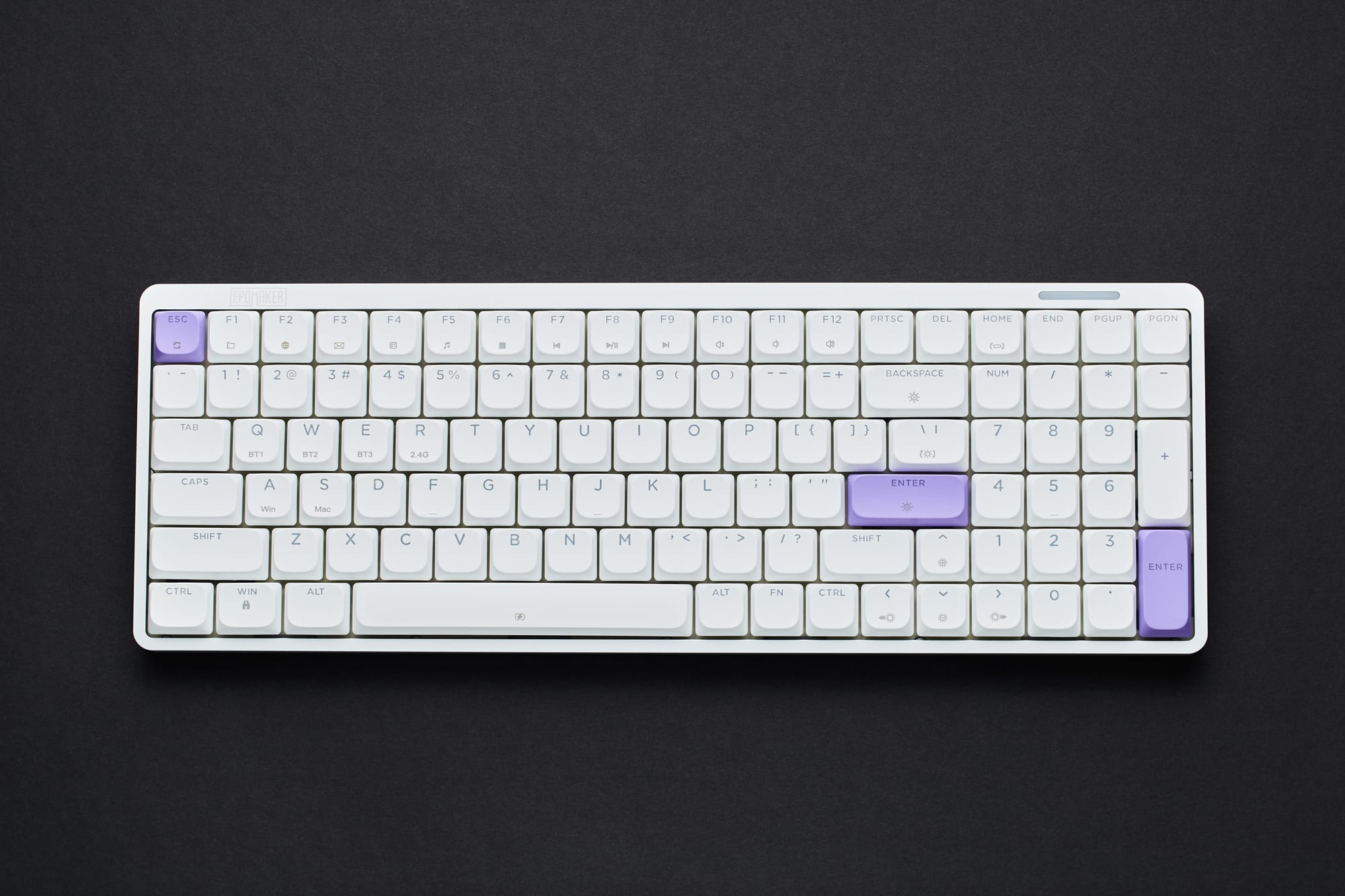
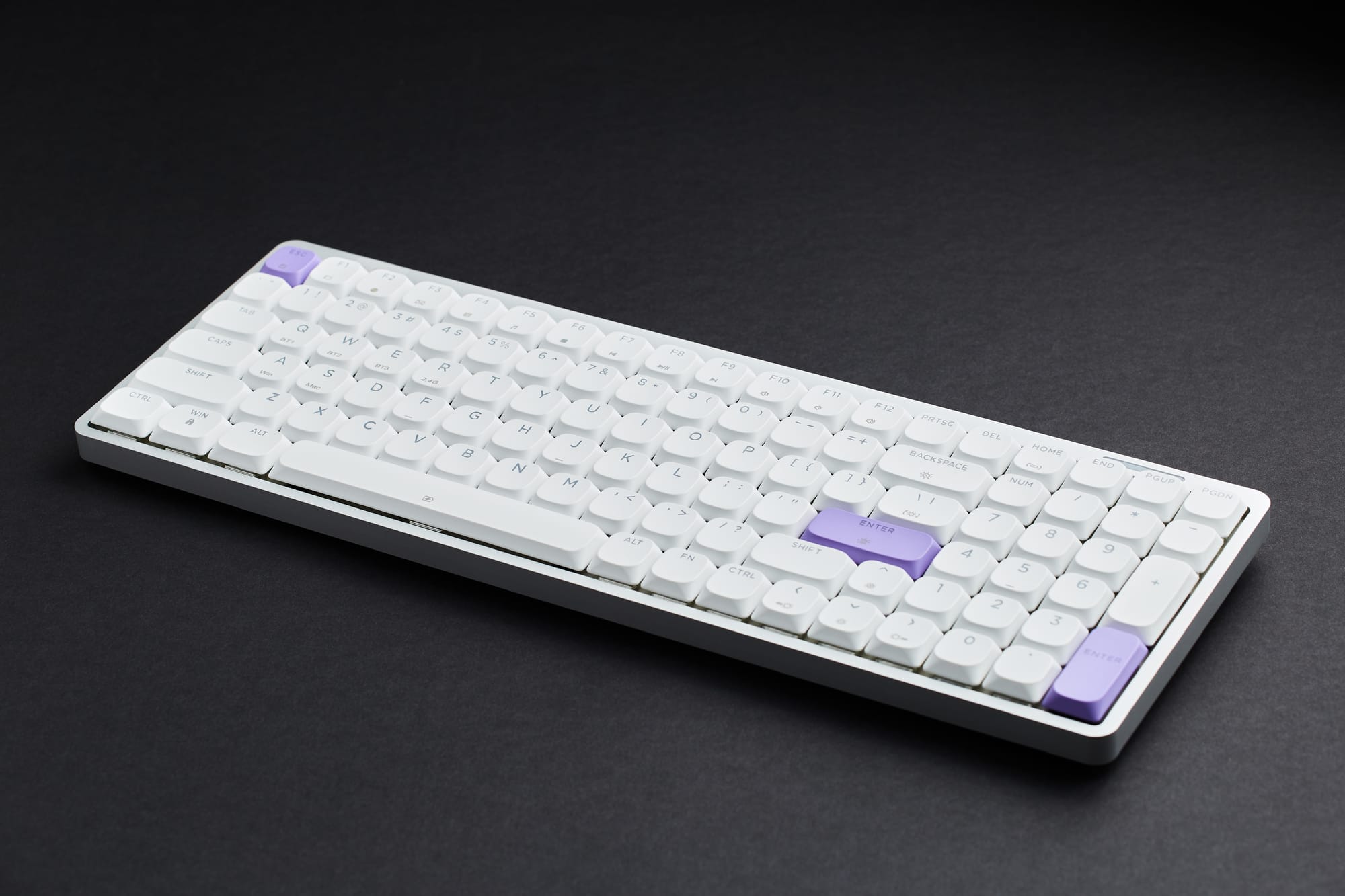
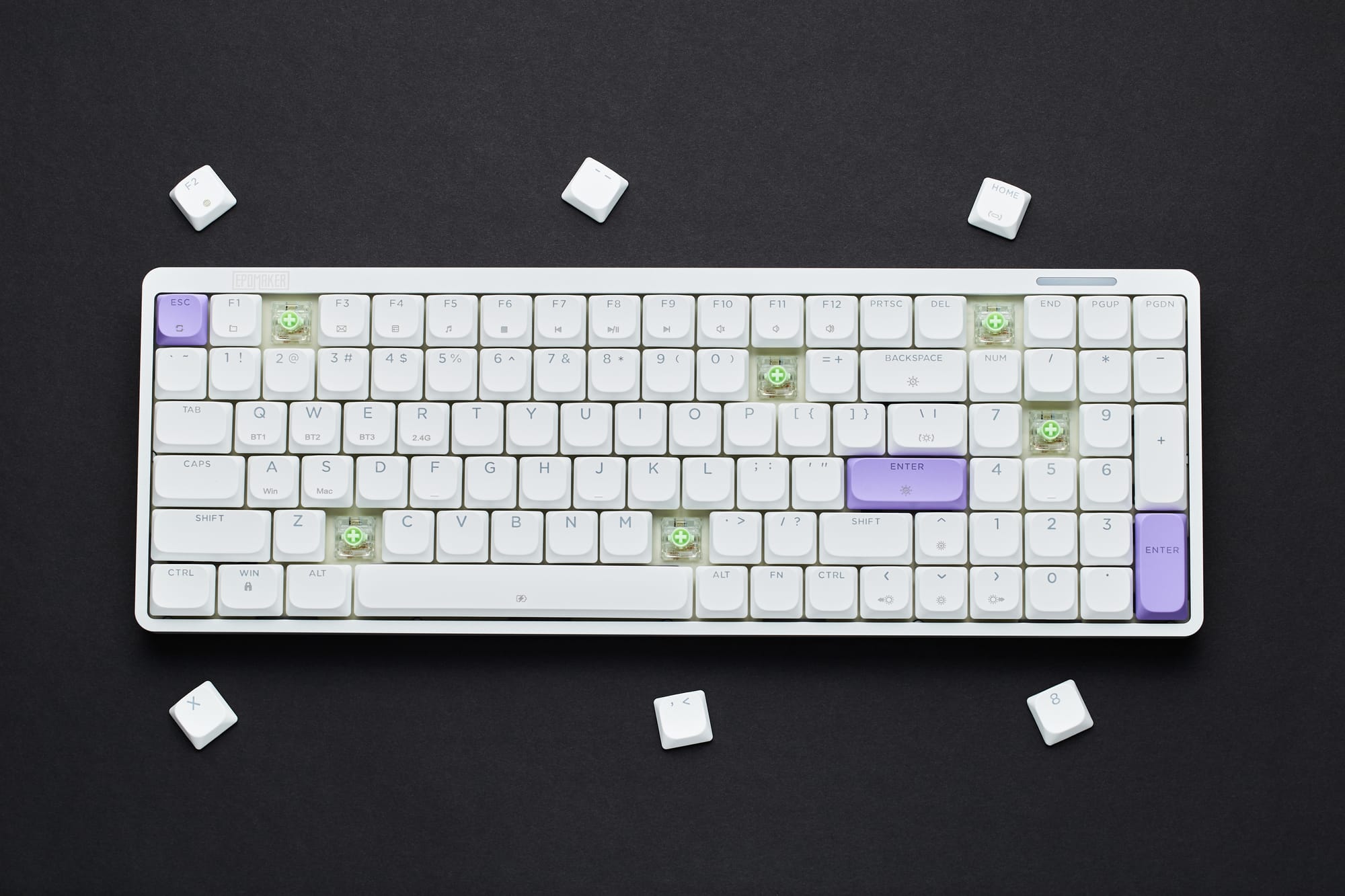
As I alluded to earlier, the Luma100 has taken style cues from Apple's playbook with a sleek, modern design and a significantly lower profile than what we're used to seeing from other Epomaker models. Specifically, it's reminiscent of Apple's iconic Magic Keyboard which I've used extensively in the past, and this similarity is by no means a bad thing.
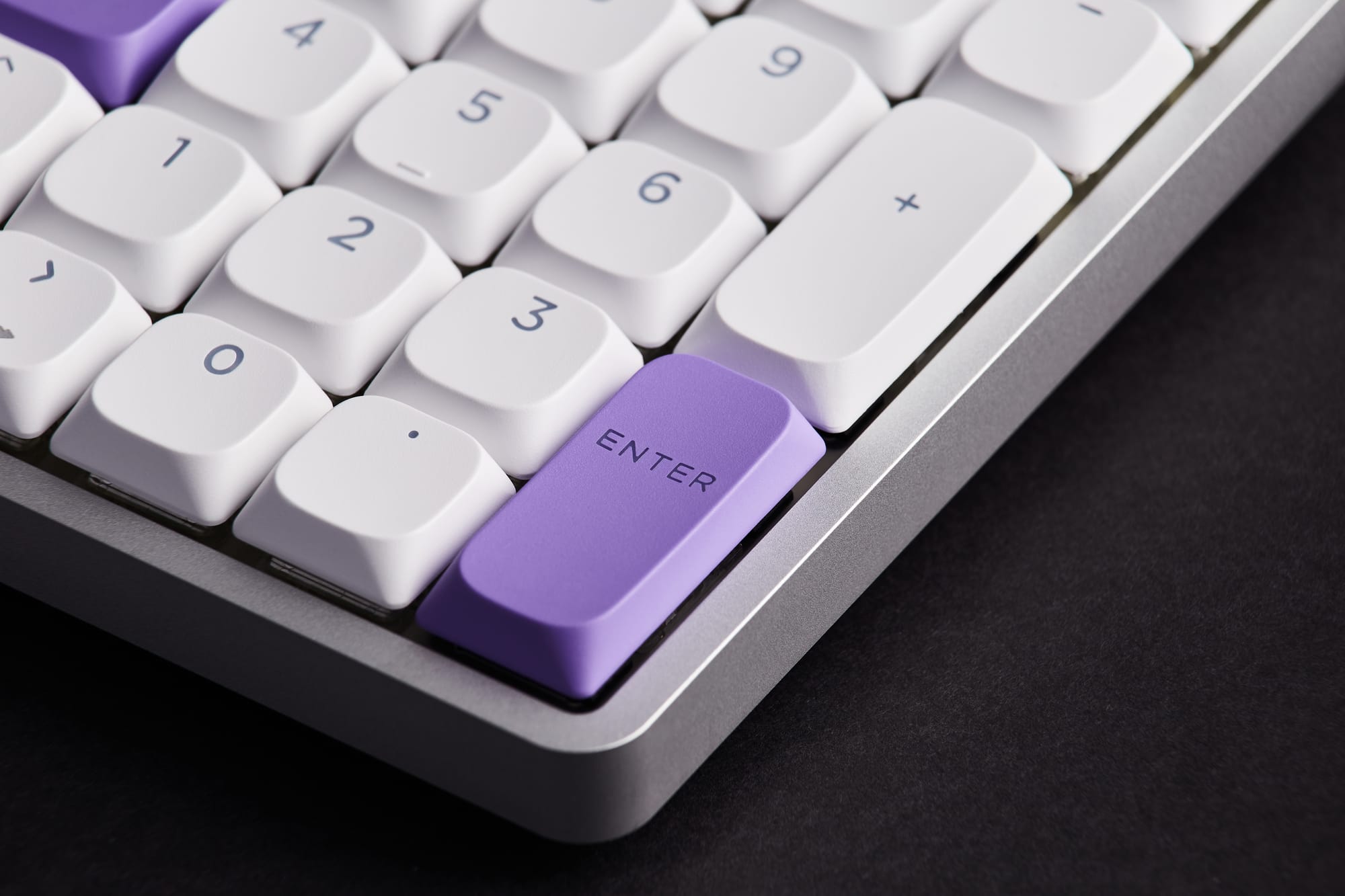
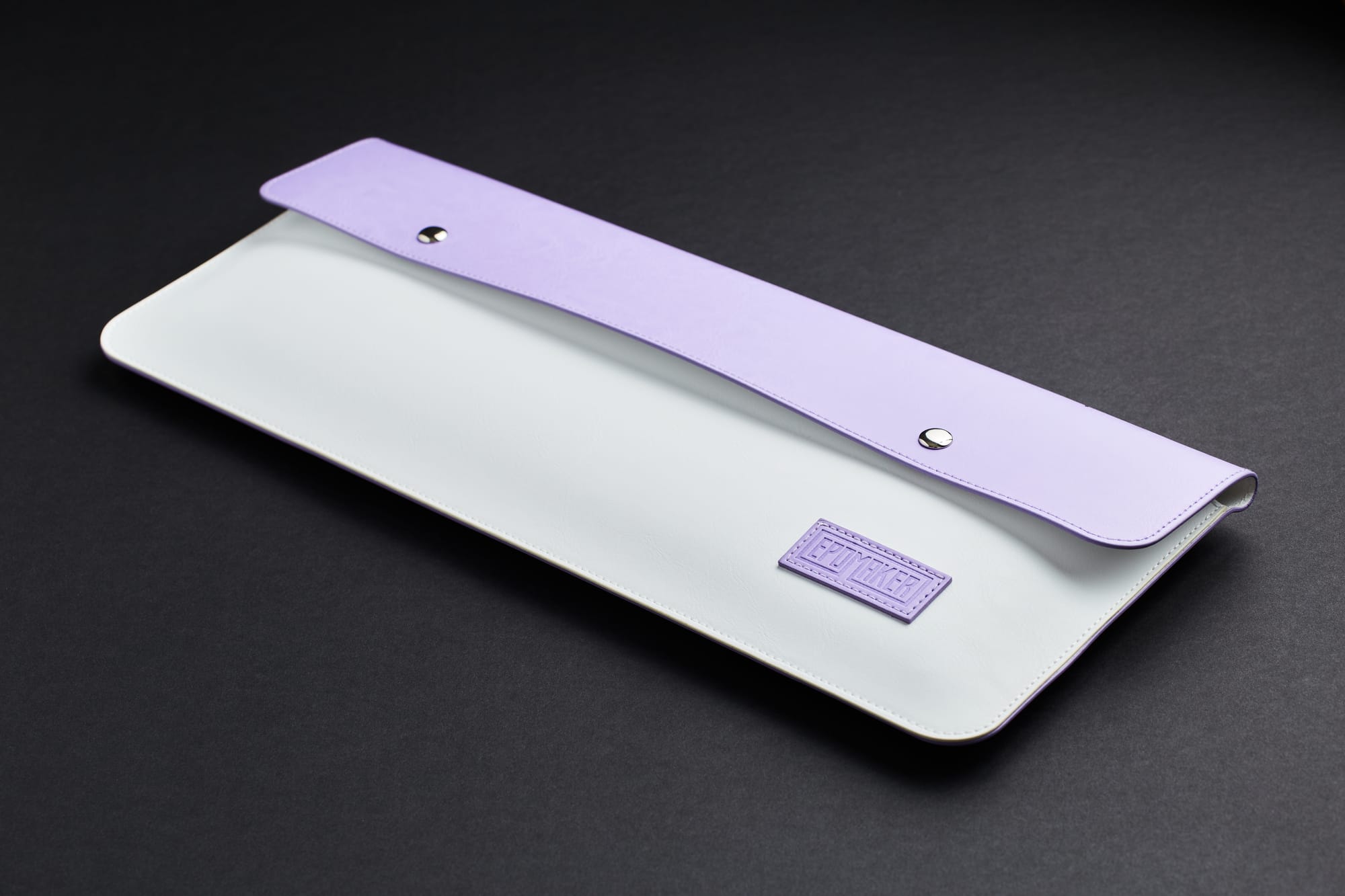
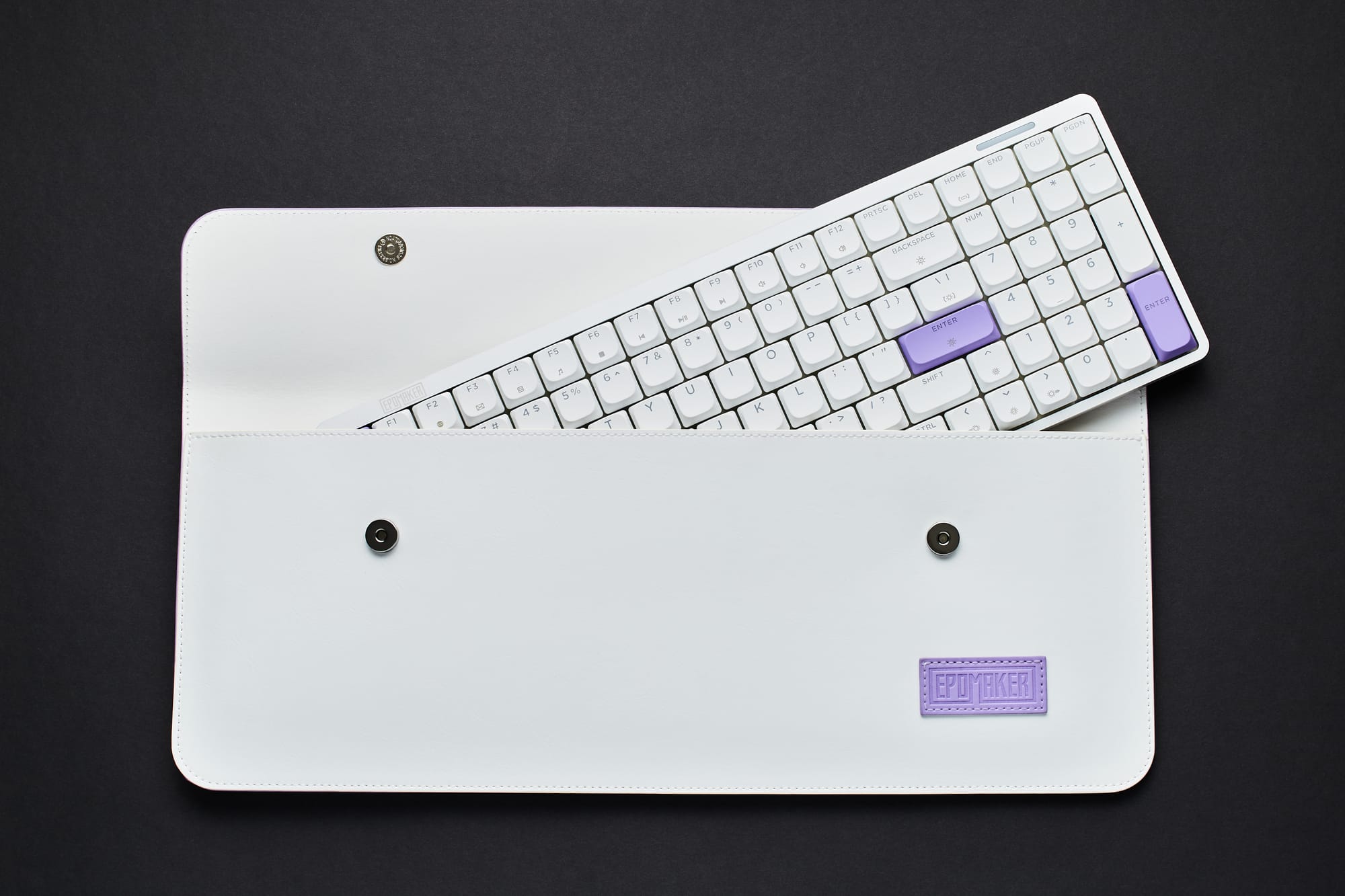
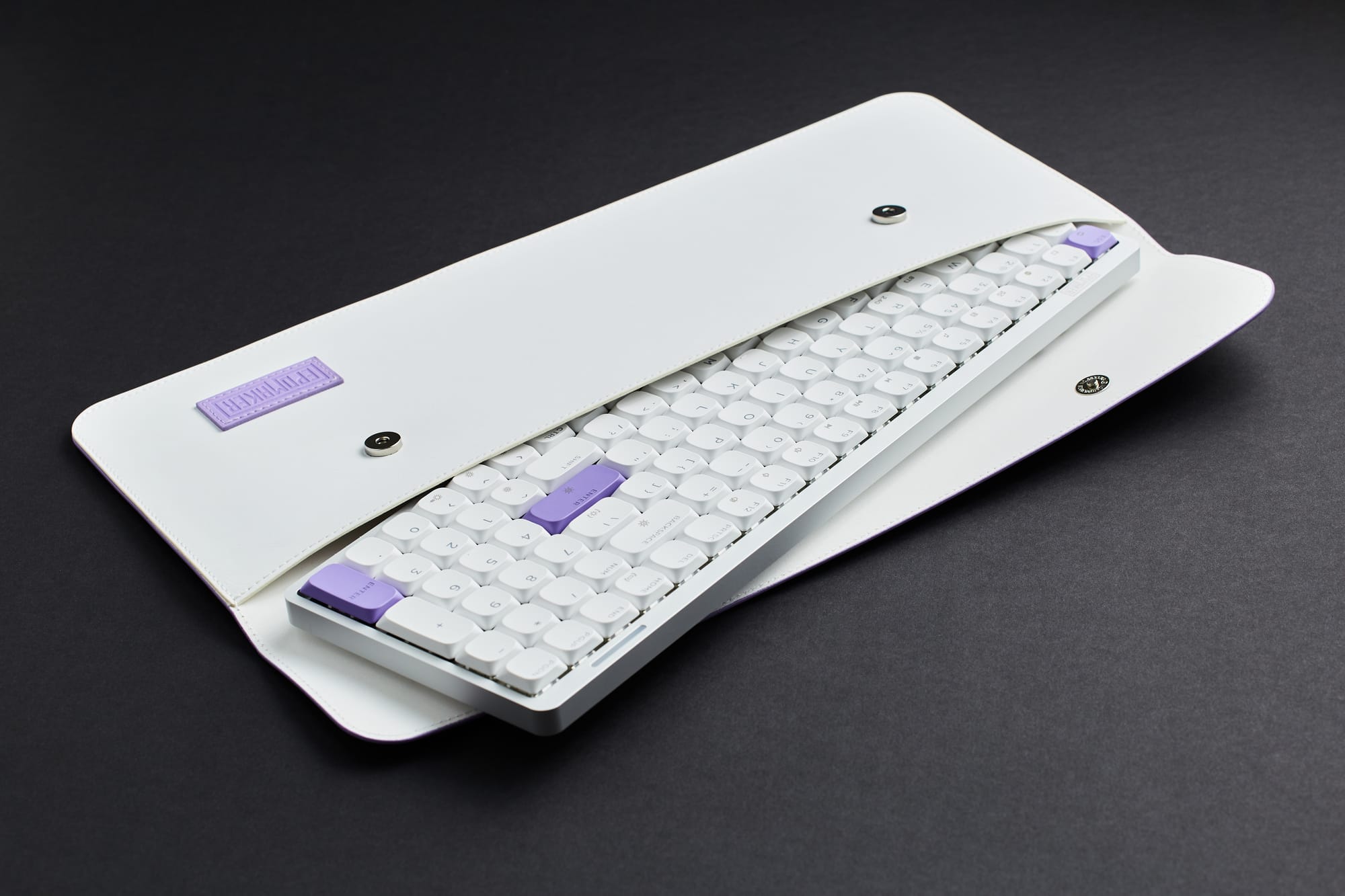
The Luma100 is encased in an anodized aluminum body, which feels robust while at the same time keeping the weight down to a mere 0.73 kilograms. This makes it by far the lightest keyboard I've tested to date, without any compromise in build quality. This weight savings also makes it an ideal travel companion and there's even a handy storage bag included in the box for on the go work.
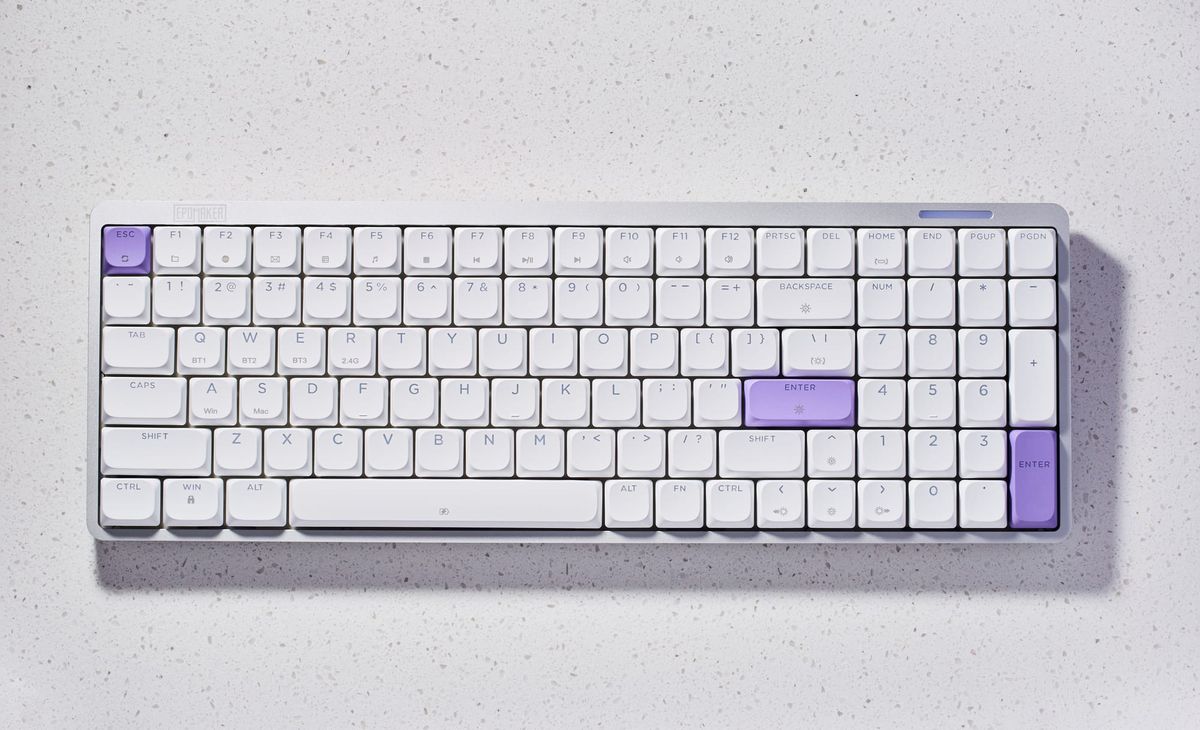
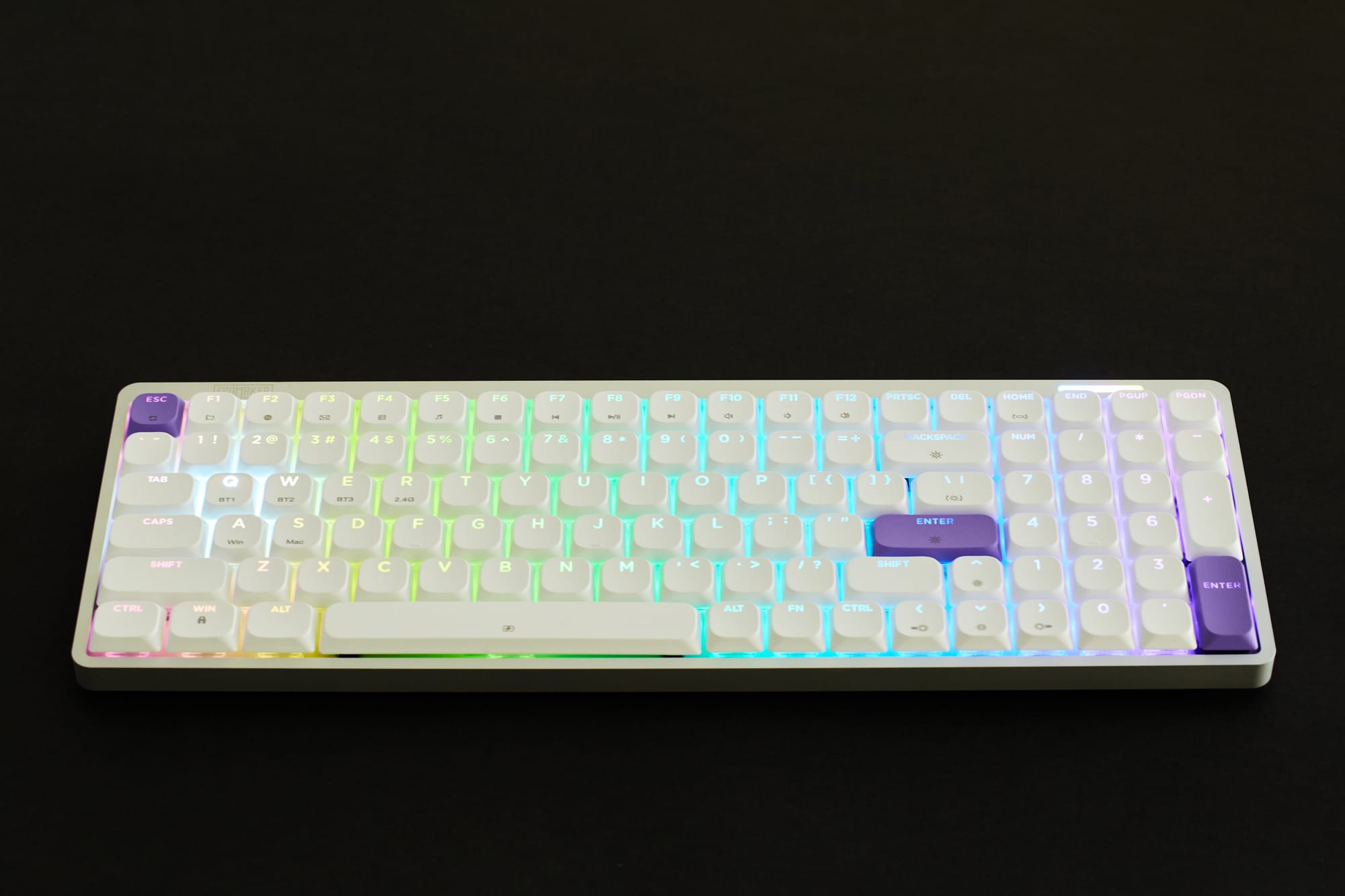
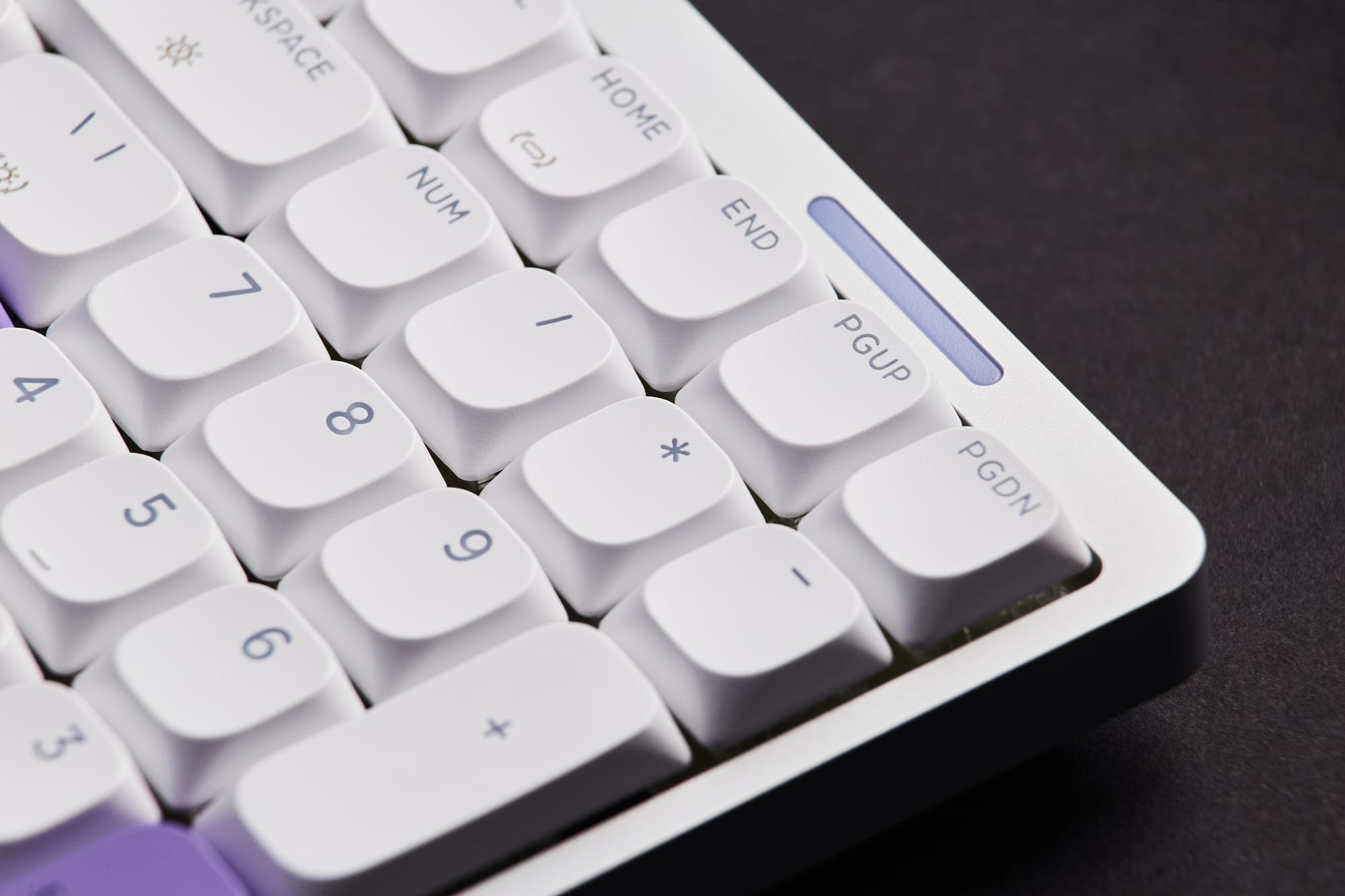
In terms of layout, this keyboard is of the 96% variety with 100 keys. This arrangement is more condensed than a traditional full-sized keyboard and therefore more compact, but thankfully still includes the number keypad which is a must-have for me. If you've read my previous Epomaker reviews, you may have noticed that the GIF screens that I adored so much on those other models is noticeably absent here. In its place is an RGB light bar with what I can only describe as a gently moving rainbow being displayed. It matches with the rest of the overall design quite well and fortunately it isn't conspicuous enough to be a distraction.
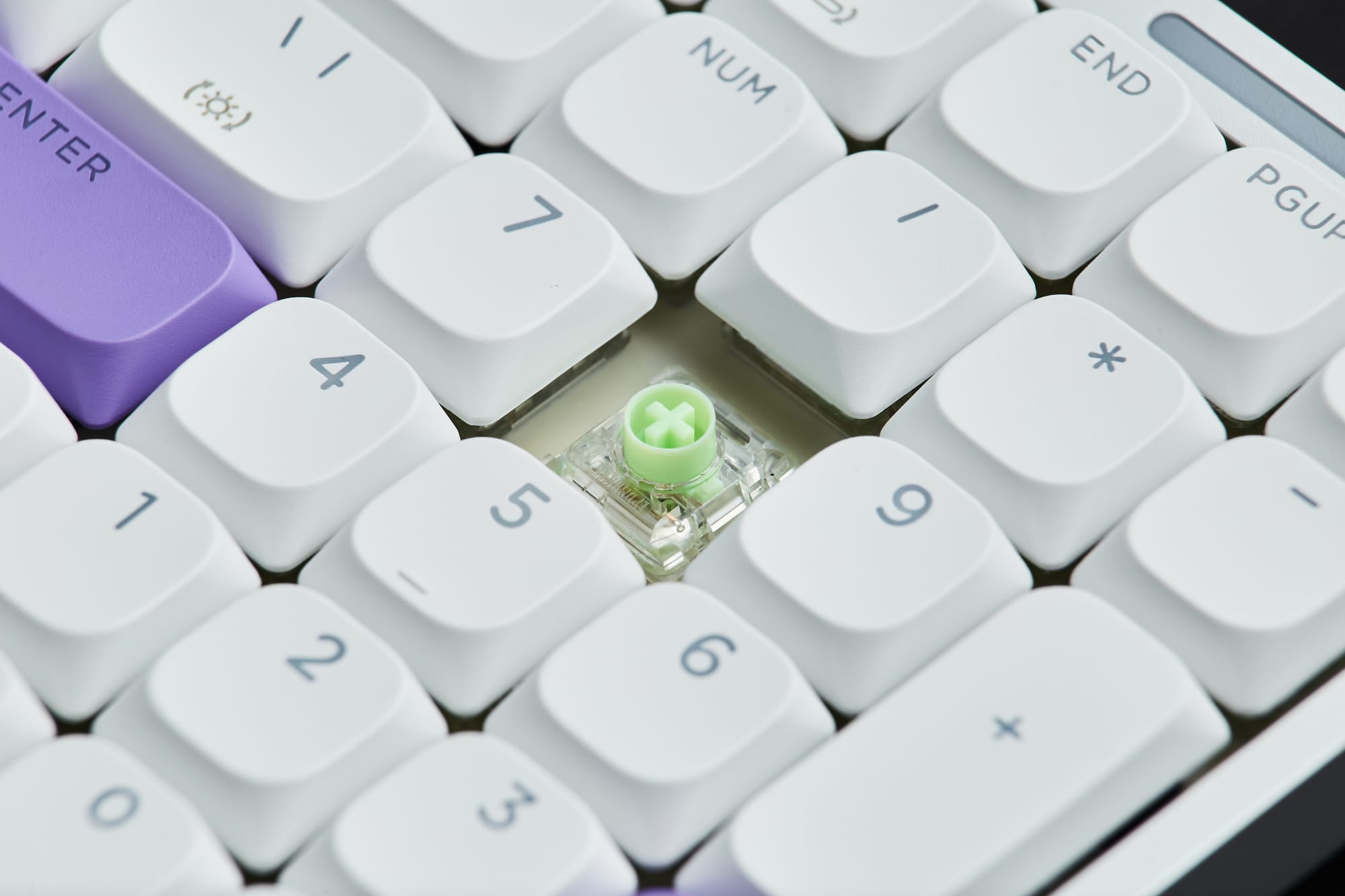
For those of you who like to customize your keyboards, you'll be happy to know that the Epomaker Luma100 is hot-swappable with low profile switches. With that said, the included Mint Low Profile Switches and double shot ABS keycaps are already excellent in their own right, and I'll touch on this more in a moment.
Features & User Experience
The Epomaker Luma100 features tri-mode connectivity with the option to connect the keyboard to a computer using a wired USB-C connection, Bluetooth wireless, or 2.4GHz wireless via the supplied USB dongle. My only nitpick here is that the Luma100 lacks a storage slot for the 2.4GHz wireless dongle, so you'll need to keep it in a safe place when not in use.
In my testing, I found the latency on all three modes to be negligible and overall the keyboard is exceptionally responsive to every keystroke, regardless of your preferred method of connectivity. It isn't limited to a PC / Mac computer either, as it can also connect to any Android device such as a phone or tablet.
On the topic of connectivity, I found the actual setup of connecting the keyboard to a device to be a completely seamless experience. For example, to establish a Bluetooth connection to my Mac computer, I simply had to press and hold the FN+Q/W/E keys for a moment and it started working immediately without any fuss. The same goes for switching the keyboard between a Mac and Windows computer, as all that's needed is to press and hold the FN+A keys for Windows or the FN+S keys for Mac, and it'll immediately map its keys to the correct operating system accordingly.
And while the stock key caps are primarily for Windows users, fortunately there are also six additional Mac specific key caps included in the box that can be easily swapped out with the supplied key cap puller. One mildly frustrating aspect of pulling key caps on the Luma100 however, is that doing so also tends to pull out the switches along with them inadvertently, and it can be a bit of a process to separate them. This isn't something I've encountered on other Epomaker models, so it's worth taking extra care when swapping out the keys or switches.
In addition to the pleasant RGB light bar I mentioned earlier, this keyboard also includes a subtle RGB configuration beneath the keys. Even the keys caps themselves are illuminated due to the translucent characters on each key. It's something I didn't notice right away, but I love the attention to detail and creative thinking that went into this design. As with other Epomaker keyboards, you have the option to adjust the colored backlighting to your choice of Still, Dynamic, Singular Color, or standard RGB modes, all of which I found to be subdued to my liking.
And what about the typing experience? Well, it feels quite satisfying and actually quite different from the other keyboards that I've tested. The Mint Low Profile Switches on the Luma100 strike what I believe to be the perfect middle ground between Epomaker's Creamy Jade switches and their Sea Salt Silent V2 switches. Essentially, these switches are more muted in tone than the Creamy Jade switches but still offer a more satisfying sense of tactile feedback and sound than the Sea Salt Silent V2 switches. It's a delicate balance, but I think the Mint Low Profile switches offer the best aspects of both options and these just might be my favorite switches that I've tried so far.
As for the (optional) process of programming the keyboard, I'm happy to see that the Luma100 utilizes the industry standard VIA web app, which makes it easy to remap keys and create custom macros without the need to download and install dedicated driver software. As a side note, every Epomaker keyboard that I've tried so far has used a different software method for customization, so it would be nice to see all of their products streamlined to use VIA in the future.
Pros
- Modern minimalist design
- Encased in a strong anodized aluminum body
- Lightweight and easy to travel with using the included carrying case
- Includes a full number keypad
- Mint Low Profile Switches strike the perfect balance between tactile feedback and muted sound
- Latency is negligible in all connectivity modes
- RGB lighting is nicely subdued and even shows through the translucent key caps for an effect that's pleasing to the eye
- Hot swappable with low profile switches
- Easy to set up and switch between devices
- Utilizes industry standard VIA web app for programming keys
- Affordable price
Cons
- Lacks a storage slot for the 2.4Ghz wireless dongle
- Pulling key caps also tends to pull out the switches inadvertently; not always easy to separate them
Verdict
The Luma100 is a truly different flavor of mechanical keyboard, and one that I've thoroughly enjoyed using. My minor nitpicks aside, this is a great option if you're a fan of modern minimalist design, prefer a lower profile, and want something that's easy to travel with. It also offers the same satisfying tactile feedback that Epomaker has become known for, but with a quieter (though not totally silent) typing experience that won't annoy others around you in an office environment.
Or put another way, if you have a strong preference for sans-serif typefaces, grey crewneck sweatshirts, and Apple products, then this is likely the keyboard for you.