A Review Of The Zhiyun Fiveray M60 Ultra RGB Light
For having such a small footprint, I found the M60 Ultra to be surprisingly powerful, and I honestly can't imagine a better light output in such a compact form factor.

Decaf Journal is reader-supported. When you buy links through our site, we may earn an affiliate commission.
It's been nearly twenty years since Vincent LaForet's short film, Reverie ignited the DSLR filmmaking revolution. Though it may strike audiences today as nondescript test footage, Reverie's significance at the time of its release cannot be understated. It was shot on the Canon EOS 5D Mark II, which was the first consumer focused digital camera to shoot 1080P HD video in the cinematic full frame format. To put it simply, the unveiling of this new technology democratized independent filmmaking forever.
Although I was blown away by the 5D Mark II's video capabilities, I stubbornly kept my head in the sand, choosing instead to focus exclusively on developing my photographic work for the next two decades. But why is that? Well for starters, the mandatory accessories that went along with shooting professional looking video at the time were prohibitively expensive for my shoestring student budget. That's not to mention the steep learning curve that manual focus pulling, audio recording, and video editing collectively entails.
Suffice to say, I've long been interested in cinematic work but never felt the time was right. But after using the excellent Zhiyun Molus X100 RGB hybrid photo / video light, the gears in my mind are starting to turn, and I can now see an accessible point of entry. To further my exploration, Zhiyun recently provided me with a pair of their Fiveray M60 Ultra lights to try, and I've been using them in conjunction with the X100 RGB light on my first ever video focused project.
While Zhiyun describes the M60 Ultra simply as a pocketable fill light, I've set out to use it as a main (key) light, a fill light, and a rim light to find out just how useful it can be in any given lighting setup. It also boasts some potentially innovative wireless connectivity functions which I've put to the test as you'll see. But first, let's take a look at the M60 Ultra's design and build quality.
Build Quality & Design
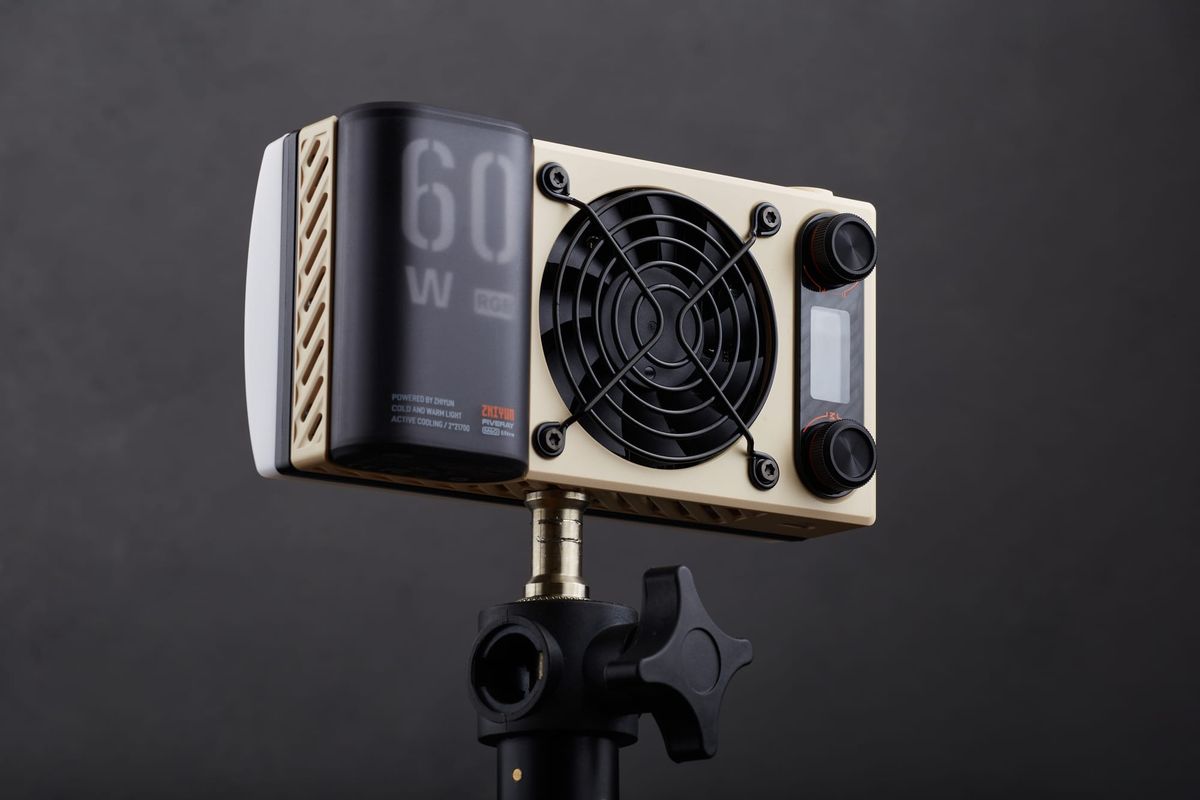
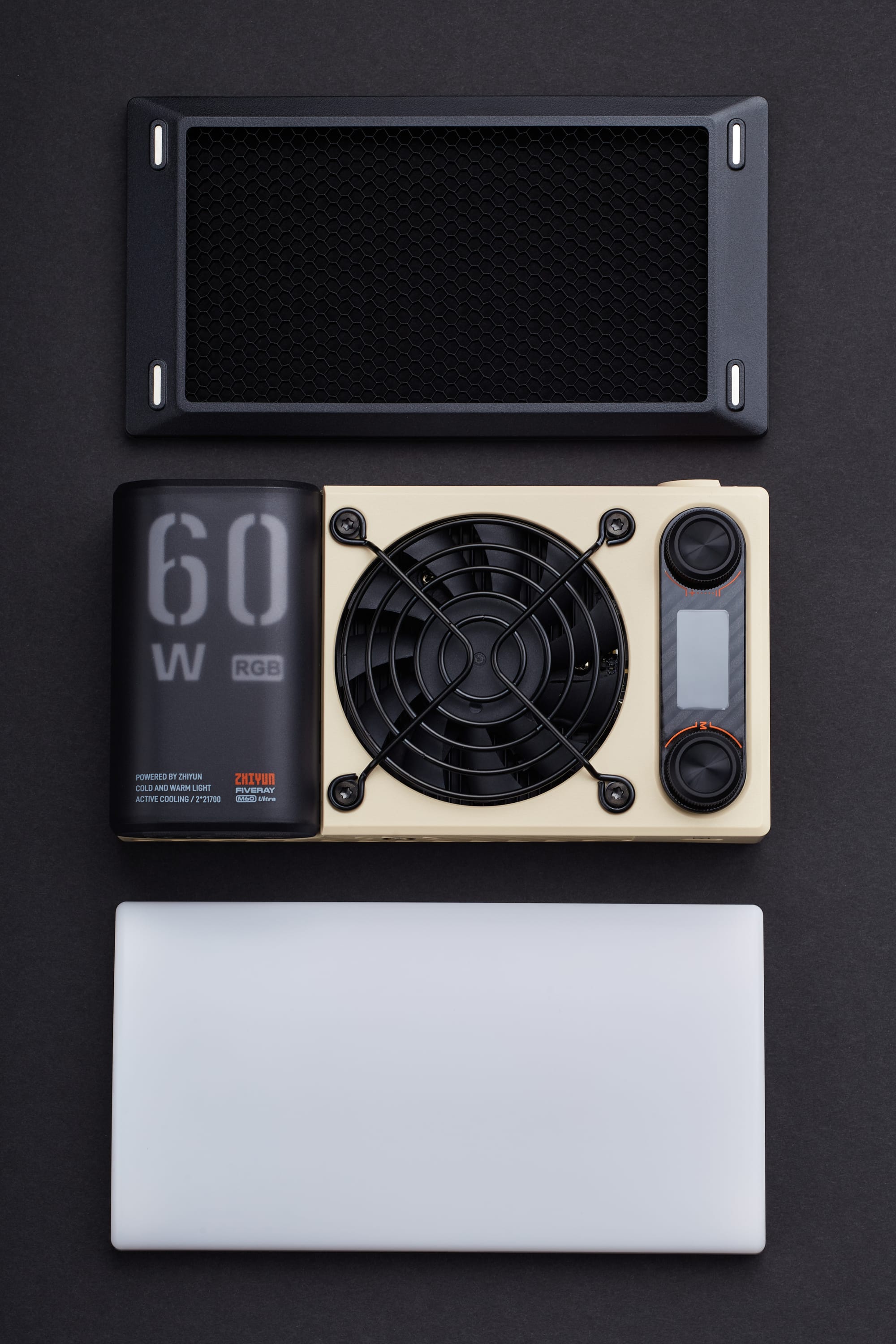
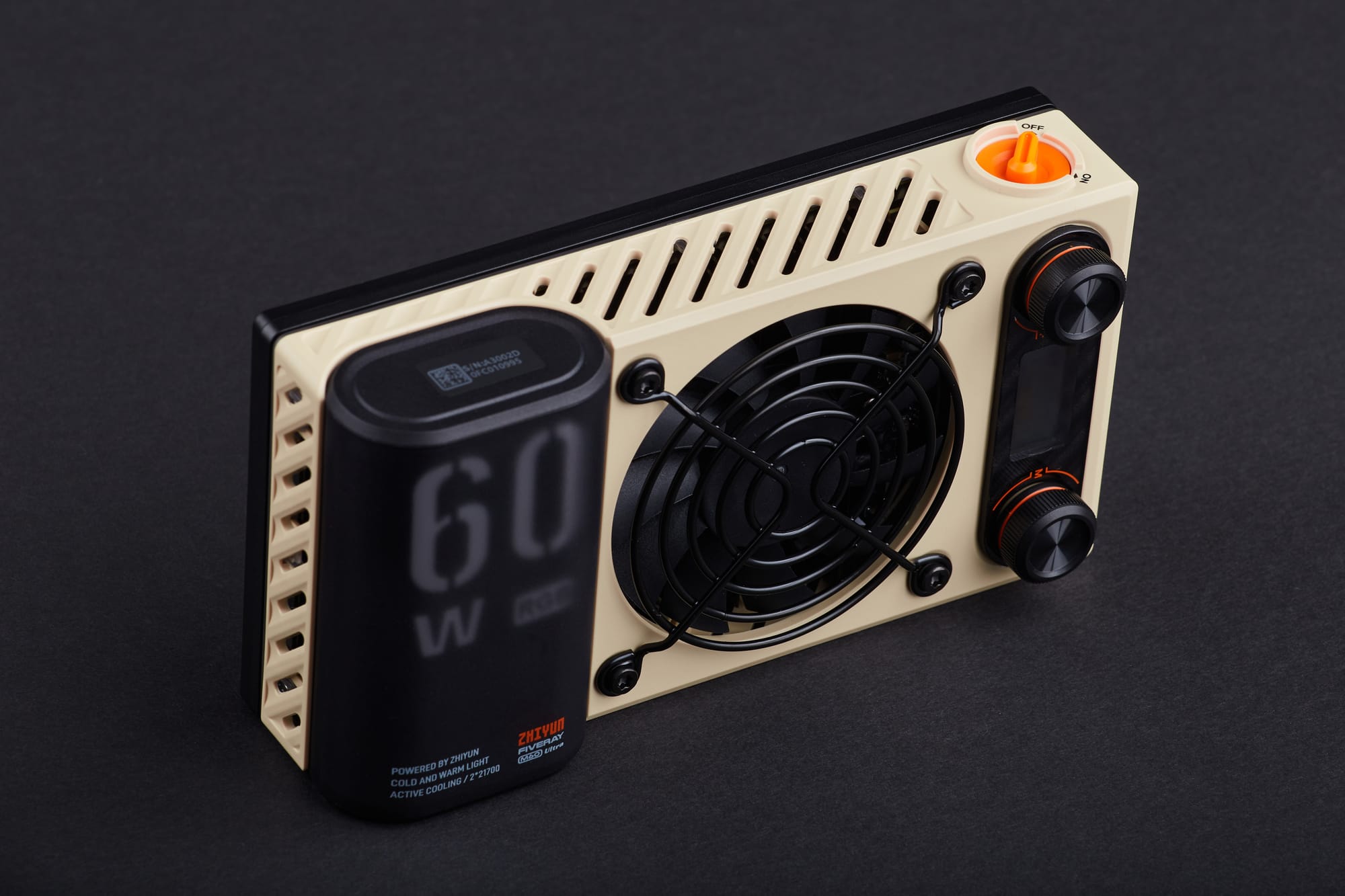
The Zhiyun M60 Ultra is roughly the same size as an iPhone, albeit quite a bit thicker. It fits comfortably in the palm of your hand and weighs in at a mere 430g. The overall build quality is excellent, and the dials have a satisfying tactile click with each incremental adjustment. The only potential frailty I was able to find is the on / off switch, which doesn't feel quite as rugged as the rest of the body.
In order to mount the M60 Ultra on a light stand or tripod, there's a universal 1/4-inch thread on the bottom of the unit, making it seamless to incorporate it into an existing photo or video production workflow. The prominent built-in fan on the back does an exceptional job of keeping the light cool during intensive use, and not once did I encounter an overheating issue.
My feelings regarding the battery life on the Zhiyun M60 Ultra are somewhat mixed. When operating the light at full power, I was only able to get about 30 minutes of use before it needed to be charged, however at 20% power it's rated at a far more practical 160 minutes. The limited battery life at full power unfortunately limits the light's usefulness in more demanding production environments, and I would have preferred a dedicated power supply to be included like there is with the X100 RGB light. On the bright side however, the M60 Ultra does support USB-C charging while in use, though you'll want to ensure you have a 60W or higher power source on hand.
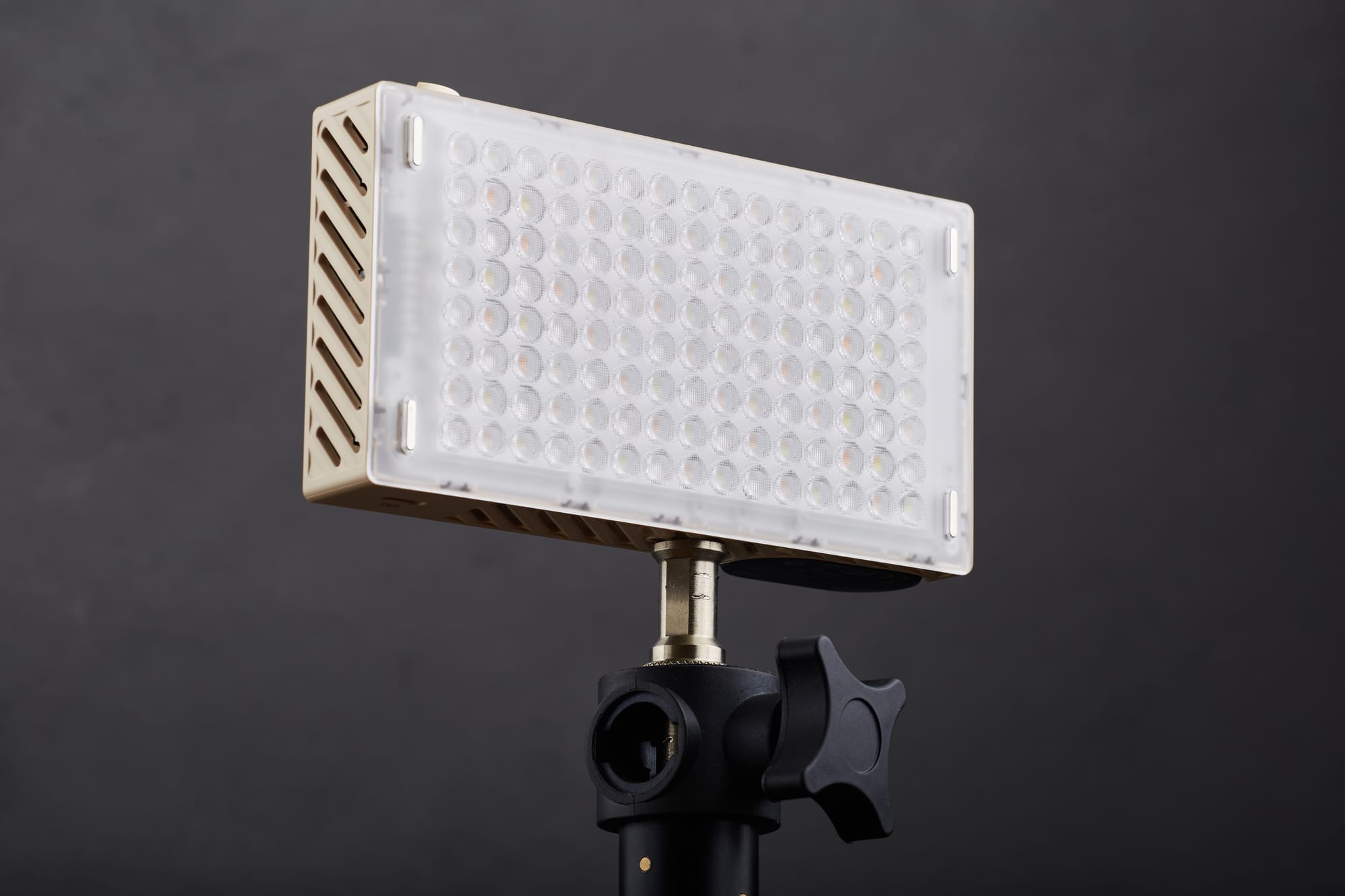
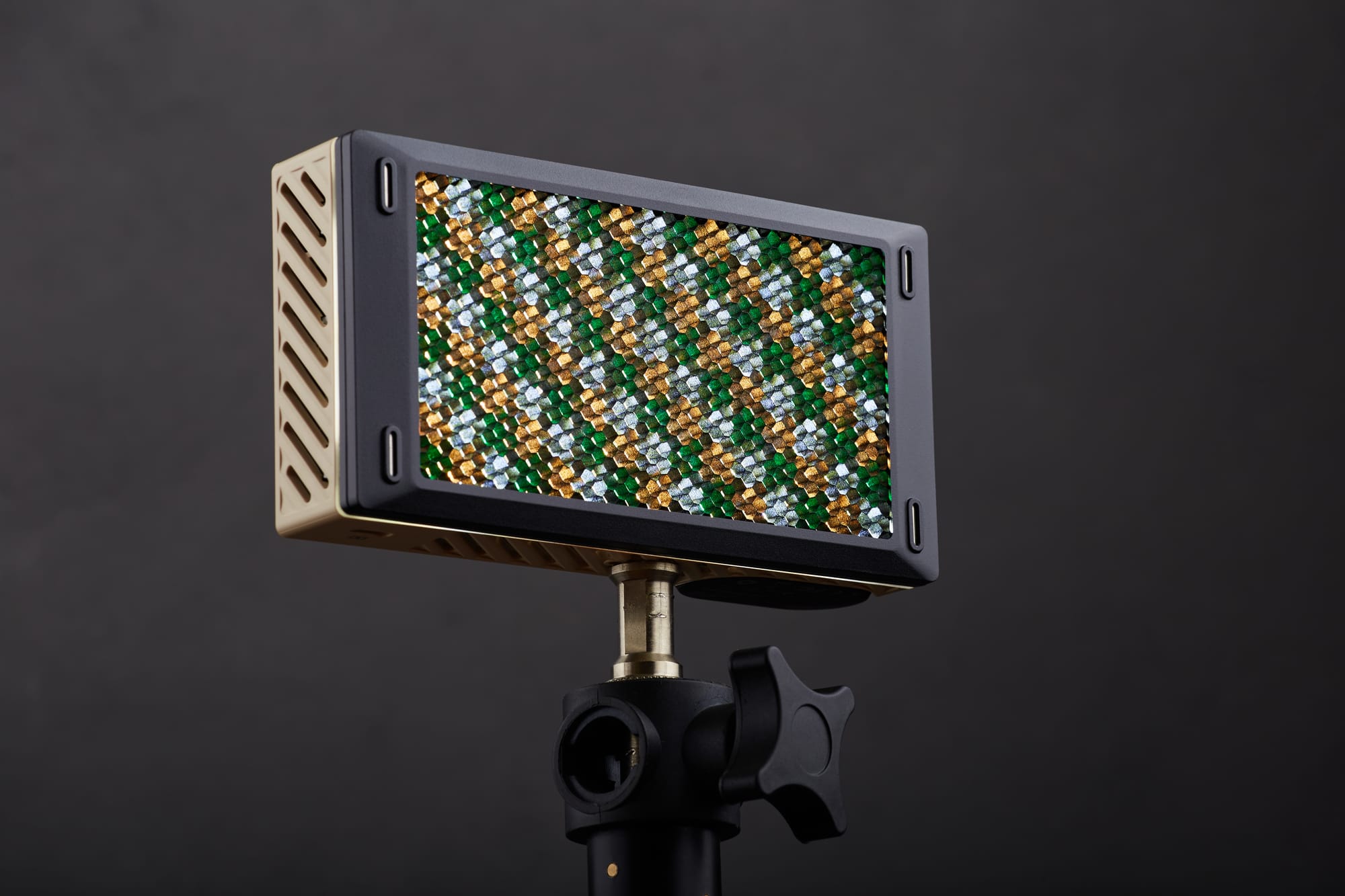
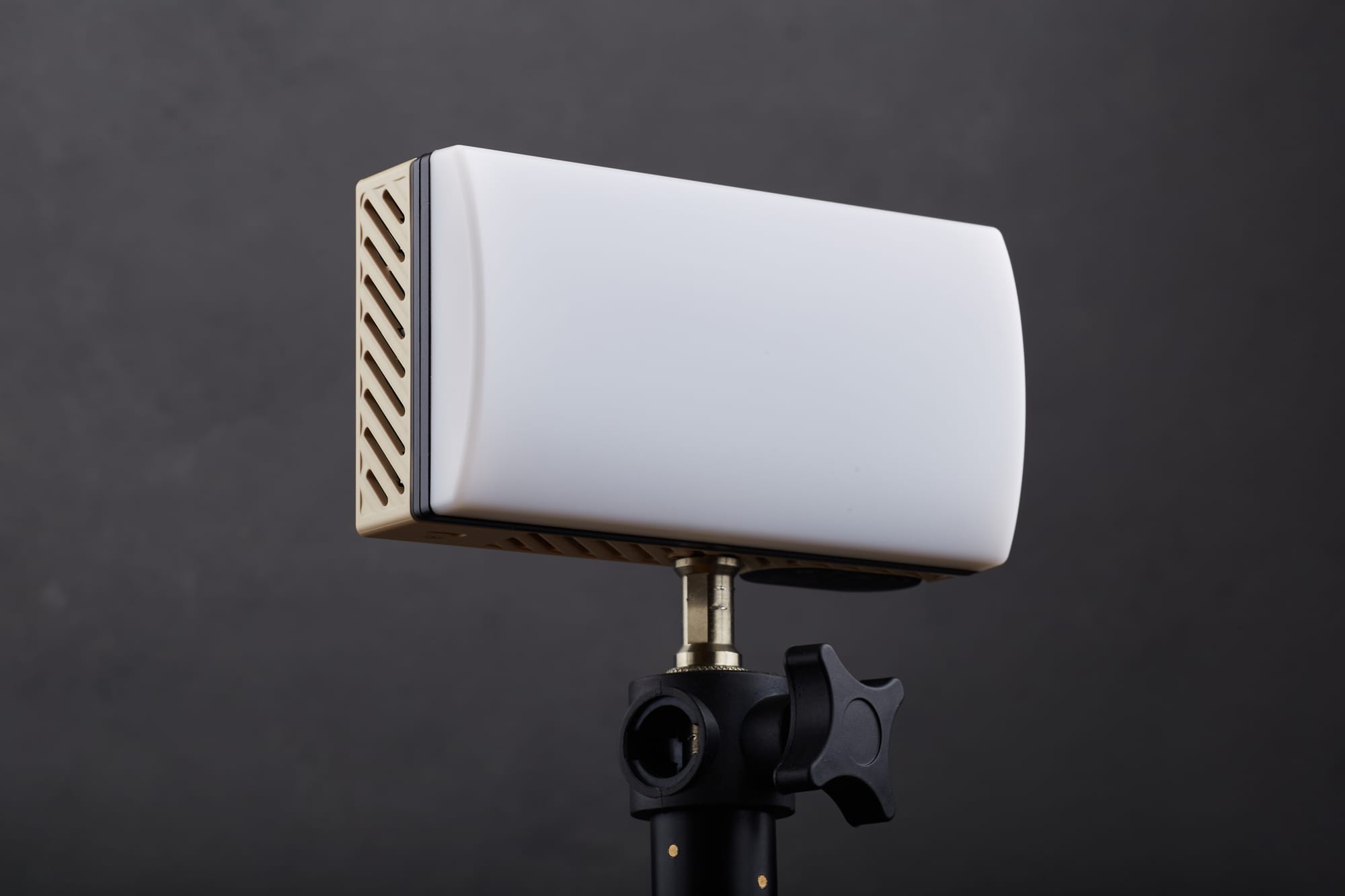
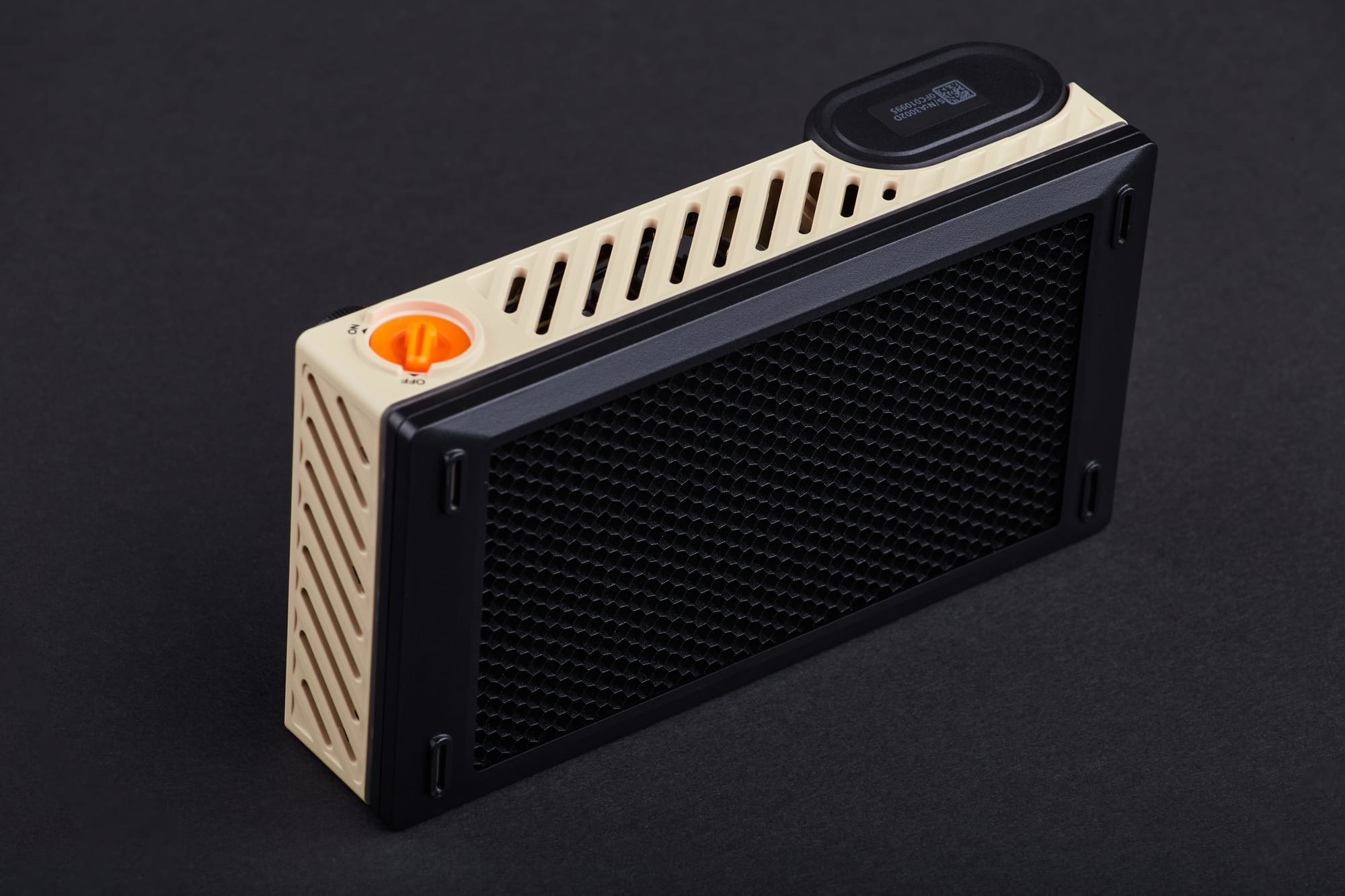
Although at first glance the M60 Ultra may appear simplistic in terms of the quality of light it's able to output, its modular lighting modifiers add a level of versatility that's crucial for achieving specific looks. Included in the box are a honeycomb grid to focus the light and narrow its spread, as well as a diffusion panel to soften the light. Both attach to the light via a clever magnetic mounting system, can be combined or used on their own, and the process of adding or removing them from the unit couldn't be easier.
Features
The most impressive aspect of the Zhiyun M60 Ultra is without a doubt it's incredible feature set. The menu system has been well thought-out and is intuitive to navigate through. Additionally, the button / dial operations to change various settings on the body are simple to use.
Much like the excellent X100 RGB light, you can configure the M60 Ultra to virtually any color temperature you could possibly want, even dialing in the exact percentage of saturation and intensity. For having such a small footprint, I found the M60 Ultra to be surprisingly powerful, and I honestly can't imagine a better light output in such a compact form factor. There's also a nice variety of convincing special effects modes that are actually useful such as a police car, explosion, TV flickering, and welding flashes among others.
The feature that I've been most excited by however, is the M60 Ultra's wireless Bluetooth control options via their ZY Vega mobile app. The app itself is quite slick, and allows you to fully control multiple lights directly from your phone. You can adjust their power output and color temperature, as a group or independently of each other. Pairing the lights to the app via Bluetooth is easy, and I found adjusting the power output and color temperature to be a straightforward process. The app certainly isn't necessary, but its convenience and ease of use makes it a valuable (optional) tool.
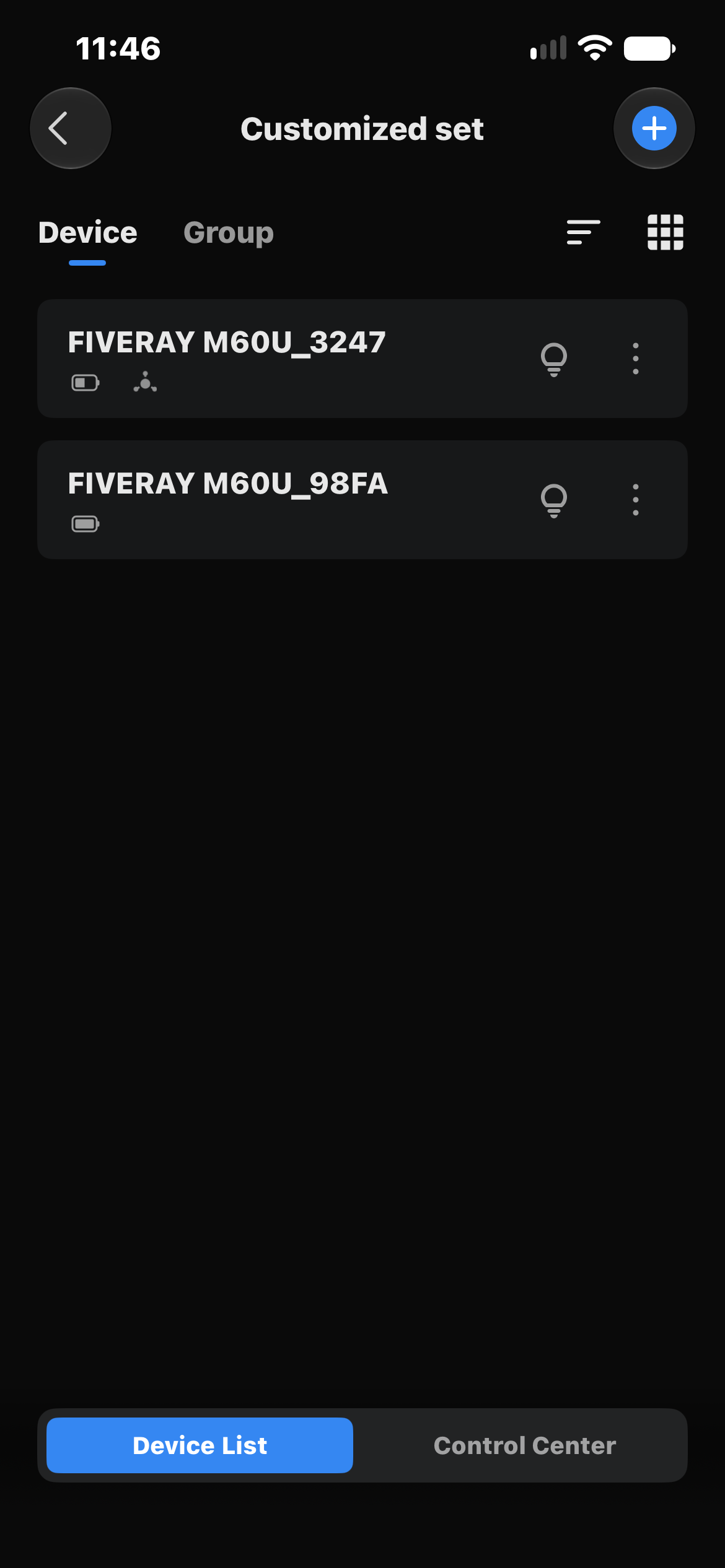
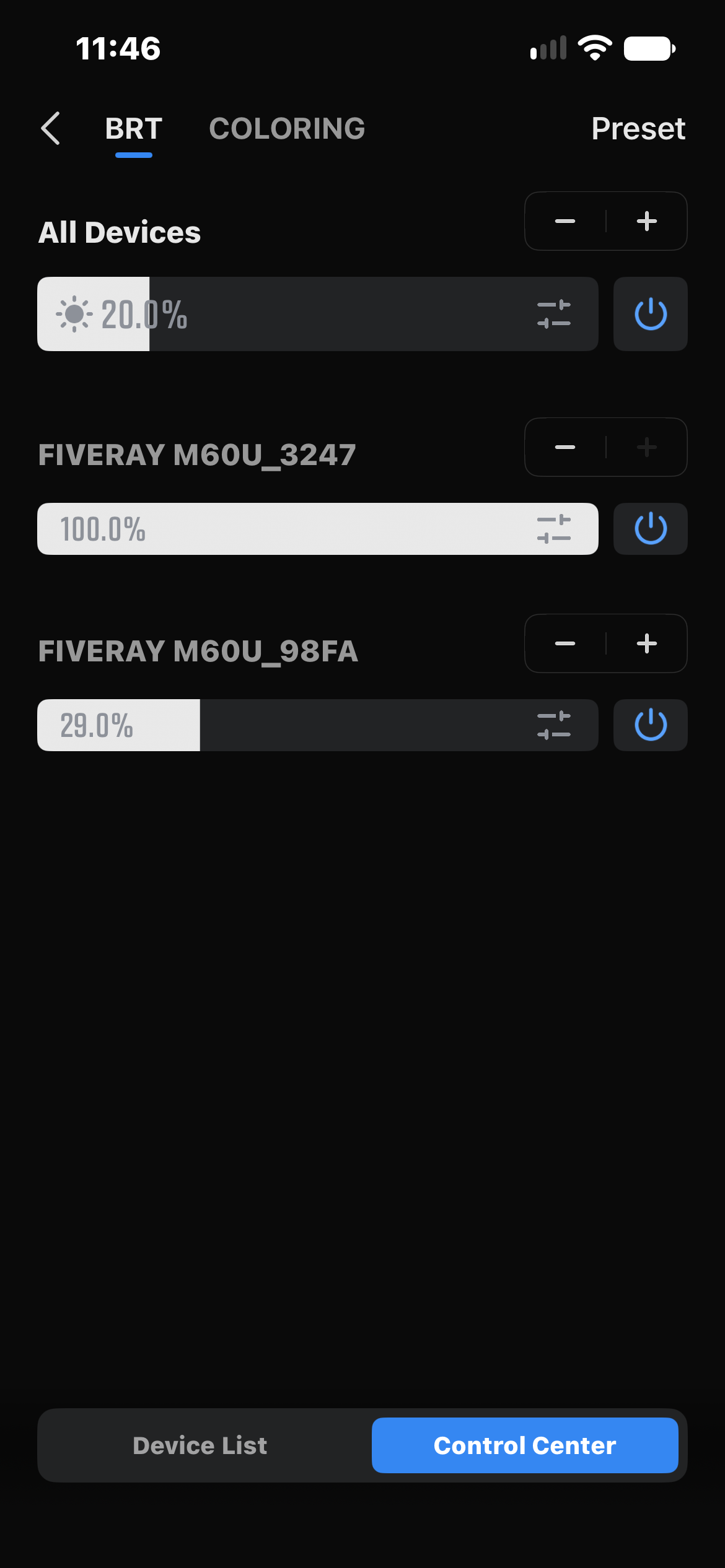
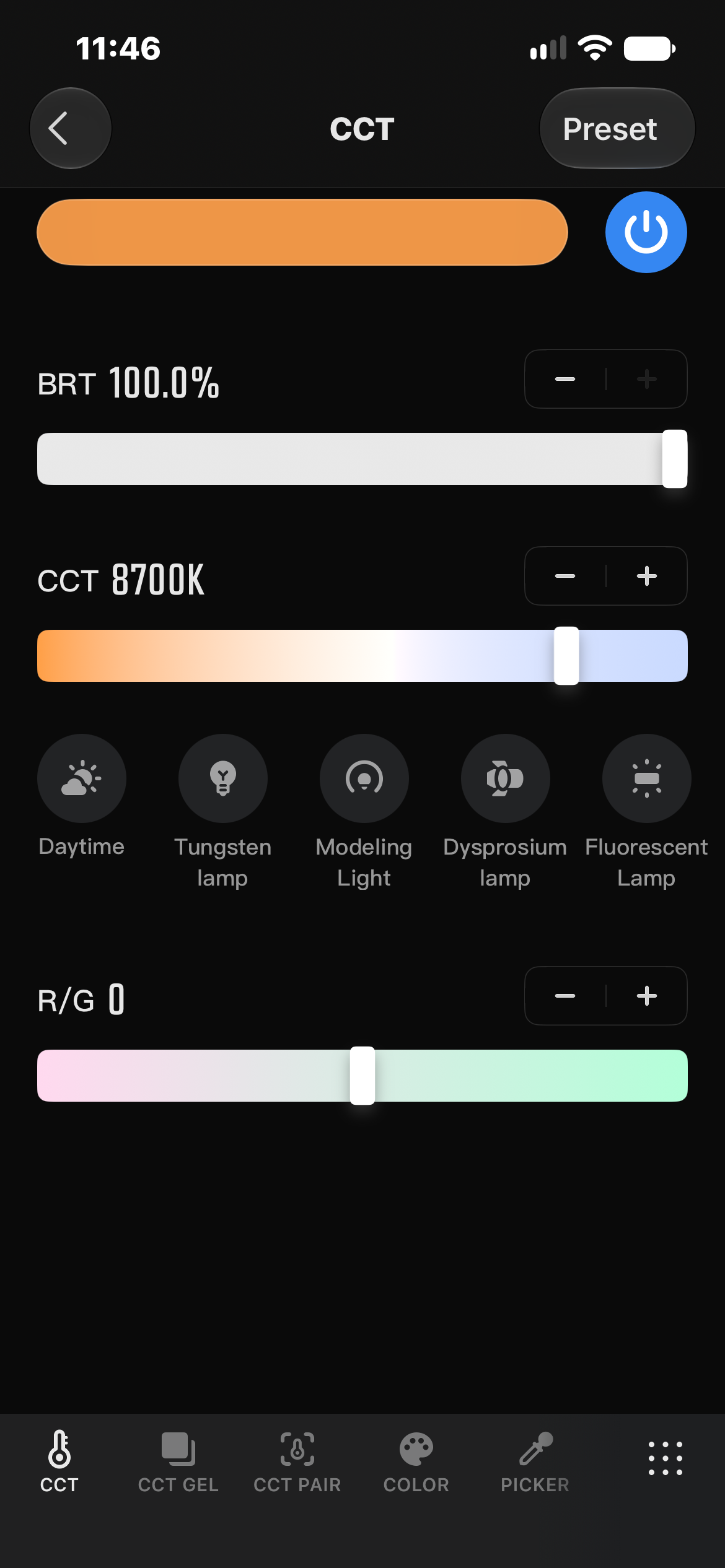
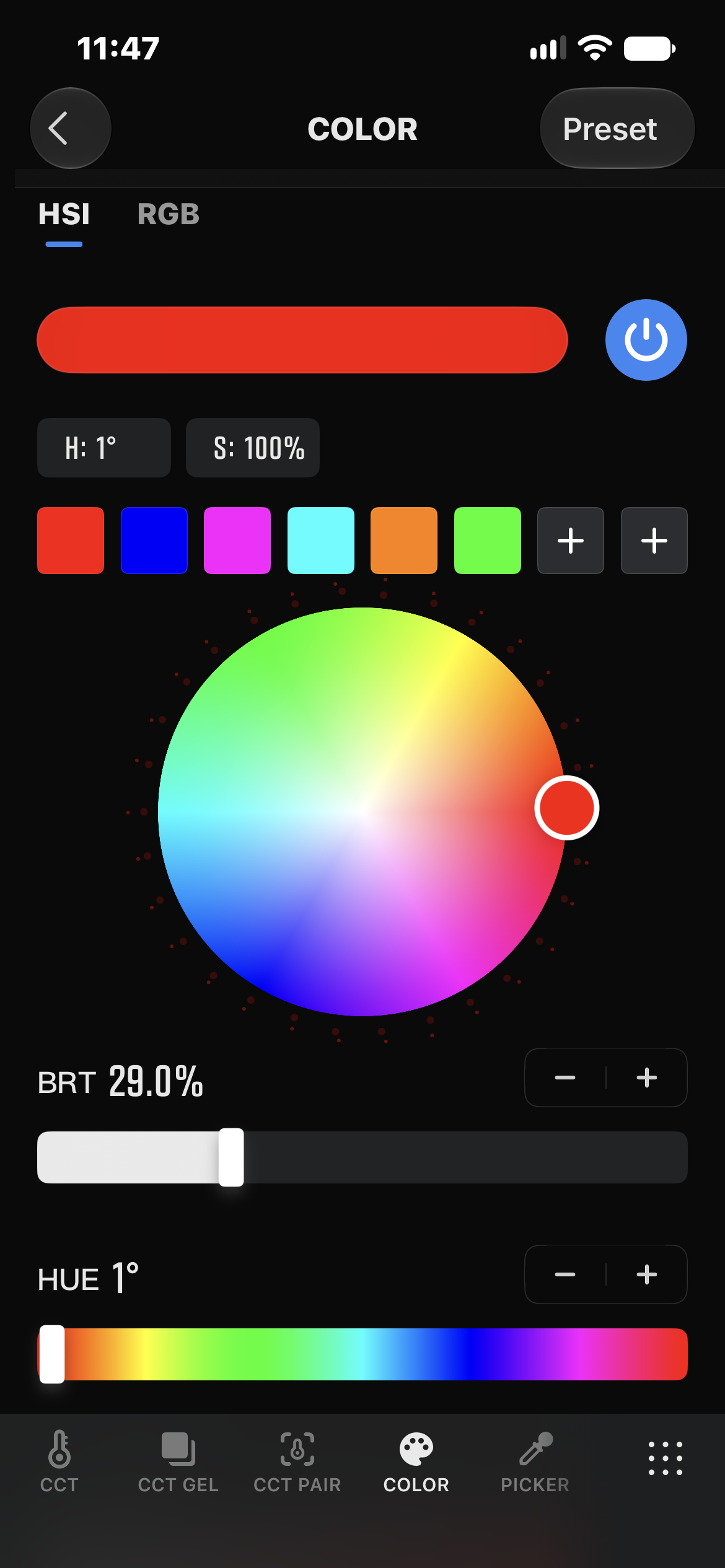
Exploring the UI of the ZY Vega app
Not to be overlooked, if you have multiple Zhiyun M60 Ultra lights as I do, you can control them wirelessly via a slave / master system directly on the units themselves; no smartphone app required. For example, by setting one of the lights to be the primary master unit and the other to be the receiving unit, making any color, power, or special effect adjustment on the master unit will also be matched on the receiver unit. I've tested it out extensively and I found this mode to be as enjoyable as it is seamless. 💯
In Use
Here are four short video clips that I've shot with the Zhiyun M60 Ultra. In each shot I've assigned the light a different task, so let's see how it performs in each scenario:
- Although it is marketed primarily as a fill light, in this shot I've used the M60 Ultra with the magnetic honeycomb grid attached as the primary, and only light source. I manually moved the light with my hand to slightly change the effect as the video progresses. I can already see that this is a wonderful single light setup for closeup and macro applications.
© Nicklaus Walter
- For this next shot, I used the Zhiyun X100 RGB as the main light with the 40D octabox attached. A side note about the 40D octabox, is that it features the same fundamental design as the incredible Elinchrom Rotalux Octa series that I use on a daily basis at my day job. I was genuinely surprised at the quality of light this modifier produces, especially at such a modest size and price point. I then added the M60 Ultra with the magnetic diffusion panel as the fill light and placed it right next to the camera's lens on the shadow side of the subject. I used the ZY Vega app to slowly dial up the fill light to full power, and then dial it back down to zero. Watch carefully, as the effect is gradual and subtle at first, but makes a big difference to the shadow side of the subject's face and ear.
© Nicklaus Walter
- Once again, here I used the X100 RGB with 40D octabox as the main light. I then placed the M60 Ultra with the magnetic honeycomb grid behind the subject to create a colored rim light. Using the ZY Vega app, I was able to wirelessly change the color temperature on the rim light from behind the camera.
© Nicklaus Walter
- And finally, in this shot I used the X100 RGB with 40D octabox as the main light, an M60 Ultra with magnetic diffusion panel for the fill light (placed directly next to the camera lens), and another M60 Ultra with the magnetic honeycomb grid as a rim light. The M60 Ultra fill light was turned up to full power to fill in the shadow side of the face nicely, and the M60 Ultra rim light's color temperature was changed via the ZY Vega app wirelessly.
© Nicklaus Walter
Pros
- Ultra compact form factor
- Excellent build quality
- Magnetic mounted honeycomb grid and diffusion panel increase the lights versatility
- Menu system is simple and intuitive
- Doesn't overheat
- Supports USB-C charging while in use
- Quiet operation
- Full color RGB spectrum allows you to select any color, hue, and saturation level imaginable
- Includes a variety of useful lighting effects for video
- Full wireless control of multiple lights via onboard slave / master system or ZY Vega app
Cons
- Battery life at full power is limited to 30 minutes of use
- There isn't a dedicated external power supply included
Verdict
I've been incredibly impressed with the Zhiyun M60 Utra lights. Their power output, polished user interface, seamless app integration, and the versatility of the magnetic lighting modifiers have convinced me that they can reliably serve a supporting role for professional work that call for both photo and video applications.
You could easily shoot a smaller production with these lights as a fill light or rim light, as long as you don't consistently use them at full power. In fact, the only shortcoming for me is the battery life, but even that can be worked around with some planning as the light does support USB-C charging while in use.
Just as with the X100 RGB that I thoroughly enjoyed using, the Zhiyun M60 Ultra lights have encouraged me to push my creativity further, and this isn't hyperbole. If you're a hybrid photo / video artist then you'll absolutely find great value and utility in what the M60 Ultra offers.